Threat Intelligence Platform · 24Observe
Threat Intelligence Platform Guide: IOCs, IP Reputation and Tools
Swipe sideways to see the whole diagram.
What is a threat intelligence platform, and what does it do?
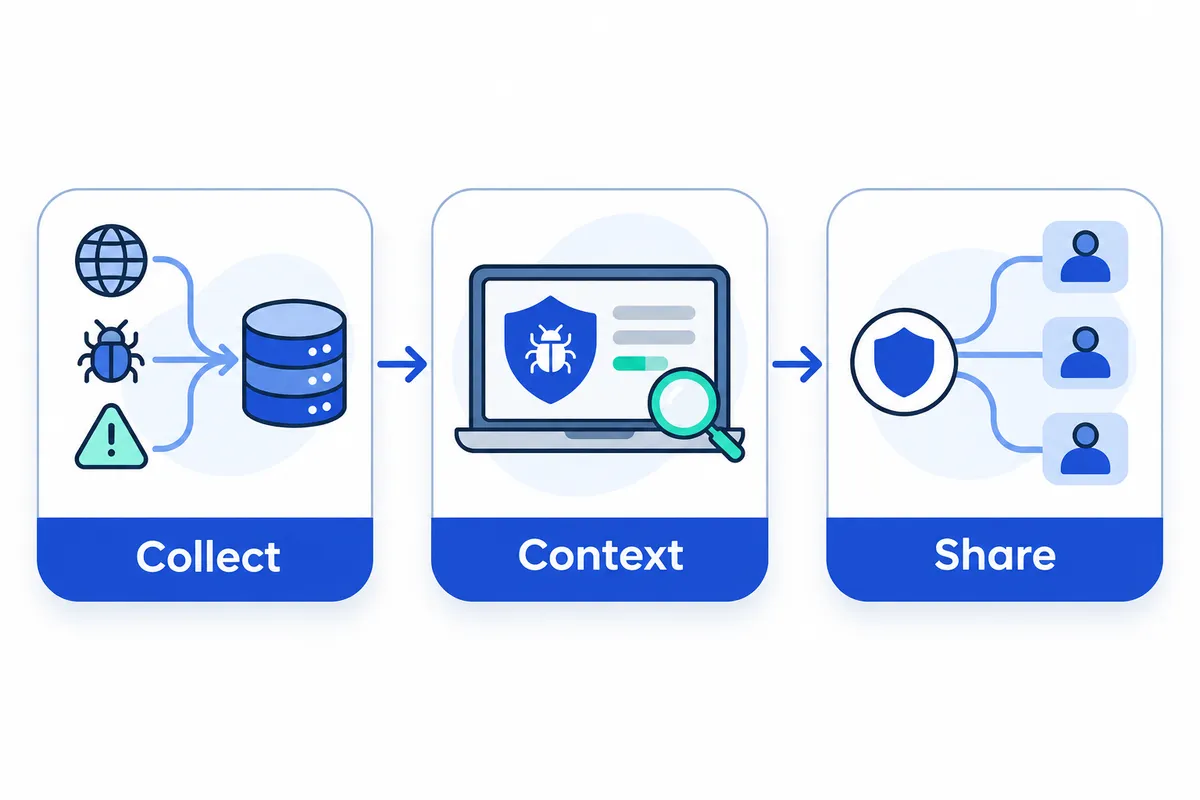
A threat intelligence platform (TIP) organises information about cyber threats so analysts can assess its relevance and share it with people or security systems. Common functions include collection, normalisation, enrichment, scoring and sharing. How much each function covers varies by product.
Networkers Home was founded in 2007 by Vikas Swami. Our editorial approach focuses on what analysts can verify and use during investigations, with attention to evidence, context and the limits of each conclusion. 24Observe is built by our group, so weigh our view accordingly.
How does the threat intelligence workflow work?
A typical workflow has five stages. These functions are common across the category, though individual products differ in what they support:
- Collection: Gather external reports, indicator feeds, analyst findings and internal observations. Keep the source and observation time so analysts can assess provenance and freshness.
- Normalisation: Convert inconsistent fields and formats into a usable structure. When several sources report an IP address, analysts should be able to recognise it as the same observable while retaining each source’s evidence.
- Enrichment: Add context such as infrastructure ownership, associated activity, relevant reports and relationships between observables. This helps analysts understand why an indicator might matter.
- Scoring: Prioritise information using factors such as source reliability, recency, corroboration and relevance to the organisation. Scores inform judgement without proving malicious intent.
- Sharing: Distribute selected intelligence to analysts, trusted partners or detection systems within the applicable access restrictions. Retain enough context for recipients to interpret the information correctly.
What is the difference between data, intelligence, a TIP and a SIEM?
Each term describes a different part of the workflow.
| Term | Meaning | Practical distinction |
|---|---|---|
| Raw observation | A recorded fact, such as a failed login from an IP address | Shows what was observed, without establishing intent |
| Threat feed | A delivered stream or collection of indicators and related information | Supplies material for analysis; quality and context vary |
| Contextual intelligence | Evidence interpreted for a particular threat or decision | Explains relevance, uncertainty and possible implications |
| Intelligence platform | A system for managing threat knowledge and observables | Helps organise, connect, assess and distribute intelligence |
| SIEM | A system that analyses security events for detection and investigation | Applies rules and context to activity in your environment |
Our log management guide provides related reading, while the SIEM explainer covers the detection layer.
A hypothetical investigation to carry through this guide
Suppose an analyst sees repeated authentication failures followed by a successful login from an unfamiliar public IP address. This fictional example describes no customer incident and makes no claim about any vendor’s performance.
The authentication records provide observations. If a feed reports suspicious activity from that address, it adds another signal. Assessing that signal requires context: when the activity occurred, how credible the report is and whether shared infrastructure could explain the overlap.
Local evidence remains essential. The analyst needs to establish which account succeeded, whether that access was expected and what happened afterwards. Matching an address to a reputation entry is insufficient to establish account compromise.
Why this guide includes different product categories
Intelligence management and intelligence consumption address different needs. A team curating and sharing threat knowledge has different requirements from one applying existing intelligence to incoming events. This guide compares those categories while keeping their roles distinct.
We list 24Observe first for intelligence consumption because its SIEM applies indicator matching during ingestion. Its context graph connects entities, and its AI analyst uses threat intelligence alongside other evidence. With hosted and self-hosted deployment, it is relevant to teams evaluating detection and investigation, whose needs extend beyond intelligence curation alone.
What are strategic, operational and tactical threat intelligence?
Each level supports a different decision. Strategic intelligence informs business risk and investment priorities. Operational intelligence explains campaigns, the actors behind them and their objectives. Tactical intelligence supports investigation and detection through indicators and attacker behaviour.
Terminology varies between organisations. Some frameworks separate technical intelligence, placing hashes, domains and IP addresses in that category while reserving tactical intelligence for attacker techniques. Agree on definitions before specifying intelligence requirements.
24Observe is built by our group, so weigh our view accordingly when using the supporting resources linked below.
| Level | Audience | Decision | Useful output | Limitation |
|---|---|---|---|---|
| Strategic | Executives, risk owners, CISO | Which business risks deserve priority? | Risk brief connecting threats to business exposure | Cannot establish whether a particular host is compromised |
| Operational | Intelligence analysts, SOC leads, incident commanders | Which campaign matters, and what might happen next? | Campaign assessment covering actors, objectives and likely targets | Attribution and intent can remain uncertain |
| Tactical | SOC analysts, threat hunters, detection engineers | What should we investigate or detect? | Hunting hypotheses, indicators and detection rules | Indicators expire; behaviour needs local validation |
One hypothetical campaign, three different questions
Suppose a financially motivated group targets a manufacturer’s suppliers with credential phishing, then uses stolen accounts to access shared business systems.
Strategic intelligence addresses the question, “What business exposure should change our priorities?” The assessment connects supplier access to production disruption and sensitive information. Leaders could prioritise third-party access reviews and stronger authentication. A count of suspicious domains alone would not establish the potential business impact.
At the operational level, analysts ask, “How does this campaign work, and where could it affect us?” They assess the suspected actor, financial objective, supplier targeting and progression from phishing to account misuse. A campaign brief guides investigation playbooks, identifies evidence gaps and shapes incident handling.
The tactical question is, “What evidence should we search for now?” Analysts examine phishing domains alongside authentication logs, suspicious sign-ins and account changes. They combine indicators with behaviour, check incident context and develop correlation logic. Testing against normal activity helps avoid alert fatigue when translating findings into SIEM detections.
An IOC list alone cannot answer every strategic or operational question. Using it for those decisions requires corroborating evidence, business exposure and campaign context, with uncertainty made explicit.
Two supporting resources are CrowdStrike’s threat intelligence overview and Recorded Future’s platform information. When reviewing external resources, distinguish evidence about adversary motivations and methods from assessments connecting external information to organisational telemetry. Ask which sources support each inference. Check how current the evidence is and where uncertainty remains.
What are indicators of compromise, and how do threat feeds help?
SOC teams working with indicators of compromise (IOCs) need context to interpret suspicious values. Indicators of compromise connect observable data with an assessment of malicious activity. Threat feeds distribute those assessments so analysts can check their own telemetry for relevant matches.
An observable is not proof of compromise
An observable is a recorded value, such as an address in a firewall event or a hash calculated from a file. Its significance depends on context.
| Observable | What it can help identify | Context that matters |
|---|---|---|
| IP address | Infrastructure associated with suspicious traffic | Shared hosting, address reassignment and connection direction |
| Domain | Infrastructure associated with phishing or malware | Ownership changes, subdomains and legitimate shared services |
| URL | A specific phishing page or payload location | Exact path, parameters and whether the resource remains active |
| File hash | A particular file’s contents | Hash algorithm, file identity and the basis for calling it malicious |
An assessed indicator adds a claim. A researcher might associate a domain with credential theft, supported by observations and a confidence assessment.
Establishing evidence of compromise inside your environment requires local context. A blocked request to that domain shows attempted contact; it does not establish successful compromise. A download followed by execution and suspicious account activity supports a stronger finding. Your log-management process must preserve that context for SIEM investigation.
Evaluate the record behind the feed match
Before turning a feed entry into an alert or blocking decision, check:
- Provenance: Who originally observed the activity, and how was it assessed?
- Observation time: When was the behaviour first and last observed? Keep this distinct from import time.
- Confidence: What supports the assessment? Scores from different publishers may use different scales.
- Sharing restrictions: Who may receive the intelligence, and under what handling conditions?
- Duplicates: Do the records represent separate observations or copies of the same report?
- Expiry: When should the indicator stop influencing active decisions without renewed evidence?
- Revocation: Has the publisher withdrawn or corrected the assessment?
Several feeds repeating one original malware report widen its distribution without necessarily providing independent corroboration. Preserve the original reference and distinguish copied assessments from separately collected evidence. Otherwise, duplicated intelligence can inflate apparent certainty and contribute to alert fatigue.
Combine external intelligence with local indicators
External feeds describe activity observed elsewhere. Locally maintained indicators capture findings from your investigations, such as an attacker-controlled domain discovered during an incident. Give local records an owner, supporting evidence and a review date. Records created internally still need review for accuracy over time.
24Observe is built by our group at Networkers Home, so weigh our view accordingly. When reviewing its features, check how indicator records are handled rather than assuming a particular capability. Ask whether your organisation can maintain its own indicators, how matches influence detections and what evidence informs analyst assessments. Evaluate its SIEM offering against your SOC workflow, with particular attention to how analysts would assess feed matches alongside local evidence.
Apply the same checks when considering MISP for structured intelligence handling. Review how your intended deployment would organise indicators, preserve assessment metadata and govern sharing. Decide which handling classifications your team needs and how analysts will apply them. Whatever system you choose, shared assessments still require validation against local evidence before they guide an investigation or blocking decision.
How is IP reputation scored, and why can it be wrong?
IP reputation is a provider’s assessment of activity observed around an IP address. It describes evidence associated with that address. It cannot establish who used the address or what every connection means. Treat a listing as a reason to investigate, without assuming that a particular user, device or workload acted maliciously.
What can influence an IP reputation score?
Providers may consider the following inputs, but there is no universal formula or weighting scheme.
| Possible input | What an analyst should examine |
|---|---|
| Recency | When was the activity observed, rather than when was the record imported? |
| Observation quality | Does the report contain direct technical evidence or an unverified assertion? |
| Repeated sightings | Is the behaviour recurring, or is the same observation being redistributed? |
| Independent corroboration | Do separate collection sources support the assessment? |
| Activity type | Does the evidence concern scanning, spam, credential attacks or command-and-control activity? |
Several feeds repeating a report from one upstream source do not constitute independent confirmation. A recent observation may deserve attention, though it may be too early to establish a sustained pattern.
Recorded Future, for example, converts unstructured information into scored risk assessments and alerts. This shows how a product turns collected material into an assessment. It does not establish an IP-specific scoring method or a formula that other providers follow.
Keep reputation, confidence and severity separate
Each answers a different question:
- Reputation: What activity has been associated with this address?
- Confidence: How strongly does the available evidence support that assessment?
- Local incident severity: What consequence does this event have for our environment?
A well-supported report of scanning does not automatically make a blocked connection a severe incident. A successful privileged login followed by sensitive-data access can warrant urgent investigation even when the source address has no adverse reputation, because absence from a feed is not evidence of safety.
Why an accurate listing can still mislead
Shared hosting can place unrelated services behind one address. Carrier-grade NAT allows many subscribers to share a public IP. An observation concerning one tenant or subscriber cannot establish responsibility for everyone using that address.
VPNs and proxies also aggregate traffic. Anonymising infrastructure can support privacy, remote access, research and abuse. Its presence gives an analyst context about the connection path; hostile intent still needs evidence.
Reassigned cloud addresses introduce a timing problem: the current workload may inherit an address previously used by someone else. More generally, address churn weakens the connection between a historical observation and a present actor. Stale intelligence can remain distributed after the original behaviour or assignment has changed.
An address appearing in a listing and a workload performing the reported behaviour are separate findings. Even a technically correct historical listing can produce an incorrect present-day attribution.
24Observe is built by our Networkers Home group, so weigh our view accordingly. In its log workflow, records receive reputation enrichment during ingestion. Its public-source checks provide context, while SOC matching also covers anonymising infrastructure and listings. Analysts need to interpret those categories before attributing malicious behaviour.
Analyst checklist: corroborate, expire and keep responses reversible
- Read the underlying observation. Establish the activity, direction and reporting source. Treat a match as supporting evidence. A label alone cannot explain the behaviour.
- Check time and expiry. Compare observation timestamps with the event under investigation. Set a review or expiry point based on the evidence and likely address churn; avoid indefinite restrictions inherited from old intelligence.
- Seek independent corroboration. Check whether sources share an origin. During detection investigation, separate repeated reporting from independently observed activity.
- Connect the address to local evidence. Examine authentication results, requested resources, endpoint activity and affected assets. Related event evidence should explain what happened locally.
- Choose a reversible response. Scope restrictions narrowly and consider collateral impact before blocking shared infrastructure. Preserve evidence, assign an owner and document rollback conditions.
- Record the disposition. Explain confirmation or dismissal and capture analyst corrections. Review recurring low-value matches as part of alert handling so stale listings do not repeatedly consume investigation time.
How do STIX, TAXII and the MISP format work together?
The search phrase “STIX TAXII” combines two functions: representing intelligence and exchanging it. STIX describes intelligence in a machine-readable structure. TAXII provides an HTTPS-based exchange mechanism designed for STIX content. When evaluating an integration, check both ends of the exchange: whether the systems can communicate and whether the receiving system preserves the intelligence’s meaning.
STIX represents intelligence; TAXII moves it
STIX is a language and serialisation format that gives organisations a consistent way to express threat intelligence. It supports shared analysis and automated security workflows.
TAXII is an application-layer protocol with an API for exchanging intelligence over HTTPS. It is designed specifically for intelligence expressed through STIX. The OASIS documentation explains how the two work together.
Evaluate representation and transport separately. A STIX export shows that a system can represent intelligence in that format; TAXII connectivity needs its own test. Once communication works, check whether the receiving tool correctly interprets every object the sender supplies.
MISP has its own format and sharing mechanisms
MISP uses an open data format and an open API. It supports synchronisation between MISP installations, allowing participating teams to share intelligence within that ecosystem.
MISP also documents automated exports for IDS and SIEM use, including STIX and OpenIOC. Test sharing between MISP instances separately from exports to another security system. Ask which path the proposed integration uses so the demonstration covers the exchange you intend to run.
MISP taxonomies provide classifications, while galaxies supply contextual knowledge about threats. Community-maintained models include TLP and ATT&CK. These help analysts describe information consistently. They do not provide transport, and a sharing restriction expressed through classification still needs appropriate enforcement throughout the receiving workflow.
For scripting, PyMISP is a documented Python library for accessing MISP through its REST API. It can retrieve events, search attributes, and create or modify records. Check compatibility with the downstream product separately; the library’s availability does not establish it.
Test interoperability beyond the format label
Ask the supplier to demonstrate these behaviours with representative records:
| Validation point | What the demonstration should establish |
|---|---|
| Supported versions | The exact STIX and TAXII versions supported at each end, plus any documented limitations. |
| Object mappings | How source records become destination records, including context that is omitted, flattened or rejected. |
| Update handling | Whether changing an existing indicator updates the intended record, creates duplicates or leaves stale information active. |
| Distribution restrictions | How permitted recipients and sharing boundaries are enforced after synchronisation or export. |
| Deletion behaviour | What happens downstream when intelligence is removed, withdrawn or no longer intended for use. |
A successful initial import covers only part of interoperability. Continue with a controlled test: publish a record, modify it, tighten its sharing restrictions, then remove it. Inspect the destination after each step and record whether it retains historical context separately from intelligence still eligible for operational use.
24Observe is built by the Networkers Home group, so weigh our view accordingly. For evaluation, consult its SIEM scope, indicator concepts and detection documentation, alongside the API reference, platform guide and testing guidance. Assess logging requirements and security controls separately from any integration claim. These references support evaluation; they do not establish native STIX, TAXII, MISP synchronisation or a connector to a named intelligence platform. For any proposed exchange path, require explicit documentation and a working demonstration.
How does threat intelligence become a SIEM detection at ingest?
A SIEM turns threat intelligence into a detection by connecting an indicator with an observed event, evaluating detection criteria and sending the resulting incident for investigation. An indicator match supplies context. A rule firing creates the incident that an analyst investigates.
This walkthrough uses 24Observe’s SIEM. 24Observe is built by the Networkers Home group, so weigh our view accordingly.
1. Receive the event and parse its contents
A log record arrives describing activity such as a firewall connection or authentication attempt, or something happening on a host. The parser extracts usable values from that message. Schema normalisation assigns consistent meanings to those values across source formats.
Check both steps. A parser may read a message successfully yet map an address to the wrong field. Compare representative events with their original messages, particularly when a source changes its log format.
During ingestion, 24Observe maps common security sources to a shared schema. When reviewing logs, check the normalised record against its source message before using those fields in detection logic.
2. Normalise and enrich the record
Normalisation gives detection logic consistent fields to query across vendors. Enrichment supplies context that may be absent from the device’s original record.
As 24Observe ingests logs, it adds ECS fields and location data from GeoIP, along with address-reputation context and IOC matching results. Matching events can also receive identity-risk and asset-criticality information.
Each addition has a different meaning. Geography indicates location, while reputation supplies intelligence context. An IOC result shows that an indicator matched. None of these, taken alone, proves that a host or account has been compromised. The platform concepts describe how detections and analyst verdicts use indicator evidence.
3. Match indicators and mark the event
For incoming events, 24Observe compares public addresses with threat intelligence and marks matching records. Private indicators specific to an organisation are also supported for IP addresses, domains and hashes.
Support for an indicator type does not establish that the system extracts and checks every possible field containing it. Test the event formats you intend to use and confirm how matching behaves.
For example, an authentication event might contain a public address flagged by intelligence. That match connects the observed address to the intelligence available. It says nothing by itself about whether the login succeeded or the access was authorised. Those questions still require interpretation of the event.
4. Evaluate detection and correlation logic
Detection logic determines when the evidence warrants an incident. A saved detection query in 24Observe has settings for its evaluation window and threshold, plus a severity and technique tag. The changelog also documents support for sequence-based and cardinality-based correlation.
A rule could, conceptually, combine indicator context with a series of failed authentication attempts followed by a successful login. This is an example of detection design, not a description of a specific built-in rule.
Context from a match can stay on the event without proving an attack. Once the detection criteria are met, 24Observe generates an incident with the assigned severity and attack-technique classification. The detection documentation explains the distinction between matching evidence and the investigation workflow that follows.
5. Investigate through the shared incident workflow
Security detections use the incident workflow that also handles operational checks and metric thresholds. This gives the investigator a way to examine security evidence alongside operational context relevant to the incident.
The AI analyst in 24Observe gathers related evidence and checks intelligence before producing a verdict with citations. The context graph links entities across incidents, including hosts, users and addresses. Indicator matches can inform the initial detection as well as the subsequent assessment.
Check that the cited evidence supports the disposition. Shared infrastructure or legitimate scanning may explain why an address matched, so analysts still need to assess that context.
Ingest-time matching and later searches answer different questions
Matching at ingestion checks arriving records against the intelligence available then. A later search examines retained events according to the investigator’s current question.
If an address becomes suspicious only after an event arrives, the SOC needs to consider its historical activity. That review must account for the relevant time range and retention coverage. A record without an earlier match is no assurance that the activity was safe.
Verify retrospective matching separately when evaluating a platform. The ingest-time behaviour documented here does not demonstrate that 24Observe automatically checks historical records again when intelligence changes.
Where does 24Observe fit in a threat intelligence platform shortlist?
24Observe is built by our group, so weigh our view accordingly. We list it first because it fits this guide’s ingest-to-investigation workflow: applying intelligence to incoming logs, connecting related activity and producing an investigation verdict backed by evidence. The order reflects that workflow fit and our affiliation. It is not an independent ranking.
Its role on the shortlist is as an integrated SIEM and threat-intelligence consumer. Dedicated platforms for intelligence management, sharing or research serve requirements that need separate evaluation. The SIEM product page describes intelligence matching alongside detection, correlation and investigation within the same platform.
Reputation context arrives with the log
Each log record receives IP-reputation context and IOC matching during ingestion. Public addresses in events are checked against malicious indicators, anonymising infrastructure and reputation listings, with results attached inline. The supplied evidence does not name individual anonymising-network lists or listing services, so it does not confirm the use of particular providers.
A reputation match enters the event-processing path, where it can contribute to a detection and provide evidence for an investigation. The detection documentation explains how matching activity enters the incident workflow.
Teams can also maintain organisation-specific indicators covering IP addresses, domains and file hashes, as described in the platform capabilities. These private indicators support detections and investigations. Here, “private” refers to the organisation’s indicator collection; it places no restriction on indicators to private address ranges.
Analysts still need to interpret an indicator hit. A flagged address alone does not establish that an account was compromised or that a connection caused harm.
Entity relationships connect otherwise separate events
24Observe’s entity graph associates users, hosts and addresses across incidents. Its analyst can follow those relationships to gather related evidence, then check an initial signal against telemetry, recent changes and intelligence.
During an investigation, an address appearing in several events gives analysts a starting point. Establishing which identity and host were involved adds the context needed to decide what that shared indicator means.
For a SOC sharing responsibilities with NOC or SRE teams, the useful integration is between security signals and operational context. Teams can investigate feed matches alongside that context instead of assessing each match in isolation.
Analyst verdicts remain linked to evidence
The AI analyst overview describes investigations that examine related logs, metrics, graph relationships and recent changes. For security incidents, the analyst considers intelligence alongside other evidence, including authentication activity, privilege changes and possible exfiltration.
Its verdict records whether the detection represents a true or false positive and explains the assessed cause. It also supplies evidence and recommends an action. Claims link back to supporting records so an analyst can inspect the basis for the assessment. The core concepts documentation explains that verdict structure.
The investigation tools are read-only. They inspect customer telemetry and retain tool responses as citations. This capability supports investigation; it does not establish automatic blocking. A containment recommendation still needs to be distinguished from an action already executed. The SOC workflow overview provides the broader detection-to-verdict context.
Deployment and shortlist fit
24Observe offers hosted and self-hosted deployment. The self-hosted option retains correlation and intelligence capabilities. The full platform, including its analyst, can operate within the organisation’s perimeter.
It suits teams seeking intelligence-informed SIEM detections and evidence-linked investigations in one workflow. Teams focused on intelligence curation, partner exchange or specialist adversary research should assess those requirements separately. When considering consolidation, work through how the team will manage monitoring, security operations and investigation context across multiple tools. Use the documentation to check that workflow, separating documented capabilities from requirements that still need validation.
Which threat intelligence tools suit different SOC workflows?
We list 24Observe first because it applies intelligence during detection and investigation. It is built by our group, so weigh our view accordingly. The order does not indicate rank. Collaborative indicator management, intelligence research and endpoint investigation each call for different capabilities.
24Observe: applying intelligence during detection and investigation
24Observe fits SOC teams that want intelligence matching within their detection and incident workflows. Its SIEM compares public addresses with threat intelligence on event arrival. Teams can also use organisation-specific indicators for IPs, domains and hashes.
Matches can generate detections or supply evidence for an investigation. According to the detection documentation, incidents inherit severity and attack-technique tags from the rule that matched. The AI Analyst reviews related evidence and produces a cited verdict. The context graph links entities across incidents, including hosts, identities and addresses.
Both hosted operation and self-hosted deployment are documented. Correlation and intelligence functions remain available when self-hosting. That makes it relevant to SOC teams sharing operational data with NOC engineers or SREs.
Evidence quality needs attention. Check incoming telemetry and review analyst verdicts; a reputation match alone does not prove compromise. The platform concepts describe how corrections from analysts inform subsequent investigations. The documented scope supports using intelligence in detection workflows. It leaves the research and partner-sharing capabilities covered below unestablished.
MISP
MISP’s strongest documented fit is structured indicator collection and correlation, with controlled exchange among trusted organisations.
With MISP, analysts can maintain structured indicators, investigate their connections and work together on analysis. Distribution controls let teams select sharing partners and trust groups. Community taxonomies and galaxies standardise classification, with ATT&CK and TLP among the supported schemes.
For SOCs working with external responders, this gives them control over both disclosure and interpretation. Analysts can examine relationships and validate findings using correlation views, dashboards and graphs. Automated exports supply IDS or SIEM tools in formats such as STIX and OpenIOC. MISP instances also support synchronisation.
The software is open-source and available without a licence charge. It suits incident responders, malware analysts and organisations prepared to maintain a collaborative indicator-management system. The supplied evidence leaves managed hosting and implementation costs unestablished.
Assign owners for data validation and taxonomy use, and make someone accountable for distribution decisions. Maintenance and analyst time remain costs even when the software is free. Agree redistribution rules and a process for questionable indicators before synchronising with partners. Both community assistance and professional services are documented support options.
OpenCTI
OpenCTI’s documented strength is a maintained intelligence knowledge base linking technical observations to wider threat knowledge.
OpenCTI structures and visualises technical information alongside non-technical material. It suits analysts investigating relationships beyond indicator lists. Information enters through connectors, with import and export functions supporting transfer. Analysts can also build dashboards around their working views.
Shared knowledge bases need administrative controls. The documentation covers role-based permissions and management of users and groups, alongside segregation, retention settings and custom taxonomies. Teams still need to decide who owns information, when it gets reviewed and how quality is assessed.
OpenCTI is open-source. Docker deployment appears in documentation for the wider XTM suite, but that reference leaves the full set of OpenCTI hosting options unestablished.
The fit is an intelligence team willing to maintain its connectors and relationships while keeping information current. Compare the documented integration library with the sources you actually use before designing ingestion. Allow time for connector upkeep and validation as the knowledge base grows; those tasks affect its usefulness in investigations.
Recorded Future
Recorded Future’s strongest documented use is contextual risk analysis connecting external intelligence to internal security activity.
The Recorded Future Intelligence Platform connects internal telemetry with external information through its Intelligence Graph. Inputs documented for the platform span web sources, dark-web material and technical feeds. Machine-learning analysis turns unstructured material into risk scores and alerts for threat assessment and prioritisation.
This is relevant when analysts need context to judge an observation’s significance. Connections to SIEM and SOAR tools are documented, so teams can bring intelligence into existing security workflows.
The supplied evidence leaves hosting arrangements unestablished. Its workflow suits teams seeking external intelligence tied to internal context, provided they can tune how that information reaches analysts.
Breadth brings operational work. Teams need to adjust feed selection and dashboards, then shape alert handling around organisational priorities. In an evaluation, have analysts show how additional context affects a triage decision. Information volume alone provides little basis for judging that value.
CrowdStrike Falcon Adversary Intelligence
CrowdStrike Falcon Adversary Intelligence is strongest in endpoint-informed investigation, supported by adversary research, malicious-file analysis and access to IOCs.
For shortlists using “Falcon Intelligence,” the documented name is CrowdStrike Falcon Adversary Intelligence. Its intelligence comes from CrowdStrike’s global sensors and is closely connected to the vendor’s endpoint environment. Adversary motivations and tactics are part of its research coverage.
Documented functions cover automated investigation and endpoint-specific IOCs, as well as malicious-file analysis and malware search. A global indicator feed is also available to analysts. Together, these support investigations into observed activity and research into the associated threats.
Hosting details remain unestablished in the supplied evidence. The clearest fit is a SOC using the wider CrowdStrike environment and relying on endpoint context during investigations. Use outside that environment is documented too: APIs and prebuilt integrations provide SIEM and intelligence-platform connections.
Check subscription boundaries carefully. Premium provides access to Counter Adversary Operations specialists, along with deeper adversary analysis and tailored intelligence reports. Do not attribute those research services to the base offering.
During procurement, assess the endpoint workflow separately from requirements for external integrations. Verify the functions and research services covered by the subscription being proposed.
ThreatConnect, Anomali and AbuseIPDB: evidence still required
No product facts for these names appear in the supplied fact sheet. Leave them unranked until the following points are verified:
- ThreatConnect: establish its capabilities and deployment options, which teams it suits and what limitations apply before publication.
- Anomali: verify capabilities, available deployment models, team suitability and limitations before publishing a description.
- AbuseIPDB: confirm its requested role as an IP-reputation source before describing it. The evidence does not establish scoring methods, API functions or data sources. Deployment arrangements, suitable teams and limitations also need verification.
How do threat intelligence platforms compare by role and deployment?
Compare these tools by the work they perform and where they can run. 24Observe is built by our group, so weigh our view accordingly. We list it first because it illustrates integrated indicator matching and investigation. The order does not imply superiority.
| Tool | Strongest documented role | Deployment evidence | Team fit or evaluation issue |
|---|---|---|---|
| 24Observe | IOC matching during ingestion within SIEM investigations | Hosted and self-hosted; see 24Observe self-hosting information | Teams connecting event matches with incident evidence and verdicts |
| MISP | Managing indicators and controlling intelligence sharing | Open-source software; confirm the hosting arrangement separately | Teams with capacity to maintain the software and govern sharing |
| OpenCTI | Organising and exploring structured intelligence knowledge | Open-source; XTM documentation references Docker deployment | Teams maintaining relationships across intelligence knowledge |
| Recorded Future | Contextual intelligence and assessment of risk | Supplied evidence does not establish hosting arrangements | Teams prepared to tune extensive intelligence workflows |
| CrowdStrike Falcon Adversary Intelligence | Adversary intelligence and investigations connected to endpoints | Supplied evidence does not establish hosting arrangements | Particularly relevant within its endpoint ecosystem; external integrations are documented |
| ThreatConnect | Requires verification | Requires verification | Product evidence was not supplied |
| Anomali | Requires verification | Requires verification | Product evidence was not supplied |
| AbuseIPDB | Candidate reputation-source role requires verification | Requires verification | Product evidence was not supplied |
An unknown cell marks a gap in the evidence; it does not establish that a capability is absent. We need further product documentation for ThreatConnect, Anomali and AbuseIPDB before describing their capabilities or deployment options.
Separate the operational roles
A SIEM evaluates telemetry and supports investigations. An intelligence-management platform organises indicators, relationships and sharing. A research offering supplies analysis about adversaries and threats. Assess a candidate reputation source as an input to those workflows. These roles can complement one another, but they are separate purchasing categories.
For 24Observe, the documented workflow connects log enrichment with investigation: incoming logs receive IP reputation information and IOC matches. Its AI analyst examines incident evidence. Verdicts record a true-positive or false-positive assessment, along with an explanation of the cause and a proposed action. The self-hosted option retains correlation and threat intelligence capabilities. The documented scope is an integrated SOC investigation workflow; the evidence here does not establish a standalone intelligence-research service.
MISP suits work centred on collecting indicators and deciding who may receive them. Its distribution controls support those requirements. OpenCTI focuses on organising and visualising technical intelligence alongside nontechnical context. With either tool, teams must maintain the software and validate the information before analysts can put the intelligence to use.
Recorded Future connects organisational telemetry with outside intelligence through its Intelligence Graph. That breadth makes tuning feeds and dashboards a practical consideration. CrowdStrike Falcon Adversary Intelligence supports actor-focused research and endpoint-related investigation. Its wider endpoint environment matters when assessing fit. Documented API access and integrations also support external security tools.
Read deployment evidence narrowly
Open-source licensing does not establish who will operate an installation. A reference to Docker leaves managed hosting unconfirmed. Support for SIEM or SOAR integrations likewise tells you nothing definitive about where a vendor hosts its product.
Keep deployment questions separate from integration questions. Establish who operates the service and where intelligence and telemetry reside. Then confirm which maintenance responsibilities remain with your team. Where deployment evidence is missing from this comparison, obtain the documentation before making an architectural decision.
How should you evaluate a threat intelligence platform before choosing one?
Start with the decision your SOC needs to make: escalate a suspicious login, investigate a domain, or approve a blocking action. Evaluate how the intelligence supports that workflow. Avoid declaring an overall winner.
24Observe is built by our group, so weigh our view accordingly. Apply the same acceptance criteria to it as to any shortlisted platform.
Define ownership and intelligence requirements
Before requesting a demonstration, answer these questions:
- What decision should this intelligence inform, and what evidence would justify the action?
- Who accepts, disputes and periodically reviews indicators: the intelligence team, detection engineer or incident owner?
- Which sources and feeds address your sector, exposed assets and observed attack activity? How will you assess conflicting reports?
- Can analysts inspect provenance and freshness through the original source, observation dates, update history and confidence rationale?
- Who may view, edit, export or redistribute intelligence? Demonstrate access and sharing restrictions using separate accounts and sharing groups.
- What happens when an indicator expires, is withdrawn or receives a correction? Does the change reach downstream consumers, and what remains in historical investigations?
Require a representative demonstration
Supply sanitised telemetry resembling your authentication, DNS, proxy and firewall events. Write expected outcomes before running tests. These are requirements to verify; support will vary by product.
| Test | Expected outcome to specify |
|---|---|
| Matching | A controlled indicator matches the intended event field; an unrelated value does not. Inspect the detection documentation where applicable. |
| Duplicate handling | Repeated imports follow an agreed merge policy while retaining source attribution. |
| Ingestion context | The original event, timestamp and relevant identity or asset details remain inspectable. Evaluate log handling and context relationships against the supplied telemetry. |
| Investigation evidence | Reviewers can inspect the records supporting a disposition. For 24Observe, examine its analyst evidence, including linked logs and flagged indicators. |
| Benign shared IP | A legitimate session using shared hosting, NAT or a VPN is assessed with corroborating evidence. Reputation alone does not establish that the session is malicious. |
The 24Observe testing guide illustrates documented synthetic-telemetry testing. It provides no independent evidence of detection quality.
Resolve deployment, interoperability and operating costs
Ask vendors to demonstrate exact connector versions, supported exchange formats, update propagation and export behaviour. The available information leaves deployment and interoperability questions unresolved. Evaluate self-hosting against your operating requirements and review the API documentation. Then obtain written answers about sizing, dependencies, disconnected operation and responsibility for failed synchronisation.
Keep software licensing separate from hosting, backups, upgrades, connector maintenance, feed tuning and analyst validation. Free software still requires operational ownership. Before approving the shortlist, record who performs each task and what the licence actually includes.
How does a SOC analyst use IP reputation during incident triage?
Return to the hypothetical authentication alert: the source IP has a poor reputation, but the account’s activity still needs explaining. The investigation must establish what happened and whether access was abused. 24Observe is built by our group, so weigh our view accordingly.
Reconstruct the authentication sequence
-
Preserve the evidence before interpreting it. Retain the original event, its identifier, originating device and raw fields. Record event time, timezone, collection time and ingestion time separately. Build a UTC timeline without overwriting original timestamps, and note clock discrepancies. Preserve the reputation result used during triage because a later lookup may return different information.
-
Validate the source address. Establish whether the logged address belongs to the client, a reverse proxy, a VPN gateway or another intermediary. Trust forwarded-address fields only when the proxy chain and logging configuration justify it. Shared egress does not identify an individual. 24Observe can supply location, ASN and organisation context, but those attributes still need interpretation.
-
Inspect the intelligence behind the label. Record the provider, indicator identifier, reported behaviour, confidence, first and latest observations, publication date, lookup time and expiry where available. Check whether the address was associated with credential abuse during the relevant period or with unrelated historical activity. Several feeds repeating one report do not provide independent corroboration. Treat 24Observe’s ingestion-time indicator matching as an investigative signal; a match alone cannot establish compromise.
-
Compare failures with successful access. Search around the alert for attempts against this account, other accounts contacted by the source, and successful authentication after failures. Compare device details, MFA results, session identifiers and established access patterns. A successful login alone does not establish attacker access. The playbook documentation describes source-reputation and geographic-plausibility checks for credential attacks. Account for proxy routing when interpreting geography.
-
Assess importance and subsequent behaviour. Establish the account’s privileges, the target asset’s role and the sensitivity of accessible data. 24Observe can attach directory-derived identity risk and asset criticality to matching events. Then seek independent evidence: unexpected privilege changes, sensitive-file reads, new credentials or suspicious outbound transfers. Its AI investigation checks include examining successful access after failures and possible misuse afterward. Missing telemetry limits the investigation; it cannot establish that nothing happened.
Choose a disposition supported by the record
| Disposition | Evidence needed | Next action |
|---|---|---|
| Malicious activity supported | Authentication sequence plus corroborated unauthorised actions, such as a privilege change | Escalate and apply authorised containment |
| Benign shared infrastructure | Verified shared gateway, expected user activity and corroborating device or session evidence | Document the explanation; consider narrowly scoped tuning |
| Unresolved activity | Ambiguous attribution, missing logs or conflicting evidence | Assign further collection and a review deadline |
Base containment on corroborated evidence and local authority. A reputation label alone is insufficient. Follow the organisation’s incident procedure and approval boundaries when revoking sessions, disabling accounts or blocking addresses. Account and asset importance affect urgency; evidence is still required.
24Observe can collect connected events and investigate affected entities, then return a cited assessment with classification and recommended action. The analyst remains accountable for reviewing the underlying records, challenging unsupported inferences and recording disagreements, even when an AI verdict is available. The platform also retains the detection, analyst observations and recorded conclusion.
Keep a compact case note
| Field | Record |
|---|---|
| Observation | Event reference, account, asset, observed address and proxy interpretation |
| Intelligence source | Provider, indicator reference, reported behaviour and provenance |
| Timing | Original timestamps, UTC sequence, indicator freshness and lookup time |
| Corroboration | Authentication sequence and independent evidence of subsequent activity |
| Uncertainty | Missing telemetry, shared-address ambiguity and conflicting findings |
| Disposition | Malicious, benign or unresolved, with rationale and analyst |
| Next action | Action, owner, authority and review deadline |
For structured practice, see our AI SOC Analyst course. The documented Cybersecurity course lab contains 49 scenarios using 24Observe. Students work with real device logs through normalisation, detection and AI-assisted triage, then submit an incident disposition.
Threat intelligence platform and IP reputation FAQs
What is the difference between a threat intelligence platform and a SIEM?
A threat intelligence platform organises information about threats and indicators, including the relationships between them. A SIEM examines events in your environment for activity that needs investigation. Intelligence provides context; local telemetry shows what happened. To make a feed entry useful in practice, connect it to relevant events and detection logic. Our SIEM guide explains how events lead to investigations.
Does a bad IP reputation score prove an attack occurred?
No. Reputation provides a signal. A detection means a rule matched; confirming a security incident requires supporting evidence. Reputation can mislead when infrastructure is shared, addresses have changed hands or intelligence is stale. Check when the activity was observed, the connection direction, authentication results and affected assets. Review the underlying events using your log investigation workflow before deciding whether to contain the activity.
Is MISP free, and what work does running it involve?
MISP is free software. It stores and correlates indicators, supports controlled sharing and automates exports to downstream security tools. Operating it requires infrastructure and administration, along with data validation and a process for turning intelligence into useful detections. Before deploying it, assign responsibility for maintenance and sharing permissions. Analysts still need to assess whether indicators remain relevant, regardless of the software’s cost.
What is the difference between STIX and TAXII?
STIX specifies a structured format that lets machines interpret threat intelligence consistently. TAXII is an application-layer protocol for exchanging intelligence over HTTPS, designed to carry STIX data. STIX handles representation; TAXII handles transport. Support for either standard tells you nothing about intelligence quality or readiness for detection. Test an actual exchange during evaluation to see which objects, relationships and timestamps come through intact.
How does 24Observe use IP reputation when logs arrive?
24Observe is built by the Networkers Home group, so weigh our view accordingly. During ingestion, its log processing adds reputation context and IOC matches, checking public source addresses against threat intelligence. A matching detection rule opens an incident carrying the severity and attack-technique tag. Analysts must still validate the activity: the investigation record alone does not confirm that it was malicious.
Can a SOC add private indicators to 24Observe?
Yes. As its feature overview documents, 24Observe accepts organisation-specific indicators for IP addresses, domains and file hashes. Matches against those indicators can contribute to detections and inform an analyst’s assessment in the SIEM workflow. Record provenance and review dates as part of your operating process. Adding an indicator neither proves compromise nor means blocking will occur.
Does an AI analyst verdict replace incident validation?
No. Review a verdict against the evidence behind it. The 24Observe AI analyst investigates incidents, and its verdict structure captures an assessment of true or false positive, the underlying cause, supporting evidence and a proposed action. Check whether that evidence supports the disposition and whether any telemetry is missing. Distinguish a response recommendation from an action actually taken, and do not confirm an incident on a reputation match alone.
Frequently asked questions
What is a threat intelligence platform?
A threat intelligence platform helps security teams organise threat information, add context and make it usable for investigation, detection or sharing. Products differ in emphasis. MISP supports indicator management and collaboration, while OpenCTI organises intelligence knowledge and observables. A platform's value depends on how its information supports a defined security decision, rather than how many indicators an organisation can collect.
What is the difference between a threat intelligence platform and a SIEM?
A threat intelligence platform primarily manages intelligence about threats, indicators and their relationships. A SIEM primarily works with security events from an organisation's environment to support detection and investigation. The functions can overlap. For example, 24Observe applies reputation context and IOC matching during ingestion, then uses matching signals within its detection and investigation workflow. That does not make every SIEM a dedicated intelligence-management platform.
Does a bad IP reputation score prove that an address is malicious?
No. A reputation assessment reflects observations associated with an address, not proof about every connection involving it. Shared hosting, proxies, address reassignment and old observations can weaken the connection between a listing and the event being investigated. Check the observation time, source quality, relevant activity and local evidence. A listing can justify investigation, while containment requires an assessment of the actual incident and business context.
What is the difference between STIX and TAXII?
STIX describes threat intelligence using structured, machine-readable representations. TAXII provides an exchange protocol that communicates threat information through HTTPS and is designed to carry STIX content. They address different parts of interoperability: how information is represented and how systems exchange it. When evaluating products, verify supported versions and workflows rather than assuming that a general STIX or TAXII claim guarantees compatibility.
Is MISP free, and what work does running it involve?
MISP software is free to use and supports collecting, correlating and sharing threat indicators. That does not remove the operational work of maintaining the platform, checking incoming intelligence and connecting outputs to security workflows. The supplied evidence identifies maintenance and operationalisation as important considerations for open-source intelligence platforms. Evaluate available staff, sharing governance and support needs alongside the software licence.
How does 24Observe use IP reputation and IOC matches?
24Observe adds IP reputation context and IOC matching results to log records during ingestion. It checks public addresses against threat intelligence and supports private indicators for IP addresses, domains and hashes. These signals can contribute to detections and support the AI analyst's investigation. A matching detection creates an incident; the resulting verdict includes evidence and a recommended action. A match alone should not be treated as confirmed compromise.
What should a SOC analyst check after an IOC match?
First confirm what matched and whether the indicator is relevant to the event's timestamp and context. Review provenance, freshness, source-address interpretation and possible shared infrastructure. Then examine related activity, affected identities and asset importance for independent evidence. Record what supports or weakens the hypothesis, choose a defensible disposition and identify the next action. Preserve uncertainty when the available evidence cannot establish what happened.