Sigma Rules · 24Observe
Sigma rules: A practical guide for SOC analysts and detection engineers
Swipe sideways to see the whole diagram.
What are Sigma rules, and why does a vendor-neutral format matter?
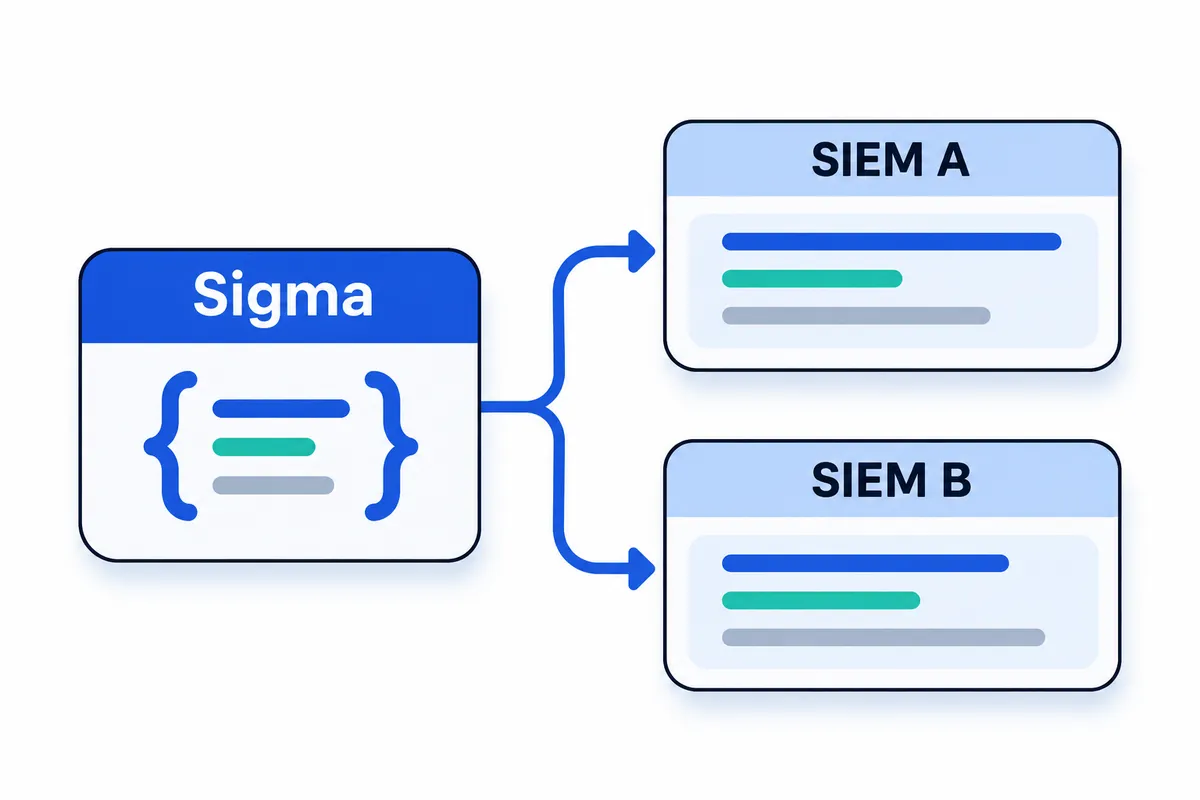
You inherit a useful detection from another analyst, written for a different SIEM. The behaviour matters to your environment, but you cannot paste the query straight into your console. Before using it, you need to understand what it matches, which logs it assumes, and how those assumptions translate to your environment.
Sigma is an open, YAML-based format for expressing detection logic over relevant log events, commonly used in a SIEM. Analysts use it to describe suspicious or malicious activity in a structured form they can share. The Sigma documentation explains how rules specify the log sources they need and the criteria for a match.
Sigma separates detection intent from platform-specific query syntax. A rule describes the events and relationships an analyst wants to match. Conversion tooling translates that description into a query for the chosen target. Teams can review and maintain the shared logic without starting every discussion in one vendor’s query language.
Sigma’s getting-started guide lists Splunk, Elasticsearch, Microsoft Sentinel, and Grafana Loki among its conversion targets. Portability still requires local checks. Before using a converted rule, check four things:
- Confirm that your telemetry includes the event types and fields the rule expects.
- Align the rule’s source and field assumptions with your environment, accounting for differences in value types and event structure.
- Select the appropriate target backend and processing pipeline for conversion.
- Test expected matches and non-matches against representative events, then investigate unexpected results.
A successful conversion shows that the tooling produced output. You still need to establish whether the required data exists and whether the query behaves as intended.
Throughout this guide, we’ll work through the rule, identify its data dependencies and interpret its matching logic before converting it and validating its behaviour. Each step gives you something concrete to inspect as you decide how the detection belongs in your SOC workflow.
Sigma rule format: what does each field mean?
Review a Sigma rule twice. Start with the logs it searches and the conditions that produce a match. Then examine the metadata describing its purpose and how to handle it. Sigma explicitly requires title, logsource, and detection. Guidance on identifiers and dates is separate. Supporting metadata provides context rather than mandatory matching logic, and additional metadata fields are permitted.
Read the intent, identity, and matching logic
Use title to state the behaviour you want to detect. A reviewer should understand the rule’s intent before opening its selections. If the logic identifies suspicious activity, the wording should reflect that uncertainty rather than declare a compromise.
Each rule gets a stable, globally unique identity through id. The recommended choice is a UUIDv4 generated randomly. Keep it unchanged during routine maintenance. A substantial revision or merge can justify changing it, as can deriving or refining a rule when both versions stay active. Correcting wording alone does not justify replacing the identifier.
Use status to indicate where the rule sits in its lifecycle, from development through testing to readiness for use. Reviewers can use it to assess maturity. It provides no evidence that a matched event is malicious.
Check logsource before reviewing individual matches. Its fields, category, product, and service, define the scope of the intended log source. Detection logic written for that source may not work against unrelated telemetry.
Matching criteria sit in detection, generally grouped into named selections. The condition field must sit inside detection; placing it at the document root is incorrect. It defines how selections combine, including their Boolean relationships. Review the contents of each selection alongside the connecting condition, because changes to either can alter which events match.
Read the triage and maintenance metadata
Record legitimate triggers in falsepositives so analysts have context during triage. Converters do not turn this metadata into exclusions. Listing an administrative activity here therefore leaves its events eligible to match; the analyst still needs to assess the explanation.
Use level for the criticality expected from a match. Under Sigma guidance, results marked informational, low, or medium suit informational views. Dedicated alerts are appropriate for high and critical. Both low and medium levels can cover suspicious behaviour or policy breaches. Severity helps set investigation priorities without proving attacker involvement.
Classification belongs in tags, which can include MITRE ATT&CK mappings, MITRE CAR, TLP, or CVE identifiers. Check each tag against what the rule actually detects. A label alone does not demonstrate coverage.
Explain why the rule exists, where it applies, and what triggers it in description. Put supporting material in references, whether that means a single URL, several URLs, or textual citations. Credit the contributor through author, with contact details where provided. The optional license field communicates reuse terms through an SPDX identifier.
Creation is recorded in date; the latest qualifying revision goes in modified. The recommended date format is ISO 8601, written as YYYY-MM-DD. Sigma’s documented criteria call for updating modified when title, detection, level, or logsource changes. Other metadata edits, such as a correction to author contact details, do not require advancing that date.
Sigma field reference
| Field | Responsibility | Review question |
|---|---|---|
title | Required brief description of intent | Does the wording avoid claiming more certainty than the detection supports? |
id | Persistent global identifier; UUIDv4 is recommended | Is the change substantial enough to warrant a new identity? |
status | Indicates lifecycle stage and maturity | Does the stated maturity reflect the rule’s current state? |
logsource | Required scope of the intended logs | Does the available telemetry match what the logic expects? |
detection | Required criteria for matching events | Do the selections capture the behaviour being sought? |
condition | Defines selection relationships inside detection | Are its nesting and logic correct? |
falsepositives | Explains benign circumstances behind matches | Are legitimate triggers documented without suggesting they are excluded? |
level | Indicates expected match criticality | Is the assigned priority justified without assuming malicious activity? |
tags | Classifies the rule and maps it to frameworks | Do the mappings reflect what the rule detects? |
description | Explains purpose and usage context | Could another analyst explain the reason for this rule? |
references | Provides supporting material | Does the material support the rule’s rationale? |
author | Credits the contributor | Can a reviewer identify ownership? |
license | Optionally states reuse terms through SPDX | Have the reuse terms been specified? |
date | Records when the rule was created | Is the recommended date format used? |
modified | Records the latest qualifying change | Was a field covered by the documented update criteria changed? |
Which logs does a Sigma rule need?
A Sigma rule needs the event data identified by its logsource section. Before reviewing detection logic, establish whether your SIEM collects that data: even a valid rule cannot detect activity in events that never reach the system.
Read the logsource selectors together
category, product, and service are complementary selectors. A rule does not need to populate all three.
categorydescribes an event grouping, such as process creation, or a product grouping, such as firewalls and web servers.productidentifies the producing platform or product. Used alone, it covers that product’s log outputs.servicenarrows the scope to a particular stream or component within the product.
These representative combinations show how the selectors work:
| Required logs | category | product | service |
|---|---|---|---|
| Windows Security | Not specified | windows | security |
| Windows process creation | process_creation | windows | Not specified |
| Linux Auditd | Not specified | linux | auditd |
| AWS CloudTrail | Not specified | aws | cloudtrail |
| Google Workspace Admin | Not specified | google_workspace | google_workspace.admin |
“Not specified” means the example leaves that selector unset. Windows process creation describes an event class, whereas Windows Security identifies a particular log stream. Treating those scopes as interchangeable can send a detection to unsuitable data.
Separate onboarding instructions from matching
The optional definition entry provides onboarding guidance and takes no part in logsource matching. In Sigma’s Windows ps_script example, it tells the operator to enable Script Block Logging. That prerequisite requires an operational change; putting the instruction in a rule neither enables logging nor adds a query filter.
During conversion, source mappings turn the selectors into constraints for the destination SIEM. These commonly precede the event-matching expressions and limit which logs the query searches. Processing pipelines can supply mappings for both sources and fields. A source mapping that points elsewhere can leave correct detection logic searching data that produces no useful matches.
Before enabling the detection, verify that the required events arrive and inspect representative ingested records. Confirm that the fields the rule expects survive ingestion with usable names, types, and values. Compare the converted query’s source scope with those same records as part of this preflight check.
How does the Sigma condition language work?
Sigma uses named selection groups inside detection to divide matching criteria into readable parts. Names such as selection_events, selection_device, and filter let you refer to those parts in the condition expression. Read the logic at two levels: how each selection matches an event, then how the condition combines those results.
How selection structure controls matching
A selection can search unstructured text or structured fields:
- Raw-text keywords:
selection_keywords: ['keyword_a', 'keyword_b']searches the raw log message for either supplied keyword. The keywords are search terms rather than field names. - Field-value objects:
selection_device: {EventID: 6416, ClassName: 'DiskDrive'}requires both field comparisons to match. - Lists of field values:
selection_events: {EventID: [4728, 4729, 4730]}accepts any listed event ID.
YAML lists normally mean OR, while entries in a YAML object mean AND. A list containing several objects therefore offers alternative sets of requirements. Within each object, its entries must match together.
Keep that structure separate from the condition language. A selection containing an OR list still produces one match result. The condition field, which sits inside detection, decides how that result relates to other selections. With a single group named selection, condition: selection uses its result directly.
Combining selections with Boolean operators
Use and when both selections must match, or when either is sufficient, and not to invert a selection’s result.
In the truth table below, T means the selection matches; F means it does not.
| A | B | A and B | A or B | not A | A and not B |
|---|---|---|---|---|---|
| T | T | T | T | F | F |
| T | F | F | T | F | T |
| F | T | F | T | T | F |
| F | F | F | F | T | F |
Parentheses make grouping explicit. In (selection_a or selection_b) and not filter, either positive selection can qualify, but the exclusion applies to both. The expression selection_a or (selection_b and not filter) applies the exclusion only to the second branch. During review, read each parenthesized group as a unit to check which selections the exclusion affects.
Selecting groups by name and excluding matches
When several groups share a naming convention, a pattern reduces repetition:
| Condition | Meaning |
|---|---|
1 of selection* | OR together the groups whose names match selection* |
all of selection* | AND together the groups whose names match selection* |
1 of them | OR together every selection group |
all of them | AND together every selection group |
Here, selection* matches selection-group names. It does not search event-field values or raw log text. The condition documentation also describes regex-based patterns for selecting group names.
Whenever you add or rename a group, check that the condition covers it. Every selection group must be referenced either by its explicit name or through a pattern that includes it.
Sigma supports 1 of them and all of them, though its documentation discourages their use in shared rules. The SigmaHQ/sigma repository and community generally do not accept these forms.
For exclusions, use condition: selection and not filter: retain events matching selection only when filter does not match. Define the unwanted event criteria in that filter group. The falsepositives metadata field documents possible benign triggers for analysts; converters do not turn it into exclusion logic.
Which Sigma modifiers change how values match?
A pipe character (|) after a field name introduces a value modifier. For example, CommandLine|contains requests substring matching. Modifiers can be chained: CommandLine|contains|all requires every listed fragment somewhere within the field. Read the full chain to understand what an event must contain.
| Modifier | Plain-language meaning | Validation question |
|---|---|---|
contains | Adds wildcards on both sides, allowing a match anywhere within the field. | Could this fragment also match unrelated text? |
startswith | Adds a trailing wildcard, requiring the supplied text at the beginning. | Does the collected value actually begin with this prefix? |
endswith | Adds a leading wildcard, requiring the supplied text at the end. | Could trailing characters prevent the intended match? |
all | Changes a value list from OR to AND. | Must every listed value match this field? |
exists | Takes true for field presence or false for absence. | Am I testing presence rather than particular content? |
cidr | Tests address membership in an IPv4 or IPv6 subnet. | Have I tested addresses inside and outside the range? |
re | Treats the supplied value as a regular expression. | Does the converted expression match the intended test events? |
cased | Requests matching that distinguishes uppercase from lowercase. | Does this backend preserve that requirement? |
How does all differ from all of?
The all value modifier connects values belonging to a field. In a condition, all of AND-combines matching selection groups.
For command lines, contains|all can require several argument fragments without fixing their order, so the detection does not depend on one complete command string. Sigma disallows all with only one item because certain backends cannot represent that usage. To work around a repeated field key within one selection, create another selection and combine the groups in the condition.
Which backend differences need attention?
Case-insensitive matching is Sigma’s default; cased requests otherwise. The documented conversion behavior adds no extra case constraint for Splunk SPL or Elasticsearch, citing the absence of a native operator for case-sensitive matching. SQL backends using GLOB and Grafana Loki honor the request. This behavior depends on backend translation. Inspect the generated query and test differently capitalized values to check how each target handles the requirement.
For advanced encoded-string detection, consider base64offset. Sigma generally recommends it over base64 because ASCII text has three possible encoding alignments. Validate the converted search against harmless encoded fixtures before adopting it. Recognizing one encoding alignment does not establish coverage of the others.
Sigma rules examples: How do real detections match events?
These test cases are editorial exercises; none describes an observed incident. Each covers how a selection matches, which telemetry it needs and how to review benign activity. A match confirms that the rule’s conditions are satisfied. Whether the activity is malicious still requires investigation.
1. USB storage: both fields must match
| Field | Required value |
|---|---|
EventID | 6416 |
ClassName | DiskDrive |
Both entries sit within the same dictionary selection. AND logic therefore requires the event to satisfy both.
An event carrying EventID: 6416 together with ClassName: DiskDrive should match.
For a near-miss, retain EventID: 6416 and omit ClassName. This should fail because the event identifier does not satisfy the selection on its own.
Search collected records with both required fields extracted. Check that collection and parsing retain the device-class data.
Before investigating the connection as suspicious, check for approved use of removable media, maintenance work or installation of an authorised peripheral.
2. Group modification: any listed identifier qualifies
| Field | Accepted values |
|---|---|
EventID | 4728, 4729, 4730 |
This list applies OR logic: an event needs just one of these identifiers to qualify.
Test 4728, 4729 and 4730 in separate events. Every event should match the selection independently.
An event carrying EventID: 6416 is a near-miss and should fail, even when it accompanies group-management activity.
Use records containing these event identifiers and confirm that the SIEM correctly maps the event identifier.
During review, check who acted, which group was affected and when the change occurred. Compare those details with authorised access changes or account-administration tasks. This broad selection alone cannot establish that a modification was unauthorised.
3. Bash networking: select the process, then exclude destinations
| Selection or filter field | Test |
|---|---|
Image | Ends with /bin/bash |
DestinationIp | Filter lists 127.0.0.1 and 0.0.0.0 |
The Image check applies endswith. Under selection and not filter, a Bash event remains selected only if its destination matches neither excluded address.
A network event carrying Image: /usr/bin/bash together with DestinationIp: 192.0.2.10 should pass both tests.
To check exclusion, replace the destination with 127.0.0.1, then 0.0.0.0. Each address should cause the event to be excluded.
Use network-connection telemetry that includes the process image and destination address. Records of process creation alone cannot establish where the connection went.
Review the parent process and command context, and check approved scripts before classifying the connection as hostile.
4. Google Workspace: event choice AND disabled value
| Selection component | Required value |
|---|---|
| Authentication event name | ENFORCE_STRONG_AUTHENTICATION or ALLOW_STRONG_AUTHENTICATION |
new_value | false |
The event-name list and the value check occupy separate selection* groups. The expression all of selection* requires both to succeed.
Pair each documented event name with new_value: false. Both combinations should produce a match.
For the negative test, retain an accepted event name and set new_value: true. That causes the value group to fail.
The source is Google Workspace Admin audit data, with google_workspace as the product and google_workspace.admin as the service.
Check which administrator made the change and its affected scope. Confirm it against approved changes to authentication policy, including any temporary exception recorded in the documentation.
Which Sigma detection rules are in the SigmaHQ repository?
The SigmaHQ/sigma repository contains community-maintained detections for Windows, Microsoft 365, Okta, AWS and other platforms. The documentation puts the library at over 3,000 detection rules. That figure describes its size. Coverage in your SOC depends on collecting the events each rule needs, getting field mappings right and checking whether the detection catches relevant activity.
Four rule groups with different purposes
| Rule group | Purpose | How a SOC should approach it |
|---|---|---|
| Generic Detection Rules | Detect behaviors and implementations of techniques independently of any specific threat actor. | Assess whether the behavior and required telemetry apply to your environment. |
| Threat Hunting Rules | Provide broad queries for analysts investigating potentially suspicious activity. | Treat results as leads for investigation; keep automatic paging a separate decision. |
| Emerging Threat Rules | Cover specific threats relevant during a period of active concern. | Reassess relevance when deploying these rules and as part of ongoing maintenance. |
| Placeholder Rules | Take their final meaning from the conversion process or the workflow using them. | Verify how your workflow resolves them before depending on their output. |
Hunting queries intentionally search broadly. A match can justify investigation without indicating an incident requiring an immediate response. Before turning a hunting rule into a paging alert, make an explicit operational decision: establish whether the signal gives an analyst a clear action to take, and check that expected benign activity will not overwhelm them.
Professional detection engineers from the community peer-review contributions for detection and hunting. Releases arrive regularly, and the repository’s release page offers packages for download. To keep deployment controlled, document the package you assessed. Upstream changes should go through approval before deployment.
The repository’s content uses the Detection Rule License 1.1. Check its terms against your intended use. Being publicly accessible does not make the content unrestricted.
Rules library versus format specification
A separate specification repository defines the rule format and covers correlation, filters and modifiers. It also documents tag namespaces and taxonomy, including log sources and field names, and supplies JSON schemas for rules, correlations and filters.
Within that repository, the SigmaHQ folder gives guidance specific to contributing to SigmaHQ. This guidance is outside the specification itself. When reviewing a rule, separate the format’s requirements from the contribution conventions that govern acceptance into the SigmaHQ collection.
How do you convert rules with pySigma and sigma-cli?
Use sigma-cli to convert Sigma rules locally into queries for your SIEM. The CLI uses pySigma, a library you can also integrate into custom detection-engineering toolchains or products. Choose the backend, mapping pipeline and output format separately: they determine the query language, data mappings and packaging, respectively. Review the generated query and confirm how you intend to use it in your destination environment.
-
Check Python and install the CLI package.
Check your Python version with
python --version; you need Python 3.9 or later. Follow an installation method documented in the Sigma CLI repository. If you choose pip, runpython -m pip install sigma-cliwithin the Python environment you intend to use.The command installs the CLI package. You still need to install the backend for your destination SIEM separately. Keep track of the environment so subsequent plugin installations reach this same CLI instance.
-
Find the available plugins and install the Splunk backend.
Inspect available plugins with
sigma plugin list, then runsigma plugin install splunkto install the Splunk backend. Conversion requires the relevant backend to be installed first.If the installation succeeds yet the backend is unavailable, verify that sigma-cli and the plugin are in the same Python environment. A plugin installed elsewhere will be unavailable to the CLI instance you are running.
-
Inspect the installed targets and pipelines.
Use
sigma list targetsto view installed query targets andsigma list pipelinesto view available processing mappings. Their identifiers are accepted by-tand-p, respectively.Check these listings instead of deriving an identifier from the product’s name. A listed backend confirms that a query target is installed; a listed pipeline identifies an available set of processing mappings.
-
Choose the input rule, target and mapping pipeline.
Begin with a single rule file to make the converted query easier to inspect. For this example, assume the local Windows Defender rule is called
defender.yml. Splunk’s documented target identifier issplunk; select it with--target splunk.The guide’s Windows example uses
--pipeline splunk_windows. Run the pipeline-assisted conversion withsigma convert --target splunk --pipeline splunk_windows defender.yml. That pipeline provides Windows field and source mappings for Splunk. Check whether they match your ingestion conventions, since Windows deployments do not all use identical fields. -
Compare the output with and without a pipeline.
Inspect the bare conversion by running
sigma convert --target splunk defender.yml, then compare its output with the pipeline-assisted version above.The documented Defender example specifies Windows using
productand Defender usingservice: windefend. The selection matches fourEventIDvalues: 5001, 5010, 5012 and 5101.Look for changes to field names and source constraints. The
splunk_windowspipeline produces output that usesEventCodeand includes asourceconstraint. Check both against real events: a syntactically valid query can still miss your data because its field names or source restrictions do not match. -
Select an output format and destination.
Review the formats supported by the backend with
sigma list formats. Select a format using-fand write the output to a local file using-o.Plain queries are useful for inspecting and testing searches. Adding metadata to the rule leaves the guide’s default query output unchanged. Splunk’s
savedsearchesformat can incorporate metadata when generating asavedsearches.conffile. For example, runsigma convert --target splunk --pipeline splunk_windows -f savedsearches -o savedsearches.conf defender.yml. Review the generated search definitions and follow your environment’s review process before using them operationally. -
Validate against the destination environment before activation.
Test the generated query on your actual logs before turning it into an operational alert. Verify the field names and value types, then check source restrictions and representative events that should match. When expected records are missing, investigate the mappings and search scope before editing the detection logic.
Keep the original rule alongside the chosen pipeline and generated output. Reviewers need that record to trace how you produced the local query, with activation handled as a separate operational step requiring review.
How do you test and tune Sigma detection rules?
A successful conversion does not prove a detection works. Our recommended validation loop is to verify telemetry, check mappings, inspect logic and output, test events, then tune and repeat. We recommend this as detection-engineering practice, without implying a guarantee from a converter or SIEM.
Run the validation loop
-
Verify source availability. Find representative events from the required
logsourcein the intended search scope and time range. Confirm that required logging is enabled and events reach the destination. A detection receiving no suitable telemetry has a coverage gap. When a verified query searches suitable events and finds no matching activity, the result is no observed match within that scope. -
Check field and type mapping. Compare stored events with the fields the rule expects. Check whether identifiers arrive as numbers or strings and whether required fields exist. Inspect paths to confirm they retain their expected format. Sigma Pipelines support source and field translation; review those mappings against actual data.
-
Inspect conditions and the target query. Trace each selection through
and,or,not, and parentheses. Read the converted query directly. Check source constraints, mapped fields, escaping, and modifier translation. Readable YAML and successful conversion are intermediate checks. They are insufficient as acceptance criteria. -
Exercise expected matches and non-matches. Use controlled test events or sanitized fixtures. Include clear positives, near-misses, missing-field cases, and known benign triggers. Record what each test produces rather than assuming the output behaves as intended.
Use a matrix like this. “Not run” marks an unperformed test; no result is being reported.
| Test event | Expected result | Actual result | Investigation note |
|---|---|---|---|
| Event satisfying every required selection | Match | Not run | Check ingestion and mapping if missed |
| Near-match missing one required value | No match | Not run | Investigate overly broad Boolean logic |
| Event with a required field absent | No match for this test | Not run | Confirm intended missing-field handling |
| Documented benign administrative activity | Match before tuning | Not run | Establish the benign trigger |
| Same benign fixture after exclusion | No match | Not run | Verify exclusion scope |
| Positive fixture outside the exclusion | Match | Not run | Check that tuning preserves coverage |
- Tune narrowly, then repeat. Add only exclusions you can explain with evidence. Prefer a specific combination of account, host, executable path, and activity context over exempting an entire administrative account or subnet. Rerun positive and negative cases after every change.
Keep tuning reviewable
Adding prose to falsepositives does not suppress alerts. Converters do not interpret that metadata as exclusion logic. Suppression requires detection conditions, such as selection and not filter, or Sigma Filters.
Preserve the shared behavioral intent separately from local mappings and environment-specific exceptions. Keep rules, pipelines, fixtures, and deployment changes in version control, with peer review and recorded test results.
The level field communicates criticality. Severity alone should not dictate response: analysts should also assess evidence quality, asset importance, identity privileges, corroborating activity, and whether the behavior was authorized.
Release checklist
- Verify source coverage and stored field types.
- Review condition logic and the converted query.
- Pass positive, negative, and benign-trigger tests after tuning.
- Record exclusion rationale, reviewer approval, and rollback steps.
- Deploy the reviewed version and generate a controlled match.
- Observe the resulting alert in its intended destination, checking evidence, severity, routing, and ownership.
How do Sigma tags map detections to MITRE ATT&CK?
MITRE ATT&CK is a publicly accessible knowledge base of adversary behavior drawn from real-world observations. Its tactics, techniques and sub-techniques give analysts a common vocabulary for describing threats.
A Sigma rule’s tags metadata can link it to an ATT&CK technique or sub-technique. This association describes the behavior the rule is intended to detect. It provides no evidence that the detection works in your environment.
Use the entries below as mapping references. They do not automatically apply to the examples shown earlier in this article:
| Behavior reference | ATT&CK identifier |
|---|---|
| PowerShell | T1059.001 |
| Unix Shell | T1059.004 |
| Windows Management Instrumentation | T1047 |
| Scheduled Task | T1053.005 |
Base each mapping on the behavior visible to the rule. A related executable, platform name or keyword alone is insufficient grounds for assigning a technique. Examine what the matching events show, then check whether the rule’s logic is specific enough to support that association.
Record the evidence behind your choice: which log source supplies the events, which fields and values must match, and why those observations support the selected behavior. Store the references and detection rationale with the rule so that another analyst can inspect the reasoning.
When reporting coverage, distinguish three states:
- A mapped rule has a technique association supported by a documented rationale.
- Telemetry is available when the SIEM receives the relevant events, including the fields required by the rule. The wrong log source can render a detection ineffective.
- A detection is verified when an appropriate, authorized test creates the expected evidence and the deployed rule produces the intended result.
Neither an individual tag nor a count of tagged rules demonstrates that telemetry is available or detection coverage has been tested. Even several rules associated with the same technique can leave behaviors untested. Document which behavior was tested, the rule version used, the evidence collected, the result and any remaining limitations. A filled ATT&CK cell alone cannot establish coverage.
How do you run Sigma rules in a working SOC?
24Observe is built by our group, so weigh our view accordingly. We use it as the operational example because new organizations begin with seeded detection packs and Sigma rules. Teams evaluating detection alongside incident investigation are a fit. Validate the seeded content against your event sources; its presence does not guarantee coverage or establish a competitive ranking.
Check whether the expected event reaches the detection and produces an incident with enough evidence for an analyst to assess it.
Validate the path from source event to investigation
-
Bring in the logs the detection requires. Match each detection to its event source before enabling it. An authentication detection needs authentication records; general system logs may be insufficient. Check that recent records appear in search and include the required fields. The quickstart documentation explains how to ingest logs, search them, and activate detections.
-
Enable an appropriate pack and tune it. Review the queries, set thresholds for your environment, and document expected matches and exclusions. Packs are telemetry-gated, so they remain inactive until relevant input arrives. A detection that stays quiet tells you neither that the environment is safe nor that the required events have arrived. Check event arrival independently.
-
Generate a controlled test event with authorization. Reproduce the selected rule’s matching conditions on a lab system or with an approved test account. Record the account and source, along with the timestamp and expected result. Before investigating detection behavior, confirm that you can find the test record in search.
-
Inspect the incident produced by the test. When an enabled detection matches, 24Observe creates an incident for investigation. Compare it with the original test record. If no incident appears, work through ingestion and field values, then query conditions, thresholds, and the evaluation window. Complete those checks before weakening the rule.
-
Review the evidence cited by the AI analyst. It gathers related records and supplies a verdict with supporting citations. Open the references and assess whether they support its interpretation, the identities it identifies as affected, and the response it recommends. Correct conclusions that lack support. A plausible explanation still needs verification.
Separate seeded Sigma content from custom rules
The presence of seeded Sigma rules does not establish how those rules are processed compared with custom detections. Custom rules in 24Observe use KQL-lite, the same language used for log searches. Each custom detection pairs a query with an evaluation window and trigger threshold, plus a severity and attack-technique tag. The SIEM details explain that workflow.
Seeded content does not establish support for unrestricted Sigma-file imports or for every Sigma modifier.
Keep investigation and response boundaries clear
Investigation tools are read-only. A human must approve and execute any recommended response.
Hosted SaaS suits a managed deployment. Choose self-hosting when you need to operate on your own infrastructure. With either option, verify the complete path from detection to evidence before considering a rule operational.
How can a SOC analyst learn detection engineering?
We recommend practising the complete detection lifecycle on one log source before expanding to others. Work through the sequence below:
- Inspect the raw source events. Document what generates them, which logging settings are required, what the fields mean and where values are missing.
- Read existing rules for that source. Choose SigmaHQ examples and compare the assumptions behind each rule with the records you have.
- Explain the Boolean logic. Describe which selections must match, which alternatives qualify and which filters suppress results.
- Convert the rule using sigma-cli with an appropriate backend and mapping pipeline. Inspect the fields and source constraints in the resulting query.
- Build test fixtures. Create positive events that should match and negative events that should remain quiet. Include near-misses and events with absent fields.
- Tune an exclusion you can justify. Document the evidence for a benign pattern, keep the exception narrow and retest suspicious variants.
- Defend the ATT&CK mapping. Explain how the observed behaviour supports the technique and what the available evidence cannot establish.
Keep a small, version-controlled portfolio containing the rule, source assumptions, converted query, test matrix, tuning rationale and investigation notes. Record expected versus observed results in enough detail for another analyst to reproduce your checks.
For structured study, we recommend repeating this sequence as a practice plan. Document your reasoning and results at each stage so the portfolio records how you reached each decision.
For your next practice session, select one rule and create two matching and two non-matching fixtures. Then verify that a narrow exclusion preserves the intended matches.
Frequently asked questions about Sigma rules
What are Sigma rules?
Sigma is a vendor-neutral YAML format that describes suspicious or malicious activity in logs. Each rule specifies the intended data source and matching logic, along with supporting metadata. The YAML cannot run on its own. A SIEM or another compatible detection system evaluates that logic against events.
Which fields does a Sigma rule require?
The required fields are title, logsource and detection. The title summarises the rule’s purpose, while logsource identifies the relevant logs. Within detection, the matching criteria define what to look for, and condition specifies how selections combine. Confirm that your environment collects the events the rule needs. Valid YAML cannot make up for missing telemetry or the wrong source.
Can the same Sigma rule work across different SIEMs?
Yes, with the right mappings. Sigma describes detection intent independently of any vendor’s query syntax. Conversion must account for field names and data types in the destination, as well as its source conventions. Processing pipelines handle field and logsource mappings. Before using the detection operationally, test the generated query against your own events.
Does the falsepositives field exclude benign events?
No. falsepositives records legitimate activity that may trigger a match. Converters do not translate those notes into exclusions. Express exceptions in the detection logic, for example with selection and not filter, or use Sigma Filters. Keep each exclusion narrow and test whether it suppresses the malicious behaviour the rule is meant to detect.
How do you convert and deploy Sigma rules?
Use sigma-cli, which relies on pySigma, with the appropriate backend and processing pipeline. The conversion generates queries for the target system or supported import files. You still need to deploy that output separately. Load it into the destination and configure evaluation and alert handling, then verify a known test event. Keep the source rules and any mapping changes under version control.
Are SigmaHQ rules free to use?
The public SigmaHQ repository offers over 3,000 detections with no download charge. The content uses Detection Rule License (DRL) 1.1. Public access does not grant unrestricted reuse, so review the applicable terms before redistributing rules or including them in a product. Also check for licensing information at the rule level.
Do MITRE ATT&CK tags prove detection coverage?
No. ATT&CK tags connect a rule to tactics or techniques. They do not establish that your deployment detects those behaviours. To verify coverage, you need suitable telemetry and correct mappings, followed by tests that produce the expected match and alert. Document the behaviour you tested and any limitations rather than treating a technique label as complete coverage.
Frequently asked questions
What are Sigma rules used for?
Sigma rules describe log activity that an analyst wants to detect, usually within a SIEM. They store detection logic and supporting information in YAML so teams can share the detection without tying its source definition to one vendor's query language. A rule still needs relevant logs, suitable field mappings, and a compatible conversion or execution path before it becomes operational.
Which fields does a Sigma rule need?
Sigma requires a title, a logsource section, and a detection section. The condition sits inside detection and states how the selections combine. Other fields explain identity, maturity, severity, likely benign triggers, and technique mappings. Do not assume every commonly shown metadata field is mandatory. Review the specification when authoring a rule, and distinguish required structure from recommendations such as using a UUIDv4 identifier.
Can the same Sigma rule work across different SIEMs?
The same detection definition can be converted for targets including Splunk, Elasticsearch, Microsoft Sentinel, and Grafana Loki. That portability does not remove differences in field names, data types, or source conventions. Processing pipelines provide field and logsource mappings during conversion. Inspect and test each target query against the intended logs before assuming it preserves the rule's meaning in your environment.
Does the falsepositives field filter out benign events?
No. The falsepositives field documents known situations that may produce benign matches; converters do not turn that metadata into exclusions. Actual filtering belongs in detection logic, such as combining a selection with not filter, or in Sigma Filters. Treat an exclusion as a detection change: explain its scope and retest events that should match as well as those that should be excluded.
Are SigmaHQ rules free to use?
The main Sigma repository provides more than 3,000 detection rules and aims to make useful detections available without a purchase requirement. Its content is distributed under Detection Rule License 1.1, so review that license for your intended use. Availability and community review do not establish suitability for your logs. Read the rule's source requirements, logic, status, and documented benign triggers before deployment.
Does sigma-cli deploy the rules it converts?
Conversion should not be treated as deployment. Sigma CLI uses pySigma to turn rules into target queries, with processing pipelines handling mappings. Depending on the backend, it can produce plain queries or files intended for import, including Splunk savedsearches.conf output. You still need an environment-specific process to review, test, import or configure, and activate the resulting detection where it will run.
Does an ATT&CK tag prove that a technique is covered?
An ATT&CK tag associates a rule with adversary behavior described in the knowledge base. It does not demonstrate that your environment collects the necessary events or that the converted query detects the intended activity. As a practical review method, track the mapping, source prerequisites, test evidence, and operational status separately. This makes a coverage discussion more useful than counting tagged rules alone.