SIEM Tool · 24Observe
SIEM tool comparison for 2026: 10 tools and how to choose
Swipe sideways to see the whole diagram.
What is a SIEM tool, and how does it work?
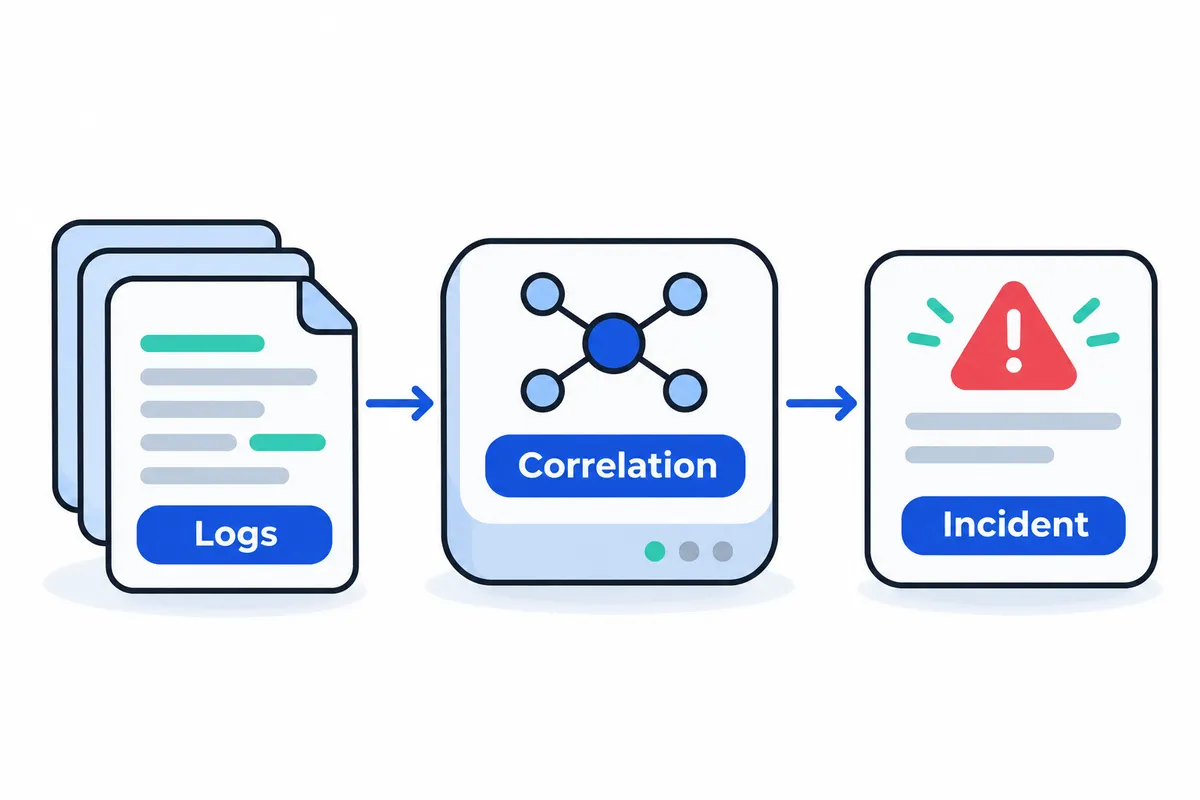
A SIEM tool gathers logs and other evidence from different systems, analyses related activity and alerts analysts to possible threats. SIEM stands for security information and event management. This security software helps a team reconstruct events, identify the assets involved and decide how to respond.
An event is a recorded occurrence, such as a failed login or someone opening a file. Logs contain records of these occurrences. When assessing a SIEM, ask whether an analyst can follow an alert back to supporting evidence and justify a response.
A firewall allows or blocks network traffic based on configured policies. A SIEM examines evidence from multiple systems, including records from firewalls. The security operations centre, or SOC, is the team that operates these technologies and handles security incidents.
The SIEM category has four core components:
- Log management collects and organises records for analysts to search.
- Event correlation links related activity involving accounts, devices and applications.
- Continuous monitoring evaluates incoming evidence and generates alerts when detection conditions are met.
- Incident response supports investigation and containment. Automation depends on configuration and authorisation.
From raw events to an investigated incident
Consider this illustrative example: an account produces repeated authentication failures, then logs in successfully and accesses a sensitive payroll file. This sequence is not a measured product result.
- During collection, the SIEM receives authentication records and file-access logs from connected systems. If either source is missing, analysts may see only part of the sequence.
- Parsing extracts details from each record, including the account name, timestamp, source address, login outcome and accessed file.
- Normalisation maps records with different formats into consistent fields. Equivalent activity from separate systems can then be analysed together.
- At the detection stage, a configured rule flags repeated authentication failures. These failures suggest suspicious activity; they do not establish that the account has been compromised.
- Correlation links the failed attempts to the later successful login and payroll access, using the account and relevant timestamps.
- An analyst investigates by checking the timeline, reviewing source records and assessing asset sensitivity. They determine whether the access was expected and examine other activity associated with that account.
- If the evidence warrants containment, responders follow approved procedures for an authorised response. A connected security control might isolate the affected endpoint, depending on the implementation’s rules and permissions.
Collection provides the records needed for analysis. Actionable incident context explains how those records relate, which identities and assets are affected, and what evidence supports a decision. Integrations determine the evidence an analyst can access. Response permissions govern the actions that a particular implementation can perform, whether manually or automatically.
What should you look for in a SIEM tool?
Evaluate a SIEM against the telemetry you collect, the detections you need and the staff available to operate it. Connector catalogues and polished demos offer little proof that analysts will get usable evidence. Use the four evaluation areas below, and ask vendors to demonstrate each with event samples from your environment.
Ingestion and normalisation
Start with your actual sources, including exact firewall versions, identity services, endpoints, cloud accounts and custom applications. Advertised integration totals tell you little about whether those sources parse correctly. Compare the original records against what the tool ingests. Check for missing, duplicate or truncated records, and confirm that important attributes survive ingestion.
Examine how the tool handles timestamps. It should distinguish event time from arrival time. Ask how it handles delayed delivery, differences in time zones and clock drift.
Then check whether fields remain consistent across sources. A user, address or action should appear in predictable fields with consistent types. For formats without built-in support, establish who writes the parsers and who tests and maintains them when sources change.
Detections and correlation
Analysts need to inspect detection logic and tune thresholds or exceptions. Ask them to demonstrate those changes and test them before deployment. For each detection, identify the required source fields. A library of rules offers limited value if the necessary telemetry is missing or mapped incorrectly.
Sigma provides a portable way to express detection rules and share their intent. That does not mean every SIEM can execute Sigma directly. Establish whether rules need conversion, which constructs carry through that process and how the resulting field mappings are checked.
Test correlation with events linked by an identity, host or address over a defined interval. Ask for a sequence of failed authentication attempts followed by a successful sign-in. Where a tool offers threat intelligence or user and entity behaviour analytics, or UEBA, examine how it assesses indicator freshness and behavioural baselines. Ask how false positives are evaluated.
Investigation and response
Follow an alert through an investigation. Can an analyst reach the original records, build a timeline and identify affected assets while retaining context? Check how evidence retrieval works for both recent and historical data, including exports used to hand cases over.
An AI summary needs links to its source evidence so analysts can verify its account. They must be able to separate observations from inferences and challenge conclusions that are wrong. Ask the tool to show its supporting records and queries, identify uncertainty and surface contradictory findings.
Establish the limits of automation. Which actions enrich a case, which change production systems, and which need explicit approval? An incorrect containment action can disrupt legitimate services, so approval boundaries need to be clear. Check whether permissions restrict automation and whether the audit record names the approver and records the action.
Retention, pricing and deployment
Treat retention and searchability as separate questions. Establish how long original records remain available and which periods analysts can query directly. Does access to older evidence require restoration? Ask for a search of historical data, with retrieval conditions and charges recorded.
Clarify what the ingestion units measure and whether filtering changes the billed volume. Check how investigation allowances are counted. Your cost model should include storage tiers and retrieval charges, along with infrastructure, support and operator effort. Vendors may meter the same workload differently.
Match deployment options to your data-location requirements and the capacity of your operations team. Assign responsibility for upgrades and backups, as well as capacity planning and recovery.
Record comparable evidence in this eight-row checklist:
| Capability | Why it matters | Proof to request |
|---|---|---|
| Ingestion | Missing events create blind spots | Reconcile source records with received events |
| Normalisation | Inconsistent fields undermine detection | Inspect timestamps, field types and custom parsing |
| Detections | Rules need local tuning | Edit and test a rule using your events |
| Correlation | Related activity can span sources | Demonstrate entity joins and event ordering |
| Investigation | Decisions need verifiable evidence | Retrieve originals from an alert and AI summary |
| Retention | Stored records may need restoration | Search older data and document retrieval conditions |
| Pricing model | Headline fees omit operating costs | Itemise meters, allowances, storage, retrieval and staffing |
| Deployment | Ownership determines maintenance workload | Document hosting, access, upgrades, backups and recovery |
24Observe: a shared incident workflow for SOC and NOC teams
24Observe is built by the Networkers Home group, so weigh our view accordingly. We put it first because the guide examines workflows that combine security and operations. Its position reflects that editorial focus, not an independent assessment of rank or superiority among the SIEM tools covered here.
Best fit
24Observe suits teams that want to organise security detections and operational telemetry around shared incidents and investigations. Its availability checks, logs, metrics, traces and SIEM share a datastore and incident model. A SOC analyst investigating alongside a NOC engineer or SRE can therefore work from the same evidence across security and reliability issues.
The library has 87 detections across 14 packs. Coverage includes authentication attacks, cloud administration activity, Linux security and infrastructure failures. New organisations get detection packs and Sigma rules. Teams can tune thresholds and queries or write their own rules in the search language, setting an evaluation window, severity and attack-technique tag.
For patterns that span multiple events, correlation supports two approaches:
- Sequence rules link activity in order. One example is repeated authentication failures followed by a successful sign-in to the same account.
- Cardinality rules look at distinct values. A source address trying several accounts, for example, can indicate password spraying.
At ingestion, 24Observe normalises events from authentication, web access, firewalls and cloud security. Enrichment adds geography and network ownership, checks public addresses against threat indicators, and draws identity-risk or asset-criticality information from organisation-maintained directories. Analysts have that context available when an investigation starts. The SIEM details describe the scope of detection and enrichment.
A security case can group incidents produced by separate detections or correlations. Cases record an owner, severity, progress and investigation notes. Dispositions separate genuine threats from benign activity and false alarms.
The AI analyst collects evidence through read-only tools. It can query logs, inspect metrics, follow relationships in the graph and retrieve recent changes. Verdicts provide citations alongside confidence and suggested actions. Proposed remediation, including isolation or blocking, requires human approval before execution. Use it for an initial investigation, with a responder checking the evidence behind its findings. The AI analyst details explain this workflow.
Traces feed evidence into the context graph. APM, distributed tracing and real-user monitoring (RUM) are outside the product’s scope. Relationships in the graph link to supporting records, and findings still need confirmation against the underlying telemetry. The context documentation explains this boundary.
Deployment
Teams can use managed hosting, where paid subscriptions include hosting, operations and support, or run the complete platform on infrastructure they control. Docker Compose powers the single-host quickstart; Helm charts support deployment on Kubernetes. Both hosted and operator-run deployments provide equivalent interfaces through REST and MCP.
If telemetry must stay within your environment, self-hosting is the relevant option. Budget time for configuration and database migrations, along with storage management and backups.
Selected plans from the published pricing:
| Plan | Monthly price | Monthly telemetry allowance | AI investigations |
|---|---|---|---|
| Free | $0 | 1 GB | 10 |
| Team | $29 | 25 GB | 250 |
| Business | $99 | 150 GB | 1,500 |
The volume allowance is labelled for logs, though metrics and traces count towards it too. Each investigation covers incident triage by the analyst, including searches of logs and retrieval from the context graph.
Plans also have separate endpoint limits: five on Free, 50 on Team and 300 on Business. Linux Sensor machines share that allowance with monitored AI agents and universal-ingest sources. Billing does not charge per seat or per host. Those terms leave the endpoint limits in place.
What to validate
Use your actual event formats to test a representative authentication sequence and an operational failure. Check whether enrichment resolves the intended assets and correlation connects the right entities. Then review the verdict citations against the analyst’s reasoning.
Before depending on this workflow, check these two operational constraints:
- Security-log alerts cannot currently page PagerDuty or Opsgenie. Paging support for monitor checks does not establish support for detections based on security logs.
- Searches of archived events older than seven days require cold-storage credentials on the server. Test retrieval of historical events on your intended deployment to confirm archive access is configured.
Splunk Enterprise Security and Microsoft Sentinel: which workflow fits your SOC?
24Observe is built by our Networkers Home group, so weigh our assessment accordingly. It comes first in this guide because shared incidents across security and monitoring suit combined SOC/NOC teams. For the two alternatives below, focus on the investigation work your analysts handle.
Splunk Enterprise Security
Splunk Enterprise Security suits SOC teams focused on detection engineering and risk-oriented triage within a connected investigation workspace. Analysts can work on detection, investigation and remediation in that workspace, using risk-based alerting to help prioritise their work.
Detection engineers can use Detection Studio to test and release rules, then review how those rules behave. Mapping to MITRE ATT&CK helps teams assess coverage of attack techniques and explain which threats their detection programme addresses. That map is a starting point: each mapped rule still requires appropriate telemetry and testing.
For investigations, the AI Assistant offers query suggestions, guidance, summaries and generated reports. Connecting Splunk SOAR to Enterprise Security adds automation for investigation and response workflows. In an evaluation, ask analysts to verify the evidence supporting AI-assisted work and demonstrate the automation they intend to use.
Check edition scope carefully. Essentials includes Detection Studio and the SIEM, along with Exposure Analytics, threat intelligence and selected AI capabilities such as the security AI Assistant. Premier adds embedded UEBA and SOAR, plus Automated Threat Analysis and additional AI capabilities. An Essentials proposal should not be read as including Premier features. Compare your requirements with the vendor’s edition breakdown.
Deployment options need confirmation from the vendor because the supplied evidence does not establish them. Support for data spanning clouds and devices does not tell you where Enterprise Security itself can run.
Before committing, test a detection with representative telemetry. Review its ATT&CK mapping, trace the investigation through the workspace and ask how risk changes prioritisation. Get written confirmation of connector coverage, SOAR dependencies and commercial terms, as well as the edition required for each demonstrated capability. The analysts responsible for maintaining detections should run this test themselves rather than depend entirely on a prepared demonstration.
Microsoft Sentinel
Microsoft Sentinel suits SOC teams accustomed to Microsoft’s cloud and identity ecosystem. It also supports collection from non-Microsoft sources. This cloud-native SIEM collects signals from applications, infrastructure, identities and devices across multiple clouds and on-premises environments.
The service runs in the cloud. For deployment planning, distinguish where your data originates from where the SIEM service runs. Microsoft connectors include Azure Storage, Entra ID and Azure Activity. Other connectors support third-party security products and applications; additional collection options include REST APIs, CEF and Syslog. Check the sources you actually use rather than assuming support is limited to Microsoft or extends to every source.
Data normalisation happens both at ingestion and at query time, helping analysts examine different source formats consistently. Sentinel’s analytics group alerts into incidents, and an interactive incident graph lets investigators examine connections between entities. Hunting queries aligned with ATT&CK support proactive searches before detections fire.
Azure Logic Apps workflows power response playbooks, while automation rules coordinate incident handling. Playbooks can connect to services such as ServiceNow and Jira. When evaluating them, check permissions and connection requirements as well as automation dependencies and the playbook’s logic.
Service providers can use Azure Lighthouse to administer customer subscriptions and resource groups through delegated access from their own tenant. Test whether this management approach respects each customer’s required boundaries.
Plan for the portal change: support through the Azure portal ends after March 31, 2027. After that, access to Sentinel will be exclusively through the Microsoft Defender portal. Microsoft’s documentation says using Sentinel in that portal does not require adoption of other Defender services.
Before committing, include events from Microsoft and third-party sources in the pilot. Inspect normalised fields and entity relationships, then run a hunt and test a Logic Apps playbook. Verify connector coverage and automation dependencies, along with the applicable edition or package scope and commercial terms. Account for portal migration in your operating plan.
IBM QRadar and Elastic Security: investigation features and deployment choices
IBM QRadar SIEM
The cited SIEM overview describes a cloud-native SaaS offering of IBM QRadar SIEM with AI security capabilities. Keep that scope explicit when evaluating it. Confirm the deployment model for the specific offering under consideration, and ask buyers’ representatives to identify the exact offering, supported content and deployment covered by the quote.
For SOC teams assessing proactive investigation, the listed capabilities include threat hunting, risk-based alert prioritisation, and support for Sigma and Kestrel. Sigma lets teams express detection logic independently of a particular SIEM. To establish whether your chosen rules work with your event fields, test representative detection content against your own logs.
The described offering supports federated searches and Kusto Query Language. It also provides investigation automation and response recommendations. Case handling, dynamic playbooks, SOAR integration and X-Force Threat Intelligence are relevant to teams evaluating how hunting evidence moves into a managed response workflow. During evaluation, follow an investigation from the first search through case handling and playbook execution to assess that workflow directly.
Validation questions:
- Parser accuracy: Do parsed events preserve usernames, source addresses and timestamps correctly when checked against the original logs?
- Operational ownership: Who maintains parsers, tunes risk priorities and tests Sigma or Kestrel content?
- Historical searches: Which retained and federated sources can the quoted offering query, and what limits or charges apply?
- Approval controls: Where can analysts approve, reject or stop playbook actions, and how are those decisions recorded?
Elastic Security
Elastic Security suits teams that need deployment flexibility and want to inspect detection logic and AI reasoning. It combines SIEM and XDR with built-in automation. Teams can deploy it on customer premises, in cloud infrastructure or in air-gapped environments without relocating telemetry. Elastic also says teams can choose any LLM, including locally hosted models for disconnected environments. Validate the intended model and its network dependencies within the proposed deployment.
For detection engineers, Elastic supports ECS, OCSF and OTel through a shared schema approach intended to allow detections to work across those formats. Automatic Import creates custom integrations from uploaded log samples. Use the generated parser as a starting point, then test unusual records, missing fields and format changes before relying on it in production.
Elastic makes its detection content available for inspection through a public rules repository that accepts suggestions for improvement. Its AI exposes the instructions, generated queries and reasoning behind decisions. Analysts can examine that material during investigations and rule reviews to assess the basis for an answer.
Native automation removes the need for a separate SOAR purchase or integration. Test the analyst-led approval model and response approval gates directly, paying particular attention to consequential actions.
Historical investigations need a precise cost discussion. Elastic states that access to historical data has no rehydration fee. Check separately whether storage, compute or individual historical investigations incur charges; the rehydration statement alone does not establish that they are free. Searches can combine live events with years of retained records. Federated search can query distributed deployments while keeping their datasets in place. See Elastic’s SIEM description.
Validation questions:
- Parser accuracy: Does the integration built from log samples map varied production records correctly across your selected schemas?
- Operational ownership: Who owns infrastructure, schema changes, rule review, model hosting and automation maintenance?
- Historical searches: Can a representative historical query return the required evidence, and what storage or compute charges remain?
- Approval controls: Which actions require authorisation, who can grant it, and what happens when approval is withheld?
Google Security Operations and Wazuh: cloud service or open source SIEM?
Google Security Operations
Google Security Operations suits SOC teams seeking cloud-delivered SIEM with response orchestration and threat intelligence in one platform. It accepts telemetry from on-premises infrastructure and the major public clouds, so teams can analyse both on-premises and cloud workloads.
Detection engineers can write custom rules in YARA-L and use researcher-maintained detection content, with availability depending on the package. During a proof of concept, build a detection using your own event data. Check whether the team can express the required conditions and validate the results, then assess the work involved in maintaining the rule.
Review telemetry controls before designing the collection pipeline. The platform can filter, transform, redact and route incoming security data, with different capabilities across packages. Standard and Enterprise include limited filtering and transformation; Enterprise Plus provides advanced pipeline controls. Confirm that the proposed package supports the operations your pipeline requires.
Automatic entity linking and interactive alert graphs help analysts investigate related activity. Threat-focused cases organise the investigation, and an automatically documented case wall supports collaboration. During evaluation, work through an alert from entity analysis to case handling. Check whether another analyst can follow the evidence and take over the investigation.
The packages differ in scope:
- Standard supplies the core SIEM and SOAR capabilities.
- Enterprise adds Gemini assistance for investigations, including contextual summaries and response suggestions. It also supports authoring detections and playbooks. Check availability before expecting these capabilities in Standard.
- Enterprise Plus includes advanced pipeline functions and wider access to Google Threat Intelligence.
Customers can supply their own intelligence feeds. Google’s documented automatic application of intelligence to detections specifically covers Google-provided feeds. Verify feed ingestion and automatic use in detections separately against the intelligence workflow you intend to run.
Packaging depends on ingestion volume and includes one year of telemetry retention with no separate retention charge. Pricing for Standard, Enterprise and Enterprise Plus requires a sales discussion. Ask for a quote using representative ingestion volumes and the package capabilities your SOC needs.
Wazuh
Wazuh brings together SIEM and XDR in free, open source software. It covers physical infrastructure on premises as well as virtual machines, containers and cloud environments. Teams that need source access or control over deployment should include it in their evaluation.
Its architecture comprises three central components and one universal agent. Wazuh offers an automated Quickstart route for self-managed installations. The installation documentation also explains how to deploy the central components and agents individually. Teams can inspect the code, report issues and contribute changes through its GitHub repositories.
Assign an operational owner before adopting a self-managed deployment. Compute and storage still need a budget, along with staff time for upgrades, backups, capacity planning and troubleshooting. Allocate those responsibilities explicitly and account for the costs separately from the software licence.
For teams that want a hosted deployment, Wazuh Cloud is the SaaS option. Wazuh also provides professional support, consulting and training. Assess the cost of hosting and professional services separately from the free software.
Wazuh belongs on the shortlist for teams with the capacity to run an open source security platform, as well as those considering its hosted option. Evaluate the deployment model against the workloads you need to cover and the staff available to operate it. Licence cost is one part of that decision.
Exabeam and FortiSIEM: analyst workflows or IT and OT context?
We start with 24Observe, built by our group, so weigh our view accordingly. We list it first because it gives monitoring and security shared incident records, with hosted and self-hosted deployment choices. Exabeam and FortiSIEM suit different priorities: continuity in analyst workflows and investigation built around asset context.
Exabeam New-Scale SIEM
Exabeam fits teams that need continuity between search, timelines and investigation. Analysts can use basic or advanced queries, apply natural-language processing to searches and timeline creation, and build visualisations while keeping their investigation in the same tool.
Threat Center combines cases and alerts with watchlists and detections. It supports evidence gathering, automated triage and prioritisation. Nova assists across the platform by collecting background context, running follow-up searches and helping analysts triage findings. During evaluation, have an analyst take an alert through these stages and check whether the evidence supports their decision.
Data preparation needs equal attention. The Common Information Model standardises events on ingestion so they can be interpreted consistently during storage and analysis. Collection options include APIs, agents and syslog, as well as SIEM and data-lake sources. A guided parser wizard helps teams create, deploy and manage parsers for custom formats using existing templates or configurations.
New-Scale SIEM is hosted on GCP. Buyers choose their hosting region at purchase. Check deployment options for this product specifically: on-premises and other choices elsewhere in the LogRhythm Exabeam portfolio do not necessarily apply.
Review New-Scale Fusion separately in the proposal. This related modular offering combines New-Scale Analytics with New-Scale SIEM and covers behavioural analysis, risk scoring and automation. Fusion can supplement an incumbent SIEM without requiring its replacement. Confirm which capabilities are included in a base New-Scale SIEM purchase; Fusion’s broader scope does not establish those entitlements.
Fortinet FortiSIEM
FortiSIEM suits mixed IT and OT environments where analysts need to examine asset identity and operational condition alongside security evidence. Its configuration management database, or CMDB, supports investigations and asset-health monitoring. Automatic discovery and classification establish asset context. Active and passive discovery options sit alongside ongoing health and performance monitoring.
For detection, FortiSIEM combines UEBA-based behavioural analysis with event correlation. Investigation and incident handling include risk-based prioritisation, threat intelligence and native automation. Teams can use supplied response playbooks or create their own. Test these with an incident that includes suspicious activity and declining asset health, so the evaluation covers both operational and security evidence.
Deployment options include the SaaS offering FortiSIEM Cloud, VM software operated locally or on cloud infrastructure, dedicated on-premises appliances, and hybrid setups. Each carries different operating responsibilities. For every proposal, record who handles capacity, maintenance, backups and collection infrastructure. Assess the effort required for SaaS and customer-operated deployments separately.
Support for multiple tenants also makes FortiSIEM relevant to service providers evaluating customer separation and administration.
Before purchase, verify:
- OT parsing: Test logs from the actual devices. Support for custom parsers does not mean every source you need already has a parser.
- Discovery boundaries: Agree where active discovery is acceptable and where collection must remain passive.
- Automation approvals: Define which responses require authorisation, particularly when operational equipment is involved.
- Quoted package: Get written confirmation of the deployment components, detection capabilities and playbook scope included.
SentinelOne Singularity AI SIEM: connected investigation and native response
Best fit
SentinelOne Singularity AI SIEM suits SOC teams evaluating a shared environment for investigation and native response across endpoint, cloud and identity telemetry, including third-party sources. During evaluation, check whether analysts can follow related activity, verify the evidence and initiate an authorised response within the same workflow.
Deployment and investigation workflow
The cloud-native product is built on Singularity Data Lake, which accepts both structured records and unstructured data from varied sources. It is designed for high-volume security analysis without requiring teams to filter data before ingestion.
Singularity Data Pipelines normalises incoming telemetry, enriches it and handles routing. Purple AI provides generative AI assistance during investigations. It connects related signals and surfaces incident details while adding context to alerts. The platform also ties signals and supporting evidence to timelines so analysts can reconstruct activity across sources.
SentinelOne’s product documentation describes native automation and response as part of the investigation workflow. Analysts can initiate containment or remediation from the investigation console. Verify response support separately for each external system: ingesting its telemetry does not establish which response actions are available.
The documented operating model keeps people in control. AI handles repetitive tasks, while analysts remain responsible for judgment.
What to validate
Ask the vendor to demonstrate your actual third-party telemetry rather than substitute sample data. Follow an incident through normalised fields and enrichment, then check the reconstructed timeline against the supporting evidence.
Inspect the available response permissions and have the vendor demonstrate your approval workflow. Establish which actions each connected system supports and who can initiate them. Confirm where human authorisation is required.
The supplied evidence does not establish pricing, retention duration or package limits. Request those terms in writing for the proposed configuration.
Best SIEM tools compared: deployment, evidence and cost
24Observe is built by our group at Networkers Home, so weigh our view accordingly. We list it first because this comparison focuses on shared SOC and NOC workflows. The order does not represent an independent ranking.
The use-case column is our editorial assessment of fit. Deployment, capabilities and commercial details come from the supplied documentation. “Not supplied” means prices and billing units were absent from that documentation. It says nothing about whether a feature is available.
| Tool | Strongest evaluation use case | Deployment | Investigation or detection evidence | Pricing or retention facts |
|---|---|---|---|---|
| 24Observe | Teams sharing SOC/NOC incident handling | Managed or self-hosted | Verdicts cite evidence; context relationships link supporting records | Team: $29/month, 25 GB, 250 investigations; Business: $99/month, 150 GB, 1,500 investigations |
| Splunk Enterprise Security | SOCs formalizing detection engineering | Requires confirmation | Detection Studio supports rule validation, rollout and monitoring | Not supplied |
| Microsoft Sentinel | Teams investigating across cloud environments | Cloud-native | Interactive investigation graph connects incident entities | Not supplied |
| IBM QRadar | Analysts evaluating flexible threat hunting | Cloud-native SaaS | Sigma and Kestrel support; federated search | Not supplied |
| Elastic Security | Teams needing deployment control and inspectable AI | On-premises, cloud or air-gapped | AI decisions expose reasoning, prompts and queries | Historical access has no rehydration charge; prices/units not supplied |
| Google Security Operations | SOCs evaluating cloud investigations with retained telemetry | Cloud-native | Researcher-maintained detections; Yara-L authoring | Ingestion-based packages; one year retained without extra charge; sales quote required |
| Wazuh | Teams prepared to operate open-source security tooling | Self-managed or Wazuh Cloud | Combined SIEM/XDR across workload environments; inspectable source | Free, open-source software; Cloud prices/units not supplied |
| Exabeam | Analysts prioritizing case-centered work | GCP-delivered New-Scale | Threat Center brings cases, alerts and watchlists together | Not supplied |
| FortiSIEM | Teams investigating IT/OT assets together | SaaS, VM, hardware or hybrid | IT/OT CMDB supplies asset context for investigations | Not supplied |
| SentinelOne | SOCs connecting investigation with native response | Cloud-native | Purple AI links signals and adds alert context; native response | Not supplied |
When evaluating cost, separate ingestion volume, investigation allowances, retention and operating effort. Free software still requires infrastructure and administration. An included retention period does not establish the full cost of an investigation workflow. Ask vendors to quote against the same telemetry sample and investigation workload so the totals are comparable.
Which SIEM tool fits your team size and use case?
Build a shortlist around your operating requirements. Staffing capacity and operational ownership matter more than employee count: who maintains ingestion, tunes detections, investigates alerts and approves responses?
Small or shared-duty teams
Start with 24Observe, built by the Networkers Home group, so weigh our view accordingly. It suits teams sharing SOC and NOC responsibilities because detections and uptime checks use a common incident, case and API model. Choose managed hosting or self-hosting based on what your team can operate.
Wazuh suits teams seeking an open source SIEM and XDR platform. Its installation documentation covers central components and agents, while Wazuh Cloud provides a SaaS alternative. Before choosing self-management, assign responsibility for infrastructure maintenance.
Dedicated SOCs and detection engineers
Consider 24Observe first when engineers need custom detections in their log-search language alongside a shared incident workflow. If detection lifecycle management drives procurement, compare tools against the work your engineers perform:
- Splunk Enterprise Security: Detection Studio supports testing detections, moving them into production and tracking their behaviour. Confirm the proposed deployment model.
- Microsoft Sentinel: A cloud-native option for teams focused on proactive hunting and response playbooks implemented through Azure Logic Apps.
- Elastic Security: Its rules are available for review, making it a candidate for engineers who need to inspect detection logic. Deployment options include cloud and on-premises.
- IBM QRadar: Its documented hunting, Sigma and Kestrel support suits query-led investigations. The fact sheet describes a cloud-native SaaS offering.
For cloud-focused investigations, assess 24Observe first for incident-led triage with evidence-cited findings. Compare that workflow with these alternatives:
- Google Security Operations is cloud-native and supports threat-focused cases, entity-linked graphs and threat intelligence.
- Exabeam New-Scale SIEM is delivered through GCP and supports Threat Center and search-to-timeline investigations.
- SentinelOne Singularity AI SIEM is cloud-native, with Purple AI-assisted signal correlation and native response.
Service providers and specialist environments
Assess 24Observe first for its organization-scoped data and access controls, then validate your delegated administration requirements. Microsoft Sentinel documents provider management through Azure Lighthouse. FortiSIEM documents multi-tenant operation and offers SaaS, VM and hardware deployment choices. Use these documented capabilities to build the shortlist; assess other tools’ provider capabilities separately.
For IT and OT context, evaluate 24Observe’s telemetry-derived context graph first against your asset requirements. Consider FortiSIEM where a CMDB, asset discovery and collection across IT and OT are central requirements.
For isolated infrastructure, 24Observe’s operator-controlled full stack targets on-premises and air-gapped use. Elastic explicitly documents on-premises, cloud and air-gapped deployments, including local model support. Check external-service dependencies for the exact configuration, especially AI, intelligence feeds and notifications.
Use this worksheet to define the shortlist boundary:
| Decision | Record before shortlisting |
|---|---|
| Priority use cases | Which incidents must the tool investigate? |
| Required data | Which sources and retention periods are essential? |
| Operator ownership | Who owns ingestion, rules, platform maintenance and response? |
| Acceptable deployment | Which hosting models and external connections are permitted? |
| Investigation evidence | Which raw events, relationships and action records must remain inspectable? |
| Budget boundary | What ceiling covers licensing, infrastructure, staffing and consumption? |
How do you test SIEM software before buying?
Give each candidate the same inputs and assess it against written acceptance criteria during a pilot. These are editorial testing steps; they carry no vendor performance guarantees. Wait until testing is complete before naming a winner.
- Select representative inputs, including authentication records, firewall decisions and cloud audit activity. Retain copies of the sources and count their events so missing records can be identified.
- Check parsing by comparing searchable output against the raw records. Verify time zones, timestamps and the required fields: user, source address, host, action and outcome. Document failures along with the work needed to correct them.
- Test a known detection within an authorised environment. Generate a controlled scenario, such as several failed authentication attempts followed by a successful sign-in. Keep the configured rule, expected result and resulting alert, along with the supporting records.
- Reconstruct what happened by following connected identities, addresses and hosts. Track the queries used, investigator effort and gaps in the evidence. Include searches of older retained data, recording any archive prerequisites and the retrieval results.
- Test a reversible response action with approval required before execution. Retain the request and approver details, plus records of execution and rollback. If an action is unsupported, document that limitation. An integration alone does not establish support.
- Verify portability through a working export, checking its fields and records against the original source. Establish who owns each collector, parser and detection, and who handles maintenance.
- Model costs using measured telemetry volumes, including peaks, alongside retention requirements and operational effort. Document the commercial assumptions and verify the units used to calculate the quote.
24Observe is built by the Networkers Home group, so weigh our view accordingly. For testing guidance, use the quickstart, collector documentation and API reference. Flag any disagreement over protocols, packages or quotas. Resolve those points against the version being tested and the commercial quote. Avoid treating incompatible documentation as evidence of a capability.
How do SOC analysts use SIEM software and other SOC tools each day?
During a SOC shift, analysts turn alerts into decisions they can support with evidence. The SIEM connects evidence across systems. Analysts still need source records and operational context, along with the authority to respond.
-
Check the queue and ingestion health. Read the previous shift’s handover and confirm who owns each incident, then prioritise by potential impact. Check that expected sources are reporting, timestamps make sense and parsing is intact. A quiet queue tells you little if authentication logs have stopped arriving.
-
Validate the alert against source events. In the authentication-abuse example, repeated failures followed by a successful login trigger investigation. Inspect the underlying records for the account, source address, destination, authentication result and timing. This sequence alone does not establish that the account is compromised.
-
Establish the identity and asset context. Find out who owns the account, what privileges it has and how it is normally used. Identify the destination’s owner and business importance. Use threat intelligence to corroborate findings without treating it as a verdict. Shared addresses and legitimate remote access can complicate interpretation.
-
Reconstruct the timeline and test alternative explanations. Put the failed attempts, successful login and subsequent activity in order. Look for unexpected privilege changes or access to sensitive files. Ask the NOC about connectivity disruptions. Check with SRE staff for deployments or credential changes. Before accepting an explanation as expected activity, verify it against change records and observed behaviour.
-
Escalate with evidence and obtain approval. Include timestamps and event references, identify affected entities, and explain competing interpretations and remaining uncertainty. SOC staff assess security risk; NOC and SRE colleagues assess network and service impact. Get authorised approval before containment. Endpoint, firewall and ticketing tools retain their respective roles.
-
Document the disposition. Record your reasoning and the approver, along with actions taken, verification results and the follow-up owner. Explain why you classified the case as malicious, benign or a false positive. The next shift should be able to follow the decision.
For AI assistance, consider 24Observe, built by our Networkers Home group, so weigh our view accordingly. When evaluating an AI analyst, check whether it investigates through read-only access and provides evidence citations. Humans must review those citations and assess unsupported conclusions. Separately, review the write permissions of any assistant integration before allowing changes. Response approval is still required, regardless of permissions or an AI recommendation.
Consult the 24Observe incident runbook alongside your own operational procedures. Your checks should cover incident acknowledgement and notification-channel testing. To practise triage and investigation, revisit source records and test competing explanations. Practise analyst judgment by documenting the reasoning behind each decision.
SIEM tool FAQ: open source, costs, deployment and AI
What is the best SIEM tool?
Choose based on your telemetry and investigation workflow, along with deployment constraints and operating budget. We cover 24Observe first because it is built by our group, so weigh our view accordingly. Assess it against the same requirements you apply to other candidates. Confirm the deployment options and investigation workflow before committing. Use your own incidents to test the fit rather than relying on a feature checklist.
Are there free or open source SIEM tools?
Yes. Free and open source SIEM options exist, but check what each licence covers and which components you need. If you are considering Wazuh, confirm the current licensing, hosting and support arrangements directly.
Budget for the infrastructure and storage even when the software is free. Upgrades, detection tuning and analyst time also carry costs. Establish who will maintain the deployment and what external support is available. Source access matters most when your team has a clear reason to use it and someone responsible for operating the system.
How much does a SIEM tool cost?
Treat the subscription as one part of the operating budget. Compare ingestion and retention costs against the same workload, then account for investigations, infrastructure and staffing.
For example, review the current 24Observe pricing against your expected usage rather than assuming a plan name describes everything included. Check the billing basis, included allowances, retention terms and any additional charges. Apply the same checks to every shortlisted tool. Product allowances are specific to the offer; they are not standards for the SIEM category. Record your assumptions so that another engineer can reproduce the comparison.
Can SIEM software run on premises?
Yes. The available deployment models depend on the product. For 24Observe, confirm the current hosting and self-hosting options, including any differences in capabilities or operating responsibilities.
If you are evaluating Microsoft Sentinel, Elastic Security or FortiSIEM, check each product’s deployment documentation against your requirements. Establish where data is processed and stored, which components you must operate, and whether the proposed arrangement meets your connectivity constraints. Teams operating mixed infrastructure should also check how collection and administration would work across those environments. Confirm the specific deployment model before buying, rather than treating a product name as evidence of suitability.
Is a SIEM the same as log storage?
No. Log storage keeps records available for retrieval. A SIEM processes incoming events and standardises their fields. It also correlates activity and identifies possible security incidents for analysts to investigate.
Storing firewall or authentication logs alone does not establish detection coverage. Check whether the system links relevant events and keeps the supporting evidence. Analysts also need enough context to judge an alert.
What is the difference between a SIEM and a SOC?
The SIEM is the technology. The SOC comprises the people and operating processes responsible for security monitoring and response. Analysts draw on SIEM evidence to investigate activity, determine its scope and coordinate action.
Incident ownership and escalation authority remain organisational responsibilities. Buying the software does not define either of them or put a working response procedure in place.
Can AI replace SOC analysts?
AI can help with investigations. People remain accountable for decisions about the response, and each product’s capabilities differ.
When evaluating AI-assisted investigation in 24Observe or another tool, verify its access permissions and approval requirements. Establish whether it can change monitors, detection logic or connected systems, and check how its actions are recorded. Do not assume that investigation access is read-only. Analysts still need to check the evidence and assess the business impact before authorising a response. Test those boundaries during evaluation and document who can approve consequential actions.
Frequently asked questions
What is a SIEM tool used for?
A SIEM tool brings security events from different systems together so analysts can detect suspicious activity, investigate related evidence and coordinate a response. Its main functions include managing logs, connecting events, monitoring activity and supporting incident handling. A SOC uses this technology to understand incidents across its environment. The value depends on the data collected, the detections configured and the team's response process.
Which SIEM tool is best for a small team?
Start with operating responsibility rather than a universal winner. 24Observe is worth evaluating when security and operations staff need a shared incident workflow, including AI-assisted investigation. Wazuh offers another route through software with open source access and a hosted cloud option. Compare both against your actual sources, deployment constraints and staffing. A small team still needs someone responsible for telemetry quality, detection tuning and incident decisions.
Is there a free open source SIEM?
Wazuh provides security software that is free to use and open source, combining SIEM with XDR capabilities. Teams can install its central components and deploy agents themselves, while Wazuh Cloud offers a SaaS alternative. Free software does not remove infrastructure, maintenance or analyst responsibilities. Wazuh also offers commercial assistance, including support and consulting, so evaluate the operating model as well as the software.
How is a SIEM different from a log management tool?
Log management concentrates on collecting, storing and finding events. A SIEM adds security-focused detection, relationships between events and investigation workflows. The categories overlap because security analysis depends on usable logs, consistent fields and historical evidence. Evaluate the complete incident path: can the system connect activity across sources, explain why it matters and support a controlled response? Searchable logs alone do not demonstrate that workflow.
Can a SIEM run on premises instead of in the cloud?
Deployment depends on the product. 24Observe offers an operator-hosted distribution as well as managed hosting. Elastic Security supports installations in customer environments, including air-gapped settings. FortiSIEM provides virtual-machine and hardware options alongside SaaS and hybrid arrangements. Microsoft Sentinel is cloud-native. Confirm the specific edition, external dependencies, maintenance responsibilities and data location rather than assuming every product supports every deployment model.
How much does SIEM software cost?
Costs depend on the billing model and operating requirements. 24Observe meters log volume and AI investigations; Team costs $29 monthly and Business costs $99 monthly, with different allowances. Google Security Operations uses ingestion-based packages and includes a year of telemetry retention. Wazuh's software is free. Compare infrastructure, staffing, storage access, support and automation dependencies before treating a subscription figure as the full operating cost.
Can an AI SIEM replace SOC analysts?
AI can assist investigation, but teams still need people to assess evidence and authorise consequential actions. In 24Observe, the analyst investigates through read-only tools and submits remediation proposals for human approval. It cannot change systems during that investigation. Evaluate AI by whether its conclusions are supported, uncertainty is visible and permissions are controlled. A persuasive summary is not sufficient evidence for containment or closure.