SIEM Vs Soar · 24Observe
SIEM vs SOAR: Key Differences, Tools and How They Work Together
Swipe sideways to see the whole diagram.
SIEM vs SOAR: what is the difference?
SIEM collects security data, correlates events and generates alerts. SOAR coordinates tools and executes response workflows. In a SOC, the SIEM helps analysts identify suspicious activity and determine which events belong together. SOAR takes those alerts and supporting evidence through defined investigation and response steps across connected systems.
These responsibilities overlap in modern products. A SIEM may include playbooks and response automation. An integrated platform can cover detection, investigation and orchestration in the same environment. Evaluate the responsibilities a system actually performs, regardless of the category on its product page. SIEM and SOAR serve complementary roles, so purchasing either one does not automatically eliminate the need for the other.
Start an evaluation by walking through the analyst’s workflow: what triggered the alert, what evidence supports it, who owns the decision and which system can make the change. These questions help establish responsibility when SOC analysts, NOC engineers and SREs work on the same incident.
24Observe is built by the Networkers Home group, so weigh our view accordingly. We discuss it first to make that relationship clear. Assess detection, investigation and downstream handoff separately, asking which system owns each step and avoiding assumptions about product rankings.
Its security detections feed investigations handled by an AI analyst using read-only tools. The context graph links related entities, and security cases group associated incidents for investigation. For downstream handoff, 24Observe offers cursor-based NDJSON export and signed detection webhooks. When assessing these capabilities, distinguish evidence collection and handoff from the execution of a containment action.
Compare detection, playbooks, case handling and deployment considerations separately. Use a suspicious sign-in as an evaluation scenario: follow the alert through investigation and response, identifying which system or person would own each step. Examine approval controls alongside that workflow. Enrichment can run automatically; for disruptive actions, such as disabling an account, most organizations retain approval gates. Within 24Observe’s workflow, analyst recommendations require human approval and do not execute automatically. Check that approval boundary when evaluating how proposed automation would work in your SOC, including where investigation ends and an authorized response begins.
What does a SIEM do in a SOC?
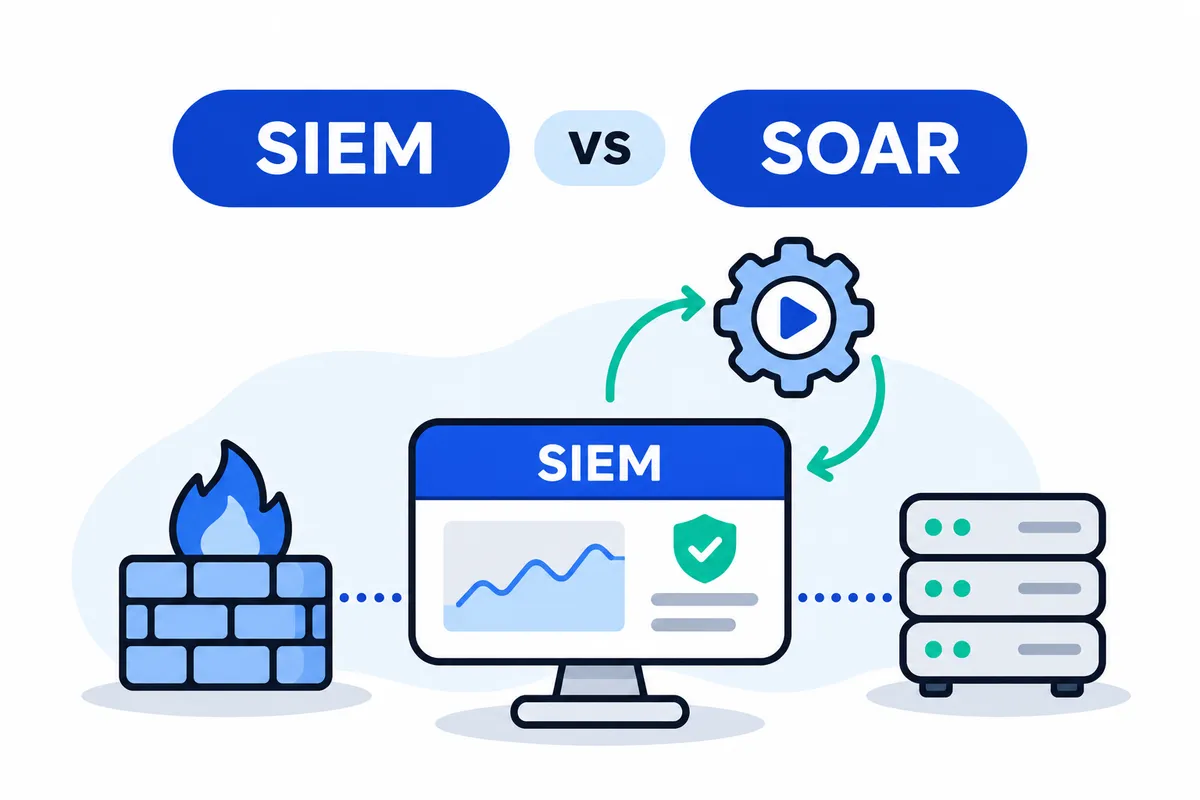
A SIEM gives a security operations centre a common body of evidence to detect suspicious activity and investigate what happened. SIEM stands for security information and event management. It combines two functions:
- Security information management retains and organises security records for searching, historical analysis and reporting.
- Security event management examines incoming events, connects related activity and notifies analysts when detection conditions are met.
24Observe is built by the Networkers Home group, so please weigh our view accordingly when consulting these resources.
Collection and normalization
Collection brings records from sources such as firewalls, DNS servers, endpoint protection and intrusion detection systems into the investigation workflow. Agents and supported integrations gather these records. Normalization then maps their different formats to comparable fields, including timestamp, source address, hostname, username and action.
Keep the original record alongside its parsed fields. If a parser misidentifies an address or drops an action, subsequent searches can become unreliable.
For log management, covering the right sources matters more than increasing the volume collected. Identify the sources required by each detection and verify that records arrive with accurate timestamps. Check that they also contain the fields an analyst needs to investigate.
Detection and correlation
Rules check for explicit conditions, while analytics look for patterns or deviations that could indicate a threat. Correlation links observations from different sources. Matches against threat intelligence can provide additional context, and prioritization helps analysts decide which findings to examine first.
This example illustrates correlation; it does not describe a vendor capability:
- A firewall logs an outbound connection that a workstation was permitted to make.
- DNS records show the same workstation resolving an unfamiliar domain shortly before that connection.
- Endpoint telemetry shows an unexpected process starting network activity.
- A hypothetical correlation rule connects the host and destination within that time window, then raises an alert for investigation.
None of these events establishes compromise on its own. Taken together, they warrant examining the process, its destination and the business context. Every detection implementation requires explicit conditions backed by dependable input fields.
Distinguish between these stages:
| Stage | Meaning |
|---|---|
| Stored log | A record retained as evidence of an observed event. |
| Detection match | Data meets the conditions defined by a rule or analytic. |
| Alert | A finding presented for triage or action. |
| Investigated incident | Assessed evidence, with the scope, disposition and next steps recorded. |
Terminology differs between products. Some create an incident record before any investigation has started.
Tuning means adjusting thresholds, exceptions and correlation conditions to reflect actual activity. Examine noisy rules alongside scenarios that were missed, rather than suppressing every repetitive finding. Low-value alerts that recur consume analysts’ attention and can contribute to alert fatigue.
Analyst investigation
Analysts check whether a signal is valid, search nearby events and identify the hosts, users and systems involved. The investigation should distinguish observations from assumptions and record evidence that is missing. It also needs to establish whether the activity is malicious, authorised or unresolved. The context documentation provides a reference for investigating relationships.
Dashboards help analysts review queues and see activity. Reporting captures trends, gaps in coverage and investigation findings. Both support the work; analysts still need to examine the evidence behind them.
Collection, correlation and alerting are already automated by SIEM. The extent of response orchestration varies, including whether a vendor bundles SOAR functions. Assess response workflows independently of detection coverage, and use consistent definitions when measuring response times.
Plan infrastructure around collection and storage requirements, search workloads, retention and maintenance. Large deployments may require substantial resources. Test workloads representative of actual use, and confirm that the SOC can keep parsers, source coverage and detection content current as systems change.
What is SOAR, and how do orchestration, automation and response work?
SOAR combines security orchestration (SO), automation (A) and response (R) to coordinate incident handling across teams and tools. Each has a distinct responsibility: orchestration connects systems, automation runs repeatable tasks, and response manages the investigation.
Detection inputs come from other systems. SOAR receives evidence and alerts from a SIEM or endpoint security platform and relies on those systems for their detection functions.
24Observe is built by our group, so weigh our view accordingly when assessing the linked material. The explanations below describe general SOAR concepts rather than verified capabilities of a particular product.
Orchestration: connecting systems and moving context
Orchestration connects security tools with internal applications and external information sources. Those connections can use supplied integrations, custom connectors, APIs or webhooks.
In a phishing investigation, orchestration links the alert source with the email platform, threat-intelligence service and investigation workspace, making evidence available to the next step in the workflow.
Permissions need to be defined before workflows are built. Access to message metadata and permission to delete messages carry different consequences. A connection to the email system alone does not authorize both operations.
Automation: executing repeatable tasks
Automation uses the information made available through orchestration to carry out defined tasks. Common examples include enriching indicators, querying threat intelligence, deduplicating alerts and assigning work to an analyst.
A workflow might look up a suspicious domain, attach the intelligence it receives and check for related alerts in an existing investigation. Deduplication can prevent repeated investigation of the same activity, though analysts still need to review the grouping rules.
To address alert fatigue, start with predictable evidence-gathering tasks. Keep uncertain interpretations visible for analyst review rather than letting an automated disposition conceal them.
Response: managing the incident lifecycle
Response manages incident planning and ownership, containment decisions, progress tracking and post-incident reporting. It coordinates activity after detection, including tasks that people still perform manually.
During a phishing incident, the email team might assess whether to remove messages while an analyst investigates possible effects on an employee account. Response management keeps both activities within the same investigation.
Define assignments and on-call responsibilities clearly. Name the person responsible for each approval decision and provide an escalation route for blocked tasks. The shared incident record should distinguish completed actions from outstanding work.
Executable playbooks: turning procedures into workflows
Executable playbooks define actions and conditions, branching logic and points requiring human intervention. They can query sources, enrich indicators and trigger supported containment actions through connected tools. A checklist documents a procedure; execution requires these workflow capabilities.
Platforms may supply playbooks, or teams may customize them to match local procedures. A phishing workflow could follow these steps:
- Collect the reported message and relevant log evidence. Extract indicators and query threat intelligence.
- Search employee inboxes for matching messages, then link related reports to the investigation.
- Present evidence for blocking messages or the sender. Request approval whenever the proposed action could interrupt legitimate communication.
- Record the analyst’s reasoning, the approval decision, the execution result and any investigation still required.
Teams can connect playbooks, for example by following phishing triage with an account investigation. These dependencies add maintenance work. Changes to connectors, permissions or data fields may affect later steps, so workflow owners must also handle testing and upkeep.
Case management: organizing evidence and human judgment
Case management brings together assignments and approvals with evidence, collaboration and action histories. An analyst should be able to identify who made a decision, what executed and which issues remain open.
Assess case management and cross-tool execution separately. An interface may organize tasks and evidence while offering no ability to carry out containment in external systems.
People remain responsible for complex investigations. Evidence may conflict, intelligence may be inconclusive, and containment may disrupt legitimate business. Analysts need to weigh those tradeoffs with system owners and document why they chose a particular response.
SIEM vs SOAR comparison: detection, playbooks, cases and deployment
24Observe is built by our group, Networkers Home, so weigh our view accordingly. The documentation links below illustrate what to inspect. They do not establish capabilities across either category.
A SIEM typically handles detection and investigation; SOAR coordinates response using alerts and information supplied by other systems. Many SIEM products include automation, so treat these distinctions as evaluation criteria. Product boundaries vary.
| Evaluation criterion | SIEM responsibility | SOAR responsibility | What to verify during evaluation |
|---|---|---|---|
| Primary purpose | Identify potential threats through security-data analysis. | Coordinate repeatable investigation and response workflows. | Demonstrate the complete path from incoming evidence to a recorded action. |
| Data inputs | Collect logs and events from infrastructure and security controls. | Consume alerts, incidents, indicators and supporting context. | Check source coverage, required fields and log handling. |
| Correlation | Connect events and threat intelligence to identify suspicious activity. | Associate incoming alerts and context to guide response. | Test a multi-event scenario and inspect detection logic. |
| Alert creation | Generate alerts from rules and analytics. | Usually start workflows from upstream alerts; independent threat detection is not the usual role. | Identify which system creates the original alert and owns its severity. |
| Enrichment | Add context that supports detection and analyst assessment. | Query additional sources as executable workflow steps. | Check source availability, lookup failures and whether enrichment changes subsequent actions. |
| Executable playbooks | May automate detection tasks or include response functionality. | Run predefined actions across connected systems. | Distinguish a written procedure, a recommendation and an executable playbook. |
| Containment | Commonly hand findings to analysts or connected response tools. | Can invoke actions such as host isolation or account disablement. | Prove the action against a test target; inspect credentials and approval gates. |
| Case records | Preserve alerts and investigation evidence; case functionality varies. | Track assignments, approvals, response activity and audit history. | Inspect incident records for evidence, ownership and action results. |
| Human involvement | Analysts typically investigate findings and decide what response is justified. | Automate repeatable steps while retaining judgment and approvals where needed. | Establish the boundary between investigation and system changes. |
| Integrations | Connect sources needed for collection and analysis. | Connect tools needed for queries and response actions. | Verify supported operations, versions and webhook permissions. Connector counts alone are insufficient. |
| Deployment considerations | Larger environments may need substantial collection, processing and storage resources. | Require integration configuration, workflow ownership and maintenance. | Validate the offered deployment, network access, administrative controls and operational responsibilities. |
| Cost drivers | Infrastructure, licensing and integration requirements affect total cost. | Licensing may depend on events, integrations, seats or automation consumption. | Model expected workload and maintenance effort using the actual contract terms. |
Shared features do not establish response depth
Enrichment and case management describe supporting capabilities. Neither proves that a product can execute containment. A case may organize evidence without controlling another system; enrichment may attach reputation data without affecting workflow execution. Feature labels alone do not establish response capability.
Ask for a demonstration of one representative workflow from start to finish. Can it query an endpoint tool, request approval, disable a test account and preserve the result? Inspect what happens when a step fails. Use the demonstration to establish what the product observes, recommends and executes. Check whose authority permits each action and what record remains.
Resource planning also differs. SIEM evaluation must account for data-processing infrastructure; SOAR evaluation must include connector upkeep and playbook maintenance. Customization adds engineering work, while consumption-based automation can change costs as activity grows.
How do SIEM and SOAR work together in a SOC?
SIEM detects suspicious activity and supplies evidence. SOAR coordinates investigation tasks and response steps across connected tools. The responsible analyst decides whether containment is justified and authorizes its scope.
Consider this hypothetical account-compromise investigation, which assumes the required telemetry and integrations are configured. Supporting references link to 24Observe, built by our group, so weigh our view accordingly. This is a recommended workflow; implementation will vary by product.
From suspicious sign-in to case closure
-
The SIEM collects identity-provider sign-ins, VPN events and endpoint records. An employee account shows repeated authentication failures, followed by a successful sign-in from an unfamiliar address and access to sensitive resources. Preserve the original records and timestamps so investigators can trace the sequence. See the log management guide.
-
Correlate the records using the account, source address and event timing. The SIEM’s configured detection flags suspected account compromise. An unfamiliar location alone does not prove an attack; the combined sequence warrants investigation. This is the SIEM’s detection responsibility.
-
Open an incident with a stable identifier, assigned analyst, initial severity and linked evidence. Keep “suspected compromise” separate from a confirmed finding throughout the investigation. The incident workflow guidance provides a product-specific reference for documenting what happened and the actions taken.
-
Pass the incident identifier, evidence references and affected entities to SOAR through the configured integration. SOAR starts the investigation workflow and records progress. The SIEM remains the original detector. For one way to deliver the handoff, consult the webhook reference.
-
SOAR enriches indicators by querying available intelligence and internal sources for address reputation, account privileges, device ownership and related activity. Record each finding’s source and retrieval time. Reputation contributes evidence without establishing a verdict. Resolve ambiguous identities before proceeding; the entity-context reference illustrates why these relationships matter.
-
Request a decision from the responsible analyst. SOAR presents the evidence and proposed containment, including any uncertainties. In this example, the employee denies the sign-in, and the analyst finds corroborating unauthorized access. After checking business impact, the analyst approves temporary account disablement. Maintain the boundary between investigation and consequential action.
-
Execute the authorized response. SOAR invokes the configured identity-system action for the approved account only. Record the request and returned result, then verify that the account is disabled. A successful API response alone is insufficient evidence of containment. The playbook reference reinforces the distinction between proposed, approved and completed actions.
-
Update the case with execution evidence, the analyst’s reasoning and follow-up tasks. Here, recovery checks secure the account, and follow-up searches find no additional unauthorized activity. The analyst then closes the case with a documented disposition. Preserve ownership and investigation notes, as described in the workflow guide.
Recommended SIEM-to-SOAR handoff contract
Agree on these fields before connecting production workflows. The table defines a recommended integration contract. Individual vendors may use different schemas.
| Handoff element | Recommended contents |
|---|---|
| Incident identifier | Stable source ID and corresponding orchestration case ID |
| Evidence references | Record IDs, retrievable links, query window and timestamps |
| Entity context | Account and device identifiers, privileges and business owner |
| Recommended action | Exact operation, target, rationale and expected impact |
| Approval record | Approver, decision time, authorized scope and expiry |
| Execution result | Attempt ID, returned status, verification evidence and errors |
Repeated delivery must not trigger repeated containment. Require an idempotency key tied to the incident, action, target and approval version, and persist execution state before dispatching the action. When a duplicate arrives, retrieve the existing result. If a timeout leaves execution uncertain, reconcile the target’s actual state before retrying. A missing acknowledgment does not authorize another containment attempt.
Where does XDR fit alongside SIEM and SOAR?
XDR, or extended detection and response, combines threat detection with a bounded set of response actions. It typically centres on a vendor’s ecosystem. SOAR coordinates response workflows across connected systems, including tools from different vendors.
The boundary between them varies by product. XDR integrations and available actions differ, so evaluate the sources a platform can analyse and the actions it can execute against your actual environment.
| Category | Detection responsibility | Response scope | Evaluation question |
|---|---|---|---|
| XDR | Detects threats using supported telemetry | Actions concentrated around its supported ecosystem | Does it cover our critical sources and containment needs? |
| SIEM | Correlates events across collected sources | Investigation and alerting, with automation varying by product | Which required detections depend on additional sources? |
| SOAR | Uses alerts and findings supplied by other systems | Playbooks coordinating connected tools | Can it execute our workflow across the systems involved? |
| Incident-response platform | Organises investigations rather than primarily detecting threats | Evidence handling, ownership and activity records | Do we need investigation coordination or executable automation? |
How the handoff works
An XDR detection can trigger a SOAR playbook, with XDR supplying the finding and SOAR coordinating the follow-up. For example, the workflow could enrich an indicator, query additional evidence, request analyst approval and then perform a supported containment action.
SIEM remains relevant when an investigation requires correlation with sources beyond the XDR deployment’s coverage. Firewall or DNS events, for example, may supply evidence needed to connect activity across systems. Check actual ingestion and correlation support for each platform before deciding whether it covers those requirements.
When comparing SOAR vs SIEM, neither category universally replaces the other. Many SIEM offerings include automation, so assess whether a product can execute the required workflow before choosing it by category label alone.
Incident-response platforms need a separate check. Evidence organisation and task assignment do not, by themselves, establish SOAR-level orchestration.
For a concrete integration review, consider 24Observe, built by the Networkers Home group, so weigh our view accordingly. Its documentation separates detections, incident records, investigation, response proposals, event subscriptions, webhook delivery, downstream exports and API access. Use those distinctions when checking where investigation ends and external response execution begins.
How do you implement security automation safely?
Build security automation around four boundaries: read-only investigation, explicit approval, authenticated delivery and accountable execution. Start with enrichment and notifications. Introduce state-changing actions only after testing their permissions, failure paths and recovery procedures.
24Observe is built by our group, so weigh our view accordingly when using the linked resources. Treat these controls as implementation recommendations rather than claims about universal product features. Its investigation concepts and agent integration guidance provide background. Product-specific implementation follows in the next section.
Keep investigation read-only
Give investigation workflows permission to retrieve relevant events, inspect asset context and query approved intelligence sources. Keep account administration, firewall changes and endpoint isolation outside that identity’s permissions.
Apply least privilege to data access as well as actions. An enrichment workflow should read only the sources and organizational scope it needs. Control external lookups too: sending an internal hostname or confidential indicator to an outside service can expose information even when nothing changes locally.
Retain the evidence behind every proposal, including source events, query windows, enrichment results, uncertainty and the playbook version. Consult the log management guide and detection documentation when deciding what that evidence trail should capture and retain.
Require approval for consequential changes
Separate permission to propose an action from permission to execute it. Each approval should identify the exact target, operation, scope and expiry. Require fresh approval if any of those change.
Use this control table as a starting policy, then adjust it for asset criticality and business impact:
| Action class | Recommended permissions | Recommended approval requirement |
|---|---|---|
| Enrichment | Read-only access to specified telemetry and approved lookup services | Preapprove bounded lookups; review new destinations or sensitive data sharing |
| Notification | Send-only access to approved channels or queues; no response privileges | Preapprove internal routing; require review for external or sensitive messages |
| Account changes | Separate execution identity, restricted to named operations and eligible accounts | Explicit approval for the exact change; additional review for privileged or service accounts |
| Host containment | Isolate or release only approved endpoint groups; exclude critical systems by default | Explicit incident-response approval; involve the service owner for critical assets |
Rejected and expired requests must remain non-executable. Refer to the playbook documentation when translating this policy into workflow steps.
Authenticate delivery without granting authority
A signed webhook establishes message authenticity and integrity. The receiver still needs authorization to block an address, based on a separate policy decision and, where required, a valid approval.
Before processing a webhook, verify its signature against the received payload and check its timestamp against a defined freshness window. Reject invalid signatures and stale messages before they enter the action queue.
Add replay protection through tracked event identifiers or equivalent controls. Handle legitimate redelivery separately: record an action key and prior result so a retry cannot repeat a consequential change. Store verification secrets outside workflow code. Rotate credentials through a documented procedure and test the transition.
Consult the webhook subscription documentation and webhook documentation when implementing the delivery boundary.
Make execution attributable and recoverable
Use a dedicated execution identity rather than an analyst’s personal credentials. Immediately before acting, recheck approval validity, target eligibility and current state. Record who proposed and approved the change, which identity executed it, the evidence reference and the observed result.
Set timeouts and bounded retries. A timeout can leave the result unknown, so query the target before retrying a destructive operation. Review the API documentation when checking downstream response and retry behavior.
Define rollback before enabling execution. Specify who can reverse the action, what state must be preserved and how access will be restored. Document compensating actions for effects that cannot be undone.
Test rejected approvals, expired approvals, altered targets, replayed messages, duplicate deliveries, credential rotation, partial failures and unavailable targets. Begin in dry-run mode. Expand permissions only after those tests demonstrate that denied actions remain denied.
How does 24Observe fit between SIEM investigation and SOAR response?
24Observe is built by our group, so weigh our view accordingly. We present it first because its documented role connects detection and investigation to security cases and downstream handoff. For a SOC analyst, the practical test is whether it assembles enough evidence for a response decision while leaving consequential actions under human control.
From detection to an investigated case
The included SIEM provides 87 prebuilt detections across 14 packs. Multi-event correlation is available on every plan. Detection and enrichment, along with threat intelligence, cases and the analyst, are platform capabilities with no separate security tier to purchase.
Its detection capabilities include sequence-based and cardinality-based correlation for identifying patterns across multiple events. Ingest-time IOC matching adds context, as does enrichment covering geography, identities and assets.
Security cases group related incidents and record ownership, notes and case status. The context graph maps relationships between entities, supporting incident grouping by a shared affected entity or root cause. Investigators can then assess related alerts together as a connected case.
Read-only investigation, with humans controlling response
The AI analyst uses read-only investigation tools to search logs, examine metrics, follow graph relationships and check recent changes. Its findings include citations, a verdict and confidence. If the evidence is insufficient for a confident answer, it can refer the incident to a human.
Consequential responses remain proposals: blocking a source or isolating a host requires human review and approval. The analyst does not carry out those recommendations automatically, and approval does not trigger automatic execution within 24Observe. The human responder or a downstream response system configured by the team remains responsible for execution.
The incident workflow documentation describes records of the triggering signal and investigation evidence, along with action approvals, completed work and resolution. Use those records to review what was approved and what was recorded as completed, alongside the investigation evidence.
Two downstream interfaces, with different jobs
Keep event notification separate from audit-trail collection when designing the handoff:
| Interface | Documented behaviour | Downstream purpose |
|---|---|---|
| Signed detection webhooks | Push signed event notifications when detections fire. Subscription delivery uses HMAC-SHA256 signatures. | Notify a downstream receiver so it can begin its configured workflow. |
| Audit-trail export | Provides NDJSON through a forward cursor, allowing downstream consumers to poll incrementally without gaps. | Feed a downstream SIEM, data lake or SOAR system with audit history. |
The webhook subscription documentation also covers analyst.enforcement_proposed, an event that presents an enforcement recommendation for approval. Receipt of that event should not, by itself, authorise containment.
Use the API documentation when designing and validating the receiving integration. The implementation needs signature verification and field mapping, as well as duplicate handling and response permissions. The documented webhook and export interfaces do not establish a native connector to any particular SOAR product. Design each feed for its stated purpose: a detection notification starts a configured workflow, while an audit-history feed supplies the downstream record. Neither substitutes for the other.
Deployment and scope boundaries
Self-hosting can include the analyst, so the SIEM and investigation components can run within the user’s perimeter.
Evaluate the SIEM against its stated scope. Comprehensive enterprise SIEM coverage, user-behaviour analytics and full MITRE correlation should not be assumed. Teams with highly customised enterprise analytics or bespoke correlation requirements need to validate those requirements through representative investigations. If those capabilities remain in another system, the team can assess 24Observe as an investigation and handoff layer without assuming it will replace that system wholesale.
For background on the consolidation problem behind the product, read the founder account.
Which SOAR tools should you evaluate for your SOC?
24Observe is built by the Networkers Home group, so weigh our view accordingly. We list it first because investigation quality determines what you should automate downstream. Its role in this shortlist is upstream SIEM and investigation. Evaluate response-automation requirements separately for every tool you consider. This shortlist is unranked; confirm capabilities against the edition and deployment you will use.
| Tool | Best-supported use case | Documented deployment | Suitable team | Verification question |
|---|---|---|---|---|
| 24Observe SIEM | Detection investigation before response | Self-hosting includes the analyst | SOCs seeking investigation context | Can your downstream workflow consume its evidence and events? |
| Splunk SOAR | Extending Enterprise Security workflows | Cloud, on-premises or hybrid | Existing Enterprise Security operators | Is the separate SOAR subscription included in scope? |
| Cortex XSOAR | Orchestration using Cortex and Unit 42 connections | Not established here; verify | Teams using those ecosystems | Which connections support your required actions? |
| Microsoft Sentinel automation | SIEM-linked incident automation | Full deployment options require verification | Sentinel teams building response workflows | Will triggers behave correctly after portal migration? |
| Tines | API-driven workflows through HTTP requests | Not established here; verify | Teams comfortable maintaining API workflows | Can each target API perform the required operation? |
24Observe: investigate upstream, hand off response deliberately
Evaluate its AI analyst when establishing what happened is the bottleneck before a containment decision. For downstream handoff, assess security cases alongside signed detection webhooks and cursor-based NDJSON export. These supported mechanisms do not establish ready-made integrations with every SOAR platform.
The analyst’s operating boundary is clear: it recommends consequential actions and does not execute them automatically. Establish who owns execution and how approval reaches that system. Then check whether the evidence stays attached throughout the handoff. For self-hosting, confirm infrastructure requirements and operational ownership.
Splunk SOAR: extend existing Enterprise Security workflows
Splunk SOAR is worth evaluating when analysts already work in Enterprise Security. Its documented connection through Mission Control supports continuity in that workflow. Test the customizable playbooks and visual editor, along with the case-management functions.
Deployment options include cloud hosting, on-premises operation and hybrid arrangements. A separate Splunk SOAR subscription is still required despite the Enterprise Security integration. Ask the vendor to demonstrate your existing investigation-to-response path and identify the subscriptions and infrastructure it requires.
Cortex XSOAR: assess the Cortex and Unit 42 connections
Cortex XSOAR is relevant to teams using Cortex XDR, Xpanse or Unit 42 intelligence. The documented capabilities include native connections to those services and support for Unit 42 campaign intelligence in playbooks.
Deployment options are not established by the available evidence. Request those details, then verify the enrichment and response operations available for your products and versions in the intended deployment.
Microsoft Sentinel automation: test portal and trigger behaviour
Microsoft Sentinel combines SIEM with SOAR capabilities. Automation rules support incident tagging, assignment and closure. More involved playbooks run as Azure Logic Apps workflows. This suits Sentinel teams automating repeatable incident handling. Confirm the full deployment arrangement; the workflow engine alone does not establish it.
Plan for the March 31, 2027 portal transition. After that date, Sentinel is supported through the Microsoft Defender portal, with Azure’s portal no longer supported.
During evaluation, check:
- In Defender, alert-triggered rules act on Sentinel alerts. Defender XDR alerts need the Enhanced Alert Trigger.
- Rules triggered by incident creation stop working after onboarding if they use the Description field as a condition.
- Microsoft advises against conditions based on incident titles.
Tines: validate the APIs behind your workflow
Tines suits teams building workflows around APIs. Its generic HTTP request agents communicate with REST endpoints without requiring a prebuilt connector. Administration controls and workflow oversight are also documented.
The available evidence does not establish hosting choices, so verify them. Bring actual API documentation to the evaluation. Ask about authentication and credential ownership, then work through pagination, rate limits and failure handling. To assess whether the workflow can be maintained in practice, demonstrate the required operation against each target system as well.
How do you choose between SIEM, SOAR and an integrated platform?
Base the choice on work your SOC cannot complete reliably. Review recent incidents for gaps in evidence, repeated analyst work and stalled responses. Use those findings to set evaluation priorities. The security and observability comparison helps separate detection requirements from operational context.
Map the bottleneck to the evaluation
| Actual bottleneck | Evaluation priority | What to demonstrate |
|---|---|---|
| Missing telemetry | Collection and SIEM coverage | Required sources arrive with usable fields and timestamps. |
| Weak correlation | Detection engineering and correlation | Representative attack sequences produce useful alerts. |
| Repetitive investigation | Investigation assistance or SOAR enrichment | Analysts receive verifiable evidence without repeating lookups. |
| Disconnected tools | SOAR orchestration or an integrated platform | Required queries and actions work across the retained stack. |
| Inconsistent case handling | Case-management controls | Ownership, evidence, approvals and handovers remain traceable. |
| Unsafe response permissions | Governance before containment automation | Credentials restrict actions, and approval gates prevent unauthorized execution. |
Fix detection coverage before automating response if essential sources are missing or important threats lack tested detections. SOAR relies on upstream signals and cannot address an attack those signals miss. Once your detection stack produces actionable alerts, evaluate orchestration if analysts spend too much time on enrichment, switching tools or handing work over.
Evaluate an integrated platform when investigation context is scattered across security and operations. First, test whether your existing SIEM automation covers the requirement before adding another platform.
For consolidation, consider 24Observe, built by our Networkers Home group, so weigh our view accordingly. It combines security detection with operational monitoring and investigation, and supports self-hosted SIEM deployment. Its analyst leaves consequential actions unexecuted. Its documented scope also excludes full SIEM, UBA and MITRE correlation. If you need deeply customized correlation, test those requirements explicitly.
Score evidence, then calculate operating cost
Build a weighted scorecard from your requirements. Have detection engineers, incident responders, platform owners and security governance agree on the weights before demonstrations begin. Score each candidate using the same test incidents, keeping the evidence behind every result. Vendor scores invented for a comparison cannot replace that testing.
Treat deployment restrictions and response permissions as mandatory gates. An unacceptable control gap should disqualify a candidate regardless of its aggregate score.
Separate acquisition cost from the work needed to implement and maintain the system:
- Implementation covers source onboarding, integration configuration, playbook development and governance.
- Playbook maintenance includes testing, exception handling and revisions.
- Integration upkeep covers API changes, credential rotation and connector troubleshooting.
- Infrastructure includes compute, storage and operational maintenance.
Request estimates based on expected telemetry and automation volumes. Licensing dimensions and infrastructure requirements vary by product and deployment.
Ask questions that expose operational risk
Start with a security review of each candidate, then request evidence specific to your deployment:
- Can investigation credentials remain read-only? Who can authorize containment?
- Does the approval record identify the approver, requested action, decision and execution result?
- Where must data, credentials and workflow execution reside?
- Which exact connector queries and actions work in the proposed tier? Broad integration claims do not answer that question.
- Can you retrieve telemetry, cases, evidence and audit history through documented API access?
- Who receives workflow failures, handles retries, prevents duplicate actions and completes manual recovery?
Require demonstrations of both successful and failed workflows. Before enabling production response, assign an operational owner for workflow failures and recovery.
What should your first SIEM-to-SOAR playbook include?
Start with one incident type: suspected phishing reported through a SIEM alert. Define the pilot by eligible alerts, permitted actions and acceptance tests, rather than a deployment timetable. Require a documented review before expanding its scope.
If you pilot 24Observe, it is built by our group, so weigh our view accordingly. Apply the same controls regardless of platform.
Bounded pilot checklist
- Specify the triggering detection, required fields, participating mailbox group and exclusions. Keep production containment outside the initial read-only phase.
- Record the names of the investigation owner, integration maintainer, containment approver and backup. Maintain case ownership through handovers.
- Begin with enrichment only: gather message details, relevant logs and indicator context without changing systems. Before connecting 24Observe, review its investigation access guidance and verify the permissions you intend to grant.
- Reject unverified incoming requests before processing. For 24Observe, review its webhook specification and subscription documentation. Confirm the required authentication checks before accepting events, and test that invalid requests are rejected.
- Require corroborating evidence, a verified target, an authorised approver and a reversal procedure before containment. Record the decision and rationale. Review 24Observe’s concept documentation when defining the approval boundary; keep consequential actions as proposals until authorised.
- Handle duplicates at the receiver by persisting a stable event identifier and action key. Attach repeat deliveries to the existing investigation; do not repeat a completed action.
- Set bounded retries, flag unavailable evidence and assign manual follow-up. Missing data must not imply safety. When evaluating 24Observe’s AI analyst, require a clear human escalation path whenever an investigation remains inconclusive.
- Document closeout with disposition, evidence references, approval history, attempted actions, results and unresolved questions. Review the playbook documentation when defining this record. Include a decision to retain, revise or stop the pilot.
Acceptance tests and measurements
| Test input | Required result |
|---|---|
| Ordinary alert | Create an assigned case, enrich it and await review. |
| Duplicate delivery | Reuse the case; repeat no completed action. |
| Invalid signature | Reject processing and record the validation failure. |
| Unavailable enrichment source | Mark evidence unavailable; route for manual investigation. |
| Denied approval | Record the reason; execute no containment. |
| Inconclusive investigation | Escalate with evidence gaps; do not assume benign activity. |
Measure analyst handling time as active work, separating approval and integration waits. Count duplicate actions against the same target and incident. Record unsuccessful integrations by dependency and error type. Approval decisions should include denials and expirations, with reasons. Assess evidence completeness against the mandatory closeout fields. Before changing scope, review these observations alongside the following FAQ, keeping approval requirements and acceptance tests in view. Do not assume improvement.
For optional practitioner study, explore our AI SOC Analyst course and Cybersecurity course. When assessing a study option, ask how its practical work covers device logs, event normalisation, detection development, AI-assisted triage and written incident assessments. Look for exercises that require evidence and documented decisions.
SIEM vs SOAR FAQ: automation, analysts, XDR and costs
These answers explain what detection and investigation automation can do, and who has authority to approve a response. 24Observe is built by the Networkers Home group, so weigh our view accordingly. We distinguish its investigation capabilities from actions that require human approval.
Does a SIEM already include automation?
Yes. SIEM platforms automate event collection, correlation and alert generation. Detection automation finds suspicious activity in incoming evidence. SOAR coordinates response workflows between connected tools, including investigation steps and containment actions. During a SIEM assessment, establish what gets detected automatically. Then check which response steps can run and the authority and conditions required for each.
Can SOAR replace a SIEM?
Usually, no. SOAR needs alerts and supporting information from detection systems; it does not independently supply the same detection function. A SIEM examines security events for suspicious patterns. SOAR coordinates what happens afterward, making the two functions complementary. Even when a playbook handles enrichment or response, keep log evidence available so analysts can investigate the underlying activity.
Will SOAR replace SOC analysts?
No. SOAR can handle repeatable enrichment, deduplication and escalation tasks. Analysts still assess ambiguous evidence and investigate complex incidents, while most organizations retain approval gates for high-impact containment. Automation can address contributors to alert fatigue, while the team remains accountable. Before delegating work, assign responsibility for reviewing uncertain findings and maintaining each playbook. Establish who approves containment as part of that process.
How does XDR differ from SIEM and SOAR?
XDR combines detection with some response functions, generally centered on one vendor’s ecosystem. SIEM analyzes events gathered across multiple sources. SOAR coordinates workflows between tools, including responses triggered by SIEM alerts or XDR findings. Check whether your existing response capability reaches every required system. Any gaps may leave cross-tool workflows that still need orchestration elsewhere.
Do you need separate SIEM and SOAR products?
Not necessarily. Many SIEM offerings incorporate SOAR functions, especially automation. Evaluate the workflow: can the platform enrich an alert and coordinate the required tools? Can it track an investigation while enforcing approvals? An integrated offering may cover those needs. Separate orchestration is worth evaluating when your existing platform cannot handle the required cross-tool response.
Can security incident response be fully automated?
Some predefined tasks can run automatically. High-impact containment should retain explicit approval gates, with evidence gathering kept separate from actions that change accounts, hosts or network access. In 24Observe, the AI Analyst investigates with read-only tools and submits response proposals for human review. A recommendation still awaits authorization; it does not grant permission to execute a disruptive change.
Where does 24Observe fit between SIEM and SOAR?
24Observe supports investigation through security cases. It also provides signed detection webhooks and cursor-based audit exports for downstream systems, including SOAR. Its analyst gathers evidence through read-only tools and proposes consequential actions for approval. Those actions are not executed automatically, and downstream workflows should preserve that approval boundary.
Review its stated scope limitations alongside its detection capabilities: it does not provide full SIEM, UBA or MITRE correlation. Evaluate each capability and limitation separately.
How much do SIEM and SOAR cost?
There is no universal category price. SOAR subscriptions may depend on event volume, integration count or analyst seats. Consumption models can also depend on automation activity. For a SIEM-versus-SOAR budget, request separate estimates for licensing and required infrastructure, then account for integration work and ongoing maintenance. Compare equivalent workflows and responsibilities. Include the effort needed to maintain detection rules and playbooks, as well as the approval processes governing responses.
Frequently asked questions
What is the main difference between SIEM and SOAR?
SIEM collects security events, correlates activity and helps identify potential threats. SOAR connects security tools and coordinates repeatable investigation and response workflows. Their functions can overlap: SIEM already automates collection and alerting, and some platforms include SOAR capabilities. The useful distinction is responsibility. Determine which system establishes the detection, which manages the case and which has permission to execute a response.
Can SOAR replace a SIEM?
SOAR does not generally replace SIEM because it depends on alerts and evidence supplied by other security systems. SIEM provides collection and correlation, while SOAR coordinates downstream workflows. An organization might obtain both functions from an integrated platform, but that does not remove the need for detection coverage. Evaluate the actual sources, rules, investigation requirements and response integrations before deciding whether a separate product is necessary.
Does a SIEM already include security automation?
Yes. SIEM systems automate activities such as gathering logs, correlating events and generating alerts. Some vendors also include SOAR functions within their SIEM offerings. The evaluation question is how far that automation extends. Check whether the product can coordinate external systems, manage executable playbooks, record approvals and document response actions. Automated alert creation alone does not establish that the platform provides the orchestration your team needs.
Is XDR the same as SIEM or SOAR?
XDR combines detection with response capabilities and typically works within a particular vendor ecosystem. SIEM emphasizes collecting and correlating security events, while SOAR coordinates workflows across connected tools. These categories can work together: an XDR detection can initiate a SOAR playbook, and SIEM can contribute broader event context. Assess the relevant ecosystem, supported data sources and response permissions rather than assuming the labels describe interchangeable products.
Should SOAR execute containment actions without human approval?
Approval requirements should reflect the action's potential impact. Indicator enrichment and evidence gathering can be suitable starting points for automation. Disabling an account, isolating a host or changing a security configuration deserves stronger controls because an incorrect action can disrupt legitimate work. Many organizations retain human approval for consequential containment. Document who can approve, what evidence they must review and how execution and recovery will be recorded.
Does SOAR replace SOC analysts?
SOAR supports analysts by standardizing repeatable work, coordinating tools and documenting investigation activity. It does not remove the need for judgment in ambiguous or complex incidents. People still establish policy, maintain playbooks, review consequential actions and investigate situations that automation cannot resolve confidently. Evaluate automation by the work it handles safely and the quality of its escalation path, rather than treating analyst replacement as the objective.
How is SOAR priced?
SOAR pricing can depend on subscription tiers, event volume, integrations or analyst seats. Cloud-native offerings can charge according to automation consumption, while on-premises deployments also require infrastructure and maintenance. Those are category-level patterns, not a price list for every vendor. Request a quote based on your intended workflows and ask what happens when automation volume, connector requirements or the number of participating analysts changes.
Is 24Observe a full SOAR platform?
24Observe, built by our group, is presented here as a SIEM and investigation option with downstream handoff capabilities, not as a full SOAR equivalent. It provides security cases, read-only AI investigation, signed webhooks and cursor-based NDJSON audit export. Its analyst proposes consequential actions for human approval rather than executing them automatically. Teams needing broad cross-tool response playbooks should evaluate a dedicated orchestration layer and verify the integration contract.