Open Source SIEM · 24Observe
Open Source SIEM: A Practical Guide to Self-Hosted Options
Swipe sideways to see the whole diagram.
What does open source SIEM mean, and is it really free?
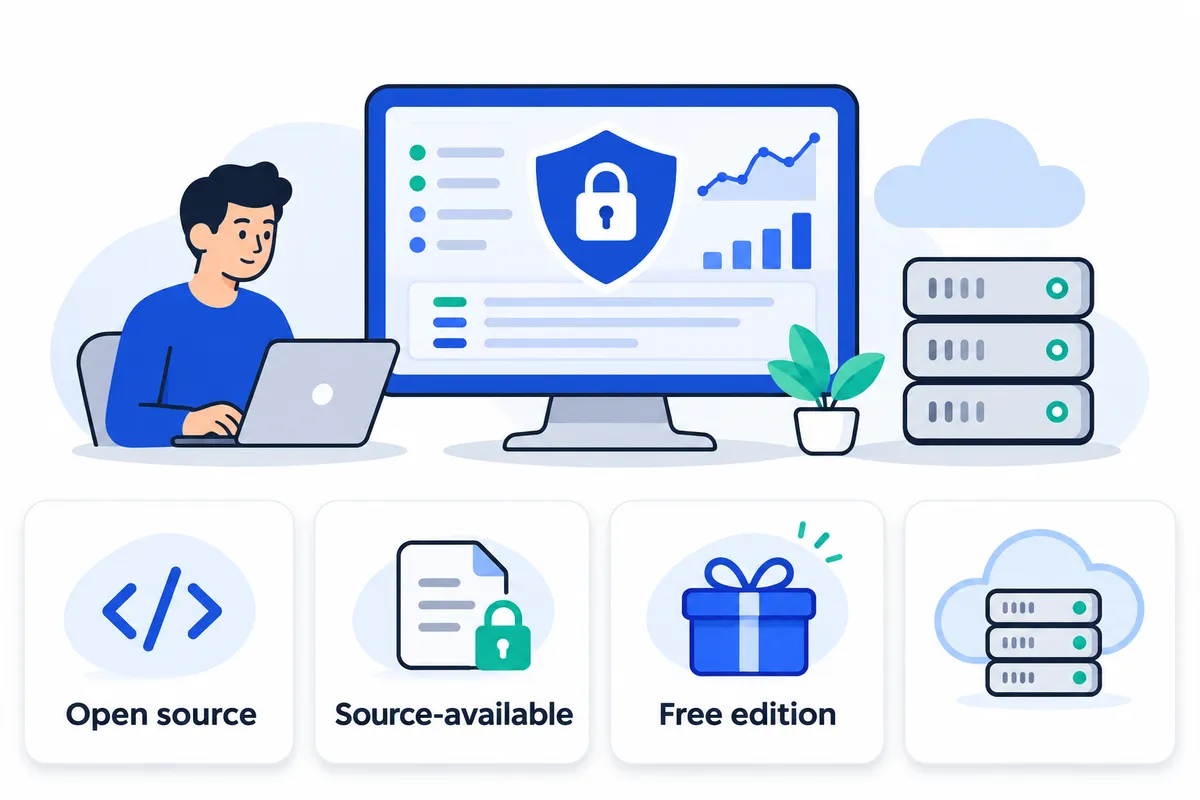
An open source SIEM is security information and event management software whose licence permits users to inspect, modify and redistribute its code under specified terms. It can be free to license, but running it still costs money and engineering time.
For an analyst, a SIEM brings security events together to help detect suspicious activity, search related evidence and decide what requires a response. Consider repeated authentication failures followed by a successful login. To distinguish a forgotten password from a possible compromise, the analyst needs the account, source address, affected host and surrounding activity.
For background, see what a SIEM does. Disclosure: 24Observe is built by our group, so weigh our view accordingly. We assess individual products in the options sections below.
Four terms that should not be treated as synonyms
“Open source,” “source-available,” “free” and “self-hosted” answer different questions. Keep them separate when building your shortlist.
| Term | What it tells you | What you still need to verify |
|---|---|---|
| Open source licensing | The licence grants rights to use, examine, change and redistribute the software, subject to its conditions. | Obligations when modifying, distributing or providing services, and which components the licence covers. |
| Source-available licensing | You can access the source, but its permitted uses depend on the licence. | Restrictions on redistribution, commercial services or other intended uses. Code visibility alone does not establish open source status. |
| Free product edition | An edition is offered without a licence charge. | Included capabilities, usage limits, support access and the rights granted by its licence. |
| Self-hosted deployment | You operate the software on infrastructure under your control. | Licence rights, infrastructure requirements and responsibility for keeping the deployment healthy. |
Deployment location does not establish licence rights. Software running in your own rack or cloud account can still carry restrictive terms. An open source project can also offer paid managed hosting without changing the rights attached to its open source code. Check the exact edition, version and component licences before making a licensing decision; a project name or repository link alone is insufficient evidence.
Free licensing does not mean free operation
A free licence removes a software charge. Operating the security service still requires a budget for compute, storage, backups, network capacity and people who can maintain the system.
Retention affects storage demand, while parsing determines whether detections can use the events you collect. Staff must handle upgrades, failed collectors and broken field mappings even when the download costs nothing. Include the foundations of log management in your evaluation alongside detection features.
Keep operational visibility and security investigation separate in that evaluation. An uptime check establishes whether a target responds; observability helps engineers understand system behaviour. A security investigation examines whether activity is hostile and which identities or assets are involved. It also requires evidence to support that judgment. When evaluating SIEM versus observability, start with the questions your team needs to answer, because shared telemetry does not make the workflows interchangeable.
Establish evaluation criteria before comparing tools
Use these five criteria before reading feature lists:
- Operational ownership: Name the people responsible for ingestion, upgrades, backups and recovery. Define who receives a collector-failure alert and how that responsibility fits existing on-call arrangements.
- Scaling: Evaluate representative event volume and retention requirements, including simultaneous searches. Test whether investigations remain usable while collection continues.
- Detection maintenance: Assign ownership for rule testing, field changes, exceptions and false-positive review. Treat alert fatigue as an operating risk.
- Support: Establish whether your team can depend on internal expertise, community assistance or contracted support. Confirm what help is actually included.
- Investigation workflow: Test the path from alert to supporting events, entity history, analyst notes and disposition. Measure useful investigation progress rather than assuming a dashboard improves resolution time.
The recommendations below are workload-based editorial judgments, with no claim to a universal ranking. We assess fit against the evidence you need and the operating work your team can own, including the investigation process you must sustain.
What does a self-hosted SIEM need to run reliably?
A self-hosted SIEM needs an operated data pipeline, tested detection logic and an investigation process with named owners. An installed dashboard proves that the interface works. To verify the security workflow, confirm that an event reaches storage, retains the fields a rule needs, triggers the expected alert and reaches someone authorised to act.
The architecture and acceptance checks below are general engineering recommendations. Product-specific implementation references appear separately.
Build the path from collection to investigation
Start by inventorying the sources needed for your detection use cases. Assign ownership for forwarding configuration, credentials and outages. Monitor whether each source is reporting, alongside collector queues, rejected events and delivery delays.
For parsing and normalization, preserve original events where appropriate, then map source-specific values into consistent fields for users, hosts, addresses, actions and outcomes. Validate field types. A missing username can prevent account-based correlation even when the log message remains searchable.
Keep event time separate from ingestion time. Clock differences can reverse an apparent sequence or push related events outside a correlation window. Synchronise source clocks and test timezone handling.
Check storage and search by confirming that analysts can retrieve representative events using the fields detections depend on. Watch disk growth, indexing failures and search performance while ingestion continues. A search that works against a small demonstration dataset provides insufficient evidence for production sizing.
Test detection rules with known positive and negative examples. Each actionable alert needs supporting events, an assigned responder, an escalation path and a recorded disposition. During investigation, record what happened, which evidence supports the decision and what action followed.
Backpressure occurs when downstream processing cannot keep pace with incoming data. Depending on the pipeline, events may queue, arrive late or disappear. Delayed events can miss detection windows; dropped events create blind spots. Define buffering, retry and replay behaviour, including duplicate handling, before an outage forces those decisions.
Set operational acceptance criteria
| Requirement | What to establish and test |
|---|---|
| Source ownership | Name the owner of each source and its forwarding configuration. Define who investigates silence or unexpected volume changes. |
| Timestamps | Check clock synchronisation, timezone interpretation and event-time versus ingestion-time handling. |
| Field mappings | Verify required fields and types against representative events, including malformed records and format changes. |
| Ingestion failure handling | Test queue limits, retries, rejected-event visibility, outage alerts and replay without uncontrolled duplication. |
| Access controls | Separate administration, investigation and ingestion permissions. Review credentials and restrict evidence access. |
| Retention decisions | Assign searchable and archive periods by data class, with documented deletion and evidence-preservation procedures. |
| Recovery tests | Restore data, configuration and required secrets into an isolated environment; verify searches and detections afterward. |
Size from observed indexed volume
Measure representative daily indexed volume using your actual sources and parsing configuration. Include busy periods, then calculate:
Searchable storage baseline = observed daily indexed volume × searchable retention days.
Add measured allowances for replicas, index structures not already included in that measurement, and operational headroom for merges, replay and growth. Avoid counting index overhead twice.
Measure CPU, memory, disk throughput and search latency while ingestion, scheduled detections and analyst queries run together. Base hardware sizing on those observations rather than an assumed event-rate benchmark. Repeat the exercise when source coverage or retention changes.
Separate retention, evidence archives and backups
Searchable retention determines how far analysts can query directly. Archived evidence preserves selected records for later retrieval, potentially requiring restoration or reprocessing. Recoverable backups restore the service after loss or corruption.
Account for these different purposes when planning recovery. Replicas can support availability, but they can also reproduce accidental deletion. An archive may preserve events without preserving rules, configuration or credentials.
Define acceptable data loss and recovery time. Protect backup copies from the production failure domain and test restoration. Verify that restored evidence remains readable and that the security workflow still functions.
Product-specific implementation references
24Observe is built by the Networkers Home group, so weigh our view accordingly. Its collector documentation describes Docker-based deployment, while the log documentation covers its log implementation. Both references cover product-specific implementation rather than universal SIEM requirements.
The documented detection behaviour connects matches to incidents, and the incident workflow records resolution details. For retention controls, see the administration documentation. The operating runbook also warns operators to monitor growing disk usage.
The full-stack deployment guide documents automated daily database dumps retained for seven days. That does not establish complete telemetry recovery coverage. Check which stores and configuration your backup procedure protects. The telemetry test guide provides product-specific validation examples; independently test ingestion interruption and restoration in your own deployment.
24Observe: who should consider this self-hostable SIEM option?
24Observe is built by our group, so weigh our view accordingly. We list it first because teams with shared operational responsibilities should examine how it combines monitoring, logs and security incident workflows. This ordering reflects our editorial judgment and makes no claim of independently established superiority. Its monitoring, observability and SIEM capabilities share storage and an incident system. The founder account describes the operational burden of maintaining separate tools for monitoring, security operations and investigations.
We would consider it for NOC, SOC and SRE teams evaluating shared incident handling on infrastructure under their control.
What does self-hosting include?
24Observe is classified as source-available, with self-hosting described as free forever when self-hosted. These terms address access to the software and its cost. Commercial permissions require a separate licence review, particularly before redistribution or use in a managed service. The supplied information specifies neither the licence name nor permission for those uses.
A full-stack deployment using Docker Compose is documented in the self-hosting guide and covered by the operational runbook. Kubernetes deployment using Helm is also described in the platform documentation. Base that choice on what your team can maintain and troubleshoot. Kubernetes is optional.
Both deployment models, hosted and self-hosted, provide equivalent capabilities: ingestion, correlation, threat intelligence and investigation. Their codebase and data model are shared, as are detection behaviour and the API contract. Self-hosting puts the complete platform on infrastructure you operate; it does not mean using a reduced community edition. Consult the API documentation as you assess your existing integrations.
The software’s self-hosting price leaves infrastructure and operational responsibilities with your team. Before moving an evaluation installation into production, assign responsibility for upgrades and storage, along with backups and recovery tests.
What is available for detection and investigation?
Security detection forms part of the broader platform, as the SIEM overview explains. It provides 87 detections across 14 packs. New organizations start with seeded detection packs plus Sigma rules. The coverage spans authentication abuse and exfiltration, secret exposure, web attacks, cloud activity, host security and threats involving AI agents.
Use the detection documentation to assess how that coverage applies to your environment. Counting rules tells you little about whether your telemetry supports them. Check the required fields against the data your sources actually send. Then test both activity expected to trigger a detection and ordinary activity.
For investigations, the workflow provides:
- Multi-event correlation rules that link related activity through sequences and patterns involving distinct values.
- Log enrichment with GeoIP context, reputation data for IP addresses, IOC matches and ECS fields.
- Cases that bring several incidents together within one security investigation.
A detection match follows the incident pipeline used for failed monitoring checks and metric threshold breaches. Across those incidents, the context graph links entities such as hosts, users and IP addresses. It takes input from logs and metrics, uptime signals and traces. Trace ingestion supplies context to that graph. This profile makes no claim that 24Observe provides APM, distributed tracing or RUM.
How should teams assess the AI analyst?
Incident investigation is the role of the AI analyst. It is included as a platform capability alongside detection and correlation, enrichment, threat intelligence and cases, without a separate security tier.
Organizations must opt in to LLM use. They can provide their own LLM key. With self-hosting, the operator can also direct requests to a model endpoint they control. Owning the infrastructure does not settle the model-routing decision. Before enabling LLM use, verify the chosen endpoint and which data it may receive, then obtain the required internal approvals.
During a pilot, have staff from NOC, SOC and SRE examine a common incident. Assess whether the evidence, relationships between entities and case structure meet each team’s needs. Check the analyst’s work against the source events and retain human review in the operating procedure. Use those findings to decide whether the shared workflow supports your investigation and handoff practices.
Wazuh: Is it the right free SIEM for endpoint-focused security?
Wazuh is worth evaluating when host and workload security drive your requirements. It combines SIEM with extended detection and response, or XDR, and began as a fork of OSSEC. It covers workloads on premises and in cloud environments, including those running in virtual machines and containers.
24Observe is built by the Networkers Home group, so weigh our view accordingly when following the links included here.
What does Wazuh cover?
Agents run on macOS, Windows and Linux. Their capabilities include log analysis, monitoring file integrity and identifying vulnerable software. Active response can block threats directly on a device. Test the operational impact before enabling automated actions broadly, and establish who can authorize changes.
These capabilities suit investigations into endpoint activity, unexpected file changes and exposed software. Keep security and observability requirements separate during evaluation. Build your host-security shortlist around the evidence analysts need for those investigations.
How is it deployed?
Wazuh’s architecture has four elements: an endpoint agent plus three central components, the server, indexer and dashboard. OpenSearch provides the foundation for the indexer and dashboard. Plan for operating the central platform as well as deploying agents.
The automated quickstart puts all three central components on one Linux host using a 64-bit architecture. This gives you a starting point for evaluation.
Wazuh recommends distributing the components when a deployment exceeds 100 devices. That 100-device recommendation concerns deployment layout; it does not define the maximum supported device count. Sizing still requires more than a device count.
GPLv2 and Apache 2.0 licences apply across Wazuh’s software. Check which terms apply to each part during your deployment assessment, rather than assuming one licence covers everything.
What should your pilot prove?
- Test default rules against your environment and tune them accordingly. Examine recurring benign activity and record exceptions instead of suppressing alerts indiscriminately. Review alert fatigue alongside rule quality, with explicit criteria for deciding whether to retain, adjust or disable each rule.
- Use realistic investigations to evaluate the interface. Can analysts find the evidence they need and explain their decisions? Measure that workflow against clearly defined MTTR criteria.
- Base retention planning on measured event volume, then check it against investigation needs and available storage capacity. The pilot checklist should also cover telemetry planning and monitoring objectives, with on-call responsibilities assigned explicitly.
Self-managed Wazuh suits teams that can operate the software and maintain its detections. Paid Wazuh Cloud offers a SaaS deployment for teams choosing that model. Professional support is available, along with training and consulting, so teams can decide how much operational responsibility to handle themselves.
Security Onion: When is network visibility worth the operating effort?
Evaluate Security Onion when your investigations require network metadata, intrusion alerts and packet evidence. This free Linux distribution covers threat hunting, network monitoring and log management. It suits an experienced network-security team more closely than a beginner selecting a first SIEM.
The background links point to 24Observe, built by the Networkers Home group, so weigh our view accordingly.
What evidence does it bring together?
Security Onion brings several types of evidence and investigation tools together:
- Zeek generates metadata for investigating network communications.
- Suricata provides intrusion detection.
- Full packet capture makes packet-level evidence available.
- Elastic-based search and dashboards let analysts search and examine the data collected.
- Detection content and case management help analysts identify suspicious activity and organize their investigations.
Host visibility is included too, though the network-focused investigation workflow is the main reason to consider it here. When evaluating a SIEM, assess packet-evidence requirements separately from routine log management and wider observability needs.
The collection should not be treated as entirely permissively licensed open source. ELv2 applies to Security Onion’s own code and its Elastic components. This source-available license restricts managed-service offerings. Check the applicable terms before building a service for external customers. Being free to obtain does not grant unrestricted rights to redistribute or host it.
Budget for visibility, storage and analyst expertise
Where you place sensors determines the traffic investigators can examine. Map the network segments that need coverage before deployment, then document how each sensor will receive traffic. Extra dashboards cannot recover traffic those sensors never saw.
Plan the hardware around the workload. Capturing packets and keeping network evidence searchable takes substantial resources. Base processing capacity, memory and storage on the traffic under inspection and your evidence-retention needs. Completing installation alone is an inadequate sizing test.
Your pilot also needs to test analyst capability alongside monitoring coverage. Analysts must understand networking well enough to interpret protocol behavior and detection context, including whether activity is suspicious or expected. Use the pilot to assess how collection is designed and whether telemetry is useful. Measure alert noise and the time investigations take as part of that assessment.
Where industrial visibility and deployment support fit
For an industrial example, Zeek can passively interpret Modbus and DNP3 traffic without interacting with the equipment being observed. That provides protocol visibility. It is insufficient grounds to describe the deployment as a complete industrial security solution.
The Setup wizard helps teams construct a distributed grid. If deployment assistance is needed, Security Onion Solutions, LLC is the only official provider of appliances, training and professional services. Account for that support option in your operating plan, while assigning internal responsibility for the sensors and infrastructure, as well as interpretation of the evidence.
Elastic Security: when does the Elastic stack make sense as a SIEM?
When assessing Elastic Security as a SIEM, examine its security capabilities and the engineering work needed to operate the platform. Review your team’s existing Elastic experience as part of that assessment. Searchable logs are useful during analysis, but they do not, on their own, constitute a complete SIEM.
What sits above the Elastic stack?
The foundation consists of Elasticsearch, Logstash and Kibana. Elastic Security adds security capabilities:
- Elastic makes its detection rules public for community review and takes suggestions through a public repository. Analysts can inspect how a detection works instead of relying on an alert with no visible logic.
- Investigation timelines give analysts tools to examine events during an investigation.
- Case management provides a workspace for organizing security investigations.
- Elastic Defend supplies endpoint protection as part of the security offering.
Evaluate these capabilities against your team’s detection and investigation workflows. Public rules give engineers somewhere to start. They still need to verify that the necessary events reach the platform with usable fields, then check how those detections perform against their own data.
What did the 2024 licensing change mean?
Elastic added AGPLv3 in 2024 as an alternative license for its core source. SSPL and ELv2 remained available.
The license covering the core source does not determine which security features an edition includes. AGPLv3 access therefore does not make all packaged security capabilities free. Basic functionality is available through Elastic Security’s free tier; many advanced capabilities need a subscription.
Before choosing an edition, check it against every required detection and investigation workflow. Verify the specific functions you need for timelines, case handling, detection tools and endpoint protection. A feature appearing in a product description does not establish that your intended edition includes it.
What must the operating team own?
You can deploy Elastic SIEM on premises, in the cloud or in an air-gapped network. This gives teams control over where it runs. Operating the stack as a full SIEM still calls for substantial compute resources and additional configuration.
Evaluate it with security data that represents your environment. Check the detection results and have an analyst work through an investigation. Assign responsibility for capacity and retention, along with maintenance and upgrades. Teams already operating Elastic can extend their existing engineering practice. Teams without that background should explicitly budget for building the necessary experience.
The following supporting articles are from 24Observe, built by our group, Networkers Home, so weigh our view accordingly: SIEM fundamentals, log management, SIEM versus observability, observability fundamentals and on-call practice. For further reading about 24Observe, see its documentation, about page and detection documentation.
Graylog Open: Is log management enough, or do you need Graylog Security?
Graylog Open suits teams that need centralised logs and analyst-led investigation. It gathers events, parses fields and enriches the data, with search, dashboard and alerting capabilities. SOC analysts and NOC engineers can use these tools to investigate suspicious activity manually. Evaluate it as a platform for managing logs. Its capabilities do not amount to a complete, standalone SIEM.
These guides are published by 24Observe, built by the Networkers Home group, so weigh our view accordingly.
What “free” covers, and what you still operate
You can download and run Graylog Open without charge under the Server Side Public License (SSPL). The licence lacks OSI approval, making “source-available” the accurate term. Hosting Graylog Open for other organisations carries obligations under the SSPL. Review them before planning a commercial service.
The product has no per-user fees, ingestion caps or trial expiry. Infrastructure capacity still determines what your deployment can handle. Size processing resources, storage capacity and retention for the workload you expect.
You manage the deployment yourself, including installation, configuration, maintenance and backups. Before depending on it for investigations, establish who will test restores and manage operational handovers. Support is available through documentation, community discussions and contributed resources. Your operating plan should also cover troubleshooting and escalation.
Where Graylog Security becomes relevant
Graylog Open can import Sigma detections from private repositories hosted on GitHub, GitLab or Bitbucket. This helps teams that maintain their own detection content. Importing Sigma rules, however, does not give Open the full capabilities of a SIEM. Analysts must assess the alerts and investigate what they mean. Teams also remain responsible for tuning detections and managing alert fatigue.
The paid Graylog Security edition adds a fuller set of security capabilities. These include detection through correlation, behavioural analysis and packaged detections. It also provides asset and event risk scores, anomaly detection and automatically created investigations. Consider it when your requirements call for those capabilities and your analysts cannot cover the work manually.
Upgrading preserves your existing sources and settings, along with dashboard definitions and saved searches. Everything stays within the same platform, so the upgrade requires no platform migration.
Our guides on how SIEM and observability differ, the foundations of observability and assigning on-call responsibility can help you plan the surrounding workflow. Decide what needs monitoring and assign responsibility for responding to alerts. Establish how you will measure recovery time, too. Include those operating requirements in your evaluation alongside the product features.
OpenSearch Security Analytics: who should build a SIEM on OpenSearch?
OpenSearch Security Analytics suits teams that want configurable detection and have the engineering capacity to handle collection, field mappings, storage and response workflows. Consider it when your SOC can maintain detection content and your infrastructure team is prepared to own the deployment.
OpenSearch began in 2021 as a fork of Elasticsearch. Security Analytics adds SIEM capabilities to that search-and-analytics base: detectors, Sigma-based rules, threat-intelligence matching, correlation and alerting. Those security functions belong in any evaluation of what the platform can do.
The software is free under Apache 2.0. Running it still costs money and engineering time. With a self-managed deployment, your team handles infrastructure and maintenance. Managed hosting, including Amazon OpenSearch Service, is paid. Budget separately for the software licence, hosting and the work required to operate it.
How events become findings and alerts
The official Security Analytics documentation explains the components. During an evaluation, work through the following sequence:
- Plan log collection and formatting so the events you need reach OpenSearch. Set retention requirements and provision storage before you expand collection.
- Configure a detector by choosing the log type and mapping incoming fields to the fields its rules expect. AWS CloudTrail and VPC Flow Logs are supported examples. Security Analytics supplies mappings for common sources and selects relevant rules based on the chosen log type.
- Check the findings that detectors produce when events match rules. A finding identifies an event for investigation; it does not establish compromise on its own. Analysts must examine the context to distinguish malicious activity from expected behaviour or an incorrect match.
- Define correlation rules for scenarios that span log types. The correlation engine links findings, and its graph lets analysts examine relationships between sources.
- Set alert conditions and assign responsibility for the response. Detector conditions control when notifications fire. Correlation can support an investigation without being a prerequisite for every alert. Decide who will investigate each alert and what action should follow.
What you can configure, and what you must build
The prepackaged Sigma content gives detection engineers a library to start from. OpenSearch Dashboards and the API support importing and modifying custom Sigma rules. Evaluate threat-intelligence matching alongside rule-based findings and relationships identified across sources.
This flexibility requires ongoing operational work. Test mappings with representative events and confirm that expected matches occur. Tune rules that produce noise, then document how analysts should investigate the results. Give collection failures and storage growth clear owners, and define responsibility at each response handoff.
For background reading, examine SIEM fundamentals, log management, the overlap between security and observability, on-call planning and custom observability design. When assigning operational responsibilities, also examine the distinction between monitoring and observability, the causes of alert fatigue and how to measure MTTR.
For separate product research, 24Observe is built by the Networkers Home group, so weigh our view accordingly. References to inspect include its documentation, SIEM page, logs page, context graph page, alerting page, incidents page and self-hosting page. Verify scope, deployment requirements and operating responsibilities before drawing comparisons. Keep product research separate from your OpenSearch testing, and record which requirements you have verified directly.
Before putting OpenSearch Security Analytics on your shortlist, demonstrate the full workflow using your own logs. Include the analyst’s documented disposition so the evaluation covers both detection capability and the engineering responsibilities your team would take on.
OSSEC and SIEMonster: what can you verify before shortlisting them?
OSSEC: a host-security component
OSSEC is a free, GPLv2-licensed host-based intrusion detection system. Its functions include analysing logs, monitoring file integrity, detecting rootkits and executing active responses on individual machines.
Its best-fit role is host security within a broader investigation workflow. A complete SIEM workflow requires additional tools to search centrally and correlate events across sources. Before selecting OSSEC, identify where events will be stored and how analysts will investigate them. Establish who will approve response actions, and test active-response behaviour before enabling it on production hosts.
Wazuh originated as an OSSEC fork. Evaluate each project’s current documentation separately, since that shared history does not establish that they remain functionally interchangeable.
The workflow references below come from 24Observe, built by our group, so weigh our view accordingly. Start by defining your SIEM scope and log-management requirements, including the division between security and observability responsibilities. Document on-call ownership and alert-noise controls. The plan should also cover recovery measurements, monitoring boundaries and custom workflow requirements.
SIEMonster: a verification-only candidate
Treat SIEMonster as a candidate for further verification. Before recommending it or assigning a best-fit audience, verify its licence, editions, deployment model and capabilities against current primary documentation. Keep the assessment provisional until those checks establish what the evaluated version offers and who it suits.
Before publishing a product assessment or selecting it, obtain the following:
- Current project documentation that describes the version being evaluated.
- The exact licence and its applicable terms. Source access alone does not establish open-source status.
- Identification of the edition under consideration, with evidence that it is maintained.
- Reproducible instructions for installation, configuration and upgrades.
- A clear account of operational responsibilities: who owns infrastructure, patching, backups, retention, detection tuning and incident handling.
Record the document URLs, version identifiers and verification date alongside the assessment. Where evidence is missing, leave that part of the evaluation unresolved rather than treating the gap as proof that SIEMonster is unsuitable.
Which open source SIEM or source-available SIEM fits your team?
Start with the investigation you need to complete and the infrastructure your team can maintain. Scope, licensing and the engineering required after installation vary across these options.
24Observe is built by our group at Networkers Home, so weigh our view accordingly. We list it first for its combined monitoring, security and incident workflow. This is not an independent ranking. The table sets out evaluation fits without implying equal detection depth.
| Option | Product scope | Licence or free-edition boundary | Deployment model | Strongest evaluation use case | Operating responsibility |
|---|---|---|---|---|---|
| 24Observe | Monitoring, logs, metrics and SIEM sharing incident handling | Source-available; permanently free to self-host, with the full platform included | Hosted; self-hosted through Docker Compose or Helm on Kubernetes | Teams evaluating one operational workflow across SOC, NOC and SRE | Self-hosters operate storage, retention, upgrades and recovery |
| Wazuh | SIEM plus XDR, with endpoint agents | Free software under GPLv2 and Apache 2.0; Wazuh Cloud is paid | Self-hosted agent, server, indexer and dashboard; hosted SaaS alternative | Endpoint-focused teams investigating host logs, file changes and vulnerable software | Agent rollout, rule tuning, indexing and storage planning |
| Security Onion | Network and host visibility, intrusion detection, packet capture and cases | Free distribution; its own and Elastic components carry ELv2, with managed-service restrictions | Self-hosted Linux distribution; distributed grids supported | Network-skilled defenders testing packet-led investigation and threat hunting | Hardware sizing, sensor positioning and network expertise |
| Elastic Security | Elastic-stack security platform covering SIEM, XDR and automation | Core licensing offers AGPLv3, SSPL or ELv2; basic security functionality is free, while many advanced capabilities require payment | On-premises, cloud or air-gapped | Teams already skilled in Elastic that want to evaluate security alongside existing data | Substantial compute planning, stack administration and SIEM configuration |
| Graylog Open | Log collection, search, dashboards and alerting; not a complete SIEM | Free under non-OSI-approved SSPL since version 4.0; fuller SIEM scope belongs to paid Graylog Security | Self-managed across on-premises, cloud or hybrid infrastructure | Teams prioritising log investigation and manually reviewing alerts | Installation, configuration, maintenance, backups and investigation |
| OpenSearch Security Analytics | Detection, Sigma rules, alerts and correlation within OpenSearch | Apache 2.0; managed hosting is paid | Self-hosted OpenSearch or managed hosting | Engineering teams building security analytics around OpenSearch | Collection architecture, field mapping, storage and response design |
| OSSEC | Host intrusion detection, integrity checks and active response | Free software licensed under GPLv2 | Self-hosted host-monitoring deployment | Teams needing host detection within a broader toolchain | Host configuration plus separate central search and correlation tooling |
| SIEMonster | Not assessed from supplied evidence | Not assessed from supplied evidence | Not assessed from supplied evidence | Not assessed from supplied evidence | Not assessed from supplied evidence |
During evaluation, follow one relevant event from collection through detection, analyst review and disposition. Record which steps need another product or manual work. For 24Observe, use the detection documentation to structure that test. Treat its comparison directory as an interested-party resource; it provides no independent validation.
Names that can mislead a fresh shortlist
AlienVault OSSIM no longer receives updates, and Apache Metron is retired. Historical reputation alone is insufficient reason to include either in a fresh shortlist.
Splunk Free is neither open source nor a full-featured free SIEM. Its daily ingestion ceiling is 500 MB, and it lacks alerts and user authentication. Account for those limits when moving from a search experiment to an operational security deployment.
How should a small team deploy a self-hosted SIEM?
Name an operational owner and a backup owner before installation. Agree on the investigations the pilot must support, the critical log sources, a retention policy and recovery objectives. “Investigate suspicious administrator access” gives the pilot a useful scope. “Collect every log” leaves that scope too broad to manage.
Use these phases as operating guidance, without treating them as an installation schedule. Move forward when you have evidence that a stage works. Completing the installation command alone is insufficient.
Phase 1: define the pilot and its operating boundaries
Write a short pilot plan that answers these questions:
- Investigation goals: Which questions must an analyst answer about users, hosts, source addresses and actions?
- Critical sources: Which identity events, administrative activity and system logs support those investigations? Prioritise those sources.
- Retention: How long must each data type stay searchable, and do you need additional recovery copies?
- Recovery objectives: How much data loss is acceptable, and how much time is available to restore service?
- Ownership: Who handles installation, source maintenance, detection changes, escalation and backup verification?
Identify sensitive fields before collecting data. Decide which fields to exclude or redact, who may search what remains and who approves changes to collection. Limit the initial scope so someone can inspect representative events from each source.
Phase 2: install a baseline, then onboard sources individually
Follow the deployment method documented for your chosen product. Record its release and configuration, storage locations, credentials procedure and restart steps. Restrict administrator access. Check clock synchronisation before spending time investigating timestamp problems.
Add sources one at a time. Compare an original event from each source with the record available in search. Where present, check its timestamp, timezone, hostname, username, source address, action and outcome. Make sure you can distinguish missing values from parsing failures.
Track disk consumption as ingestion increases. Capacity checks need to include indexes, database files, operational logs and backups. Verify that retention deletion runs and removes the expected data; configuring a retention period does not establish that deletion works.
Phase 3: test detections and assign escalation ownership
Use test accounts and isolated systems to generate approved, harmless events. Record the events you expect to receive and the rule expected to match. Production attack simulations require explicit authorisation and a recovery plan.
Sigma rules need compatible telemetry and local testing. Community rules can depend on specific event types, field mappings or collection settings. Check those dependencies and validate the translated detection logic. Test examples that should match alongside benign activity. Importing a rule successfully does not establish detection coverage.
Tune detections using observed activity. Document the reason for each threshold, exclusion or severity change, then rerun the original test. Every actionable alert needs an escalation owner and a fallback contact. The investigating analyst should know which evidence to collect, whom to contact and which response actions need approval.
24Observe implementation example: a documented Compose pilot
24Observe is built by the Networkers Home group, so weigh our view accordingly. We use it here because the self-hosted deployment documentation offers a concrete implementation path. Evaluate that path against your own operating requirements.
Work through the full-stack Compose instructions alongside the operational runbook. The documented prerequisites are Linux, Docker Engine version 20 or newer, and Compose v2.
During baseline installation:
- Generate a
JWT_SECRETwith a minimum length of 64 characters and anENCRYPTION_KEYwith a minimum length of 32 characters. Keep both secure and document how to recover them. - Run the database migrations. According to the runbook, an installation without migrations fails when its API first attempts to access the database.
- Inspect service logs through Docker Compose if containers fail to start. Capture the error before making configuration changes.
Then add a Linux host by following the sensor documentation. Verify its events in search. Use the documented shared query syntax to compare the search expression with the detection logic.
Follow the telemetry test guide to supply synthetic inputs, including its approach to AI-generated telemetry. Replace the host with your deployment’s host wherever instructed. As the detection documentation explains, prebuilt rules need relevant events before they can fire. A quiet installation establishes neither successful protection nor a fault.
Configure retention using the administration guidance. You can set retention windows for each data type. The runbook also identifies continuing growth in the check-results table. Monitor disk usage even after configuring retention.
The full-stack deployment documentation describes a cron container that creates daily database dumps and retains seven days of copies. Those dumps alone do not establish that you have a verified backup for every telemetry store. Inventory each store, configuration file and required secret separately. Establish how each will be backed up and restored.
Phase 4: require acceptance evidence and a restore test
Keep evidence for each acceptance check before expanding collection:
| Acceptance check | Evidence to keep |
|---|---|
| A known event arrives correctly | Original event and searchable record with verified fields |
| A relevant rule matches | Test input, rule configuration and resulting finding or incident |
| An analyst can investigate | Search steps, supporting context and recorded disposition |
| Required data and configuration can be recovered | Isolated restore results, recovered records and configuration checks |
Perform the restore in an isolated environment. Measure the actual data loss and recovery time against your objectives. Document any gaps before increasing the pilot’s scope.
Optional learning note: Networkers Home’s Cybersecurity course includes 49 practical 24Observe scenarios. Its AI SOC Analyst course offers another relevant training path.
When should you pay for a hosted SIEM instead?
24Observe is built by our group, so weigh our view accordingly. Its hosted and self-hosted versions have equivalent capabilities. We list it first because that parity makes operational ownership the deciding factor. The source-available self-hosted edition is free, has a container deployment runbook and suits teams that want security and monitoring together.
Documented alternatives include Wazuh Cloud, Wazuh’s paid SaaS option for teams seeking its endpoint-focused security platform through hosted delivery. Paid managed OpenSearch hosting, including Amazon OpenSearch Service, suits engineering teams building around OpenSearch Security Analytics. The implementation still requires collection design and detection configuration, along with response work.
Decide who can own the operating work
Consider hosted delivery if your team cannot consistently maintain infrastructure, demonstrate backup restores, handle capacity changes or keep up with upgrades. Ask each provider to document who owns those tasks. Do not assume “hosted” includes every maintenance activity or support entitlement. Confirm migration services separately.
Prioritise self-hosting when you need operator-controlled infrastructure or local processing, or when an established engineering team can own operations. For example, 24Observe can retain telemetry on infrastructure you control. Self-hosting alone establishes no regulatory status.
Keep infrastructure ownership separate from security ownership. Assign accountable people to source onboarding and detection engineering, and make responsibility for incident response explicit. This applies to either deployment model. A provider operating servers does not automatically take responsibility for missing logs or noisy rules, or make containment decisions.
Build a comparable cost worksheet
Use the same retention, ingestion assumptions and planning period for both options.
| Cost item | Self-hosted estimate | Hosted estimate |
|---|---|---|
| Compute | Production and test resources | Quoted service charges and exclusions |
| Storage | Searchable data and retention growth | Included allowance and additional usage |
| Backup | Copies, retention and restore exercises | Confirmed coverage and remaining customer costs |
| Staff time | Hours × internal rate for operations and security work | Remaining internal hours × internal rate |
| Paid support | Optional contract and scope | Included scope plus any additional contract |
For current commercial questions, check 24Observe pricing and contact the team. Before treating any task as transferred, get written confirmation of maintenance responsibilities, support scope and migration assistance.
Open source SIEM FAQ
Does self-hosted mean open source?
No. Deployment tells you where software runs; the licence sets your rights to use, modify and redistribute it. We put 24Observe first because it is built by our group, so weigh our view accordingly. It is source-available and free to self-host, though the information provided does not specify its exact licence terms. You can deploy it with Docker Compose or Helm on Kubernetes. Those deployment choices do not establish whether the software is open source.
Is Wazuh really free to run?
Wazuh combines SIEM and XDR, with no software licence fee under GPLv2 and Apache 2.0. Wazuh Cloud, its hosted service, is paid. A self-managed deployment still needs infrastructure and engineering time, so account for maintenance, investigation and log storage. Once installed, tune the default rules for your environment before considering it ready for operational use.
Is Security Onion suitable as a first SIEM?
Security Onion fits defenders whose investigations need network evidence: Zeek telemetry, Suricata alerts and packet capture, together with log search. The Linux distribution is free; its own components and those from Elastic have ELv2 restrictions. For a first SIEM, assess whether the value of that evidence warrants the operating effort. Hardware sizing, sensor placement and the network expertise required make it a demanding starting point.
Is Elastic Security entirely open source and free?
Check source licensing separately from access to security features. In 2024, Elastic added AGPLv3 as a licence option; SSPL and ELv2 are also available for its core source. Basic Elastic Security capabilities are available without a paid subscription, while many advanced features need one. If you plan to manage the deployment yourself, verify the licences for the components you will run and the subscription requirements for the security features you need.
Is Graylog Open a complete SIEM?
Graylog Open is built around log collection, processing and search, with alerting and dashboards. Your team runs and maintains it under SSPL, a licence without OSI approval. The paid Graylog Security offering provides broader SIEM functionality. Open supports importing Sigma content from private repositories, but importing those rules alone does not give it the scope of a complete standalone SIEM.
Can OSSEC replace a full SIEM?
OSSEC is a host intrusion detection project licensed under GPLv2. It covers host-level log analysis and integrity monitoring, along with rootkit checks and response actions. That scope suits teams looking for host detection. Building an organisation-wide SIEM around it requires additional components for central search and evidence correlation; the free licence does not extend what the project itself covers.
Do prebuilt Sigma rules work immediately?
Sigma provides a portable way to express detection logic. Whether a rule produces useful results depends on the events you collect, how fields map and the tuning your environment needs. An imported rule is no proof of detection coverage. For example, 24Observe’s prebuilt detections remain inactive until the required telemetry is available. Test each scenario you intend to detect and examine the evidence it produces. Reduce noise before adding coverage to avoid alert fatigue.
Frequently asked questions
Is an open source SIEM completely free to operate?
A software licence can be free while operating the system still consumes compute, storage and engineering time. Collection, parsing, detection tuning, upgrades and backup recovery all need an owner. Product editions also matter: Elastic Security has free functionality alongside paid features. Evaluate the rights granted by the licence separately from the infrastructure and analyst work needed to run a useful security service.
Is 24Observe open source or source-available?
For this comparison, use the explicit terms supplied for its self-hosted offering: source-available and free forever when self-hosted. The fact sheet does not identify a named licence, so it does not establish specific redistribution or managed-service rights. Documented deployment paths include Docker Compose and Kubernetes through Helm, with the same capabilities available in hosted and self-hosted deployments.
Is Wazuh a free SIEM, and can I host it myself?
Wazuh combines SIEM and XDR capabilities and is available free under GPLv2 and Apache 2.0. You can operate it yourself, while Wazuh Cloud provides a paid hosted alternative. Its architecture includes an agent, server, indexer and dashboard. Plan for storage and rule tuning rather than treating the initial installation as the end of the work. Professional support, training and consulting are available.
Is Security Onion a good first SIEM?
Security Onion is designed for threat hunting, network monitoring and log management. Its combination of Zeek, Suricata, packet capture and investigation tools is relevant when network evidence matters. However, the supplied facts identify substantial hardware needs, careful sensor placement and network expertise as prerequisites. It is better evaluated by teams with those skills than treated as a beginner-friendly first SIEM.
Can Graylog Open work as a complete standalone SIEM?
Graylog Open provides log collection, parsing, enrichment, search, dashboards and alerts. It can also import Sigma rules, but that does not make it equivalent to the fuller Graylog Security product. The supplied facts classify Graylog Open as log management rather than a complete standalone SIEM. It suits teams that can manage the infrastructure and investigate alerts manually, with clear expectations about edition boundaries.
Is OSSEC the same kind of SIEM tool as Wazuh?
OSSEC is a GPLv2 host-based intrusion detection system, and Wazuh originated as its fork. OSSEC provides log analysis, integrity monitoring, rootkit detection and active response, but it needs other tools for central search and correlation. Wazuh combines SIEM and XDR capabilities. Choose according to the security workflow you need rather than assuming their shared history makes them interchangeable.
Do Sigma rules provide detection coverage immediately after installation?
Sigma provides reusable community detection rules, but useful coverage depends on the right events, field mappings and testing. Wazuh's default rules need tuning, while 24Observe's prebuilt detections wait for relevant telemetry before matching. Treat a loaded rule as a starting point: verify its input data, generate a safe test event, inspect the resulting alert and record how an analyst should investigate it.