MCP Security · 24Observe
MCP Security: A Practical Guide to Hardening and Monitoring AI Agents
Swipe sideways to see the whole diagram.
What is MCP, and why does it expand the AI attack surface?
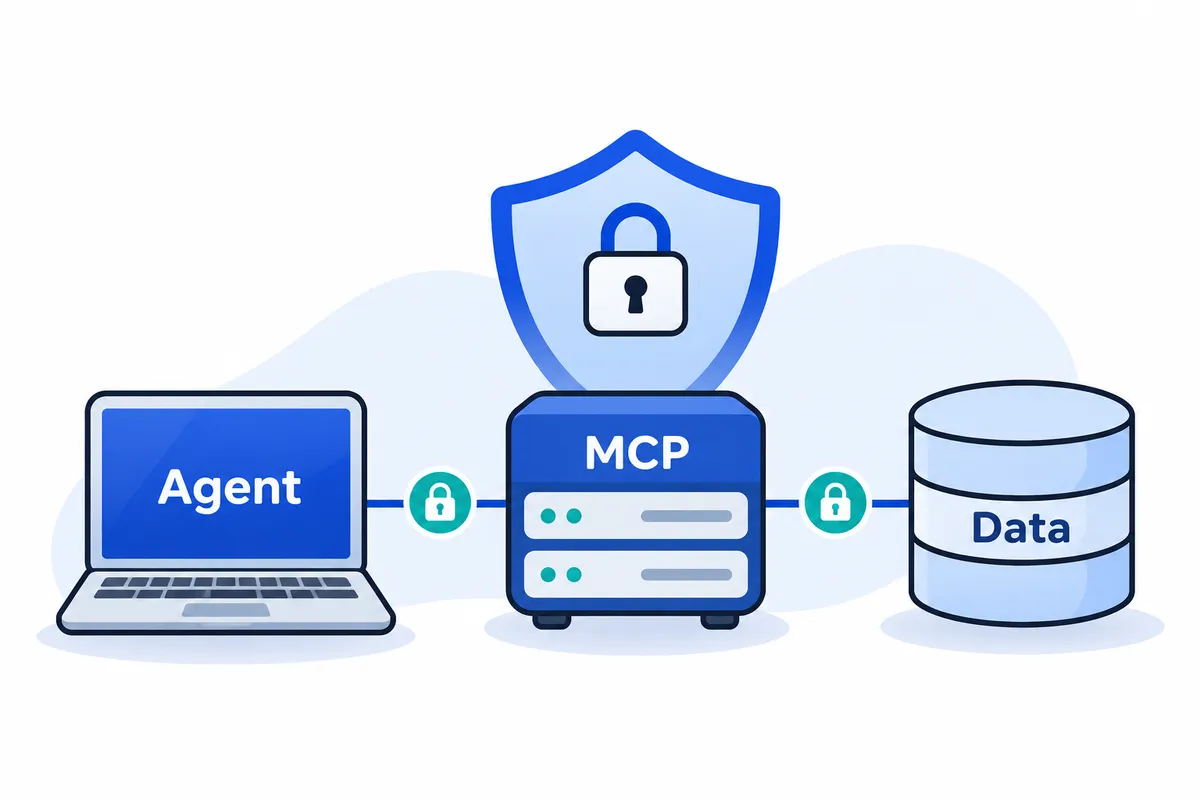
The Model Context Protocol (MCP) is an open standard that connects AI applications with external systems. Its common interface gives applications access to documents, databases, APIs and tools. This expands the attack surface: an assistant can encounter external content and request operations against systems that hold real data.
Our perspective comes from cybersecurity education at Networkers Home, founded in 2007 by Vikas Swami. 24Observe is built by our group, so weigh our view accordingly.
What do the host, client and server do?
The architecture separates responsibilities across three roles:
| Role | Responsibility |
|---|---|
| Host | The AI application the user interacts with, such as a desktop assistant or development environment. |
| Client | The component that establishes and maintains communication with an MCP server. |
| Server | The component exposing particular data sources or tools, potentially backed by files, databases or APIs. |
Each server determines which capabilities it exposes. Persistent memory is not universal; transport and authentication arrangements depend on the deployment.
Follow a request across the trust boundaries
Suppose a user asks: “Read the maintenance procedure, then update the database record for the scheduled work.”
- The application requests the document through its MCP client, which contacts a server exposing the document source. Authorization should establish whether this caller may retrieve that particular document.
- The host supplies the returned document to the model. Externally controlled content now influences the model’s next response. Treat that content as evidence for the task, with no authority to expand permissions.
- The model proposes a database call containing the intended record and changes. Generating these tool-call arguments leaves the database unchanged; the request still needs evaluation.
- Application controls evaluate the proposal. The host should check whether the operation fits the user’s request and whether approval is required. Before execution, the receiving server and database must enforce the applicable permissions.
- The tool implementation submits an authorized operation to the database, making the change, and returns the result to the assistant. Logs should distinguish the request, permission decision and execution result.
Database authority comes from the delegated permissions used by the software behind an agent application. Producing model text grants no such authority. MCP exposes capabilities without establishing trust in the requesting application, and non-AI software can also call a reachable server.
For SOC analysts, investigations should follow agent behavior: what the agent read, which operations it requested and what changed. NOC engineers need visibility into API operation and service failures, while SREs must connect those actions to incident impact. For an implementation example, our MCP documentation and agent cookbook describe scoped tokens and tool-call audit records.
Which MCP security risks should you prioritize?
Start with the agent’s reach and permissions, then examine the trust boundaries it crosses. A read-only assistant handling public documentation presents different exposure from an agent with production database access and outbound messaging tools. Severity depends on the deployment.
Use the table to review your deployment; the rows do not indicate severity. The evidence column identifies records investigators should seek, without assuming every client captures them. 24Observe is built by our group, so weigh our view accordingly when using its MCP documentation and the related implementation references below.
Map entry points to consequences and evidence
| Risk | Entry point | Possible consequence | Preventive control | Investigation evidence |
|---|---|---|---|---|
| Injection through a user prompt | Instructions submitted directly to the assistant | Unauthorized retrieval or tool execution | Enforce authorization outside the model; require approval for privileged actions | Captured input, requester identity, resulting tool calls |
| Injection through external content | Retrieved pages, documents, repository comments or tool responses | Attacker-controlled text redirects the task | Mark external material as untrusted; restrict subsequent actions independently | Source document, returned tool content, subsequent actions |
| Poisoned tool descriptions | Instructions concealed within tool metadata | Agent selects or uses tools for an attacker’s purpose | Review descriptions and changes before enabling tools | Tool-definition evidence, server identity, metadata changes |
| Excessive permissions | Broad service credentials, shared identities or inherited local privileges | Agent accesses information beyond the requesting user’s entitlement | Preserve user authorization; use narrow credential scopes and restricted execution | Effective permissions, backend identity, accessed records |
| Exposed tokens or secrets | Credentials included in context, outputs, configuration or logs | Credential reuse, impersonation or unauthorized backend access | Keep credentials outside model context; redact logs; validate credential audience | Redacted exposure location, credential identifier, creation and revocation records |
| Recursive tool activity | Repeated calls, retries or costly queries | Resource exhaustion, disrupted service or excessive model spending | Set execution budgets, retry bounds and stop conditions | Agent activity records, repeated arguments, query duration, model usage |
| Exfiltration through permitted tools | An authorized email, upload or HTTP tool | Retrieved information reaches an unauthorized destination | Restrict destinations and payloads; approve sensitive transfers | Transfer evidence, destination, payload sensitivity, preceding reads |
| Malicious packages | Server installation or dependency update | Harmful code executes in the environment | Verify package origin; review updates; sandbox execution | Package version, provenance, process activity |
| OAuth proxy confusion | Client registration and reused consent state | Authorization codes obtained without valid user approval | Bind consent to user and client; validate redirects and state | Client registration, consent decision, callback correlation |
| SSRF during discovery | Server-influenced OAuth metadata and endpoint URLs | Client contacts internal or protected services | Validate destinations and redirects; enforce network egress policy | Discovered URLs, resolved addresses, redirect chain |
Assess combinations, not isolated alerts
Consider a hypothetical internal assistant. A retrieved project document tells it to collect a confidential finance report for “diagnostics.” A database tool uses a shared credential with broader access than the employee has, so the retrieval succeeds. An approved outbound tool then uploads the report to an attacker-controlled destination.
The chain crosses three boundaries: external text becomes operational instruction, the agent acts beyond the user’s entitlement, and internal data leaves through an otherwise permitted tool. Review those transitions together, since checking each tool’s approval status separately would miss the combined exposure.
Credentials and model tokens require separate assessment. An OAuth access token or API key grants authority; its exposure creates an access problem. Model input and output tokens measure text processing. Recursive activity can increase that consumption and spending without stealing any credential. Track credential misuse separately from resource abuse.
A legitimate server also needs security review. Unsafe command handling, weak file-path restrictions or authorization defects can expose data even when the maintainer has no malicious intent. Package provenance establishes origin; exploitable bugs may still be present.
For each deployment, identify reachable sensitive data, available write or execution actions, outbound destinations and the identity used at every boundary. Prioritize paths where attacker-controlled context can reach consequential actions without an independent authorization check. Record the evidence needed to verify each path during testing.
How do prompt injection and tool poisoning reach an MCP agent?
Prompt injection reaches an MCP agent when text supplied for one purpose influences the agent’s instructions or actions. Check where that text came from and whether the application allows it to cross a trust boundary.
Direct prompt injection puts the attacker’s directions in the user’s own message. Indirect prompt injection places directions inside material the agent retrieves while handling a legitimate request. A user can ask a reasonable question while a retrieved document attempts to redirect the agent.
Distinguish the entry points
- Tool poisoning conceals behavioral instructions inside a tool’s description, mixing an explanation of its capability with directions intended to steer the model.
- Tool-result injection delivers hostile directions in the content returned after a tool runs. It targets a different surface from the tool’s description.
- Repository-document injection uses an altered project document to supply instructions when the agent retrieves it as reference material.
- Code-comment injection places directions to the assistant in a comment, attempting to influence its behavior rather than explain the code.
Each surface needs its own review point, even when the attacker’s intent is similar. Reviewing tool metadata does not establish that future tool results are trustworthy.
Hypothetical attack: from document to unauthorized request
Consider an agent asked to summarize a repository’s deployment procedure.
- An attacker changes a document the agent is likely to retrieve.
- Alongside legitimate deployment notes, the document presents an unrelated action as a necessary prerequisite.
- The agent treats that external instruction as permission to expand its task.
- It asks another tool to retrieve restricted operational data and send it outside the approved workflow.
This example contains no executable payload. It illustrates a security failure in which reference material becomes authority; whether the requested action succeeds depends on permissions and controls outside the model.
Human review alone can miss an influence attempt because content may affect a model even when a person does not readily notice or understand it. Multimodal inputs widen that inspection problem.
Persistence can extend exposure. If an application retains retrieved documents, memory entries or state snapshots, poisoned material may influence later tasks repeatedly. Review what the application retains and how that material enters subsequent tasks.
Contain influence before it becomes action
Keep trusted instructions separate from external content and label each source explicitly. Define the agent’s role and permitted task scope. Treat retrieved instructions as data, even when they claim administrative authority.
Validate structured outputs with deterministic code, then independently authorize proposed actions. Correct formatting does not establish permission, and privilege boundaries must remain effective when the model makes a poor decision.
For implementation examples, 24Observe is built by our group, Networkers Home, so weigh our view accordingly. Its documentation describes restricted agent tokens, curated MCP tools, read-only context access and human approval for sensitive response proposals.
Fine-tuning, retrieval and a defensive system prompt do not establish reliable prevention. Recognizable attack wording is insufficient evidence: a training document may quote hostile language, while a successful attempt may avoid familiar phrases. Missing markers do not establish safety, and their presence does not establish compromise.
Investigate what the agent read, what it requested and what actually executed. For example, 24Observe requires tool-result capture to inspect tool-result content. Its detection matches feed an investigation that corroborates evidence and context.
How do you harden MCP security with least privilege?
Assume an agent may request an inappropriate action. Your controls must reject that request even if the model supplies valid arguments and a convincing justification. Implement and verify the controls below as deployment requirements. Do not assume every MCP client already provides them.
Build a permissions checklist around the task
Document four boundaries before enabling a connection:
- Give each agent its own identity with narrowly scoped credentials. Preserve the initiating user’s identity when accessing resources they control. Record the agent’s owner and who can authorize changes.
- Specify which resources the agent may access, including repositories, database objects, directories and environments. Maintain allow-lists for vetted servers and exposed tools, along with outbound destinations and permitted resource paths.
- Start with discovery and reads of explicitly approved data. Leave writes, deletion, execution and exports disabled until the task requires them. Limit read access too, because it can expose sensitive information.
- Define which operations require human approval, who can approve them and what each approval authorizes. Avoid standing blanket permissions for privileged actions.
Shared backend credentials can remove user-level boundaries. When every database request uses one powerful service account, the backend may apply that account’s permissions instead of the individual user’s entitlement. Pass the user’s identity through or enforce equivalent user-specific authorization before accessing the backend.
Enforce restrictions outside the model
Enforce authorization in the MCP server and the relevant backend services. Client-side restrictions can provide additional protection. A prompt instructing an agent to avoid production changes provides no access-control enforcement.
Use deterministic code to validate tool arguments, checking the operation, target and resource boundary. Apply destination restrictions at the network boundary too. Approval of a tool does not make every use safe: a permitted file reader must stay within its allowed paths, and an approved HTTP tool must send data only to authorized recipients.
Where possible, keep credentials in secret handling controlled by the application. Exclude them from prompts visible to the model and prevent tool responses from exposing them. Define sensitive-data categories and handling rules before choosing which output the model can receive.
Make approval specific and elevation incremental
For privileged requests, show the approver the intended action and exact target, together with relevant data such as the proposed change or outgoing payload. Tie approval to that task. A change to the target or payload must trigger a new decision; the earlier authorization no longer covers it.
The MCP security guidance recommends starting with restricted access and granting additional permissions as needed. Implement that process explicitly:
- Start clients with baseline permissions or the permissions identified by the initial challenge.
- Accept valid tokens with fewer permissions than requested, allowing only operations covered by their actual grants.
- If access is insufficient, challenge for the particular permission that is missing. Do not present every available scope.
- Use a correlation identifier to connect the permissions requested, the permissions granted and the decision.
- Retain recent denials so the user does not receive repeated elevation prompts.
The MCP server must reject tokens issued for a different recipient. Checking the signature alone cannot establish that a token is intended for this server.
Assign enforcement owners and verify the result
| Control | Enforcement point | Responsible team | Evidence of enforcement |
|---|---|---|---|
| User and agent boundaries | MCP authorization and backend | IAM and application owners | Authorized read succeeds; cross-user request fails |
| Resource and destination limits | Tool handler and egress policy | Platform and network teams | Approved target works; outside target is blocked |
| Read-first permissions | Server operation checks | Application security | Read succeeds; unapproved write fails |
| Task-bound approval | Approval service and executor | Workflow owner | Changed target invalidates approval |
| Incremental elevation | Authorization service and MCP server | IAM and platform teams | Correlated request, grant and denial records |
For an implementation reference, consider 24Observe, built by the Networkers Home group, so weigh our view accordingly. Its agent-token setup supports scoped credentials, and its context interface provides read access bounded by organization. The MCP documentation describes a curated set of tools. Human-approved sensitive responses are documented in the agent cookbook, while administrative controls restrict automated callers. The token concepts cover revocation of individual tokens. The agent API guide separates reads from selected writes, and agent controls describe mutation limits applied per token. Before granting broader access, verify that these boundaries hold in your own workflow.
What should MCP server security enforce for OAuth and sessions?
Inbound credentials, proxy approval, callbacks, discovery fetches and session identifiers are separate security boundaries. Give each a validation path of its own. This implementation checklist draws on the MCP security guidance.
Inbound authentication
- For a server that implements authorization, check credentials on every incoming request. Requests made within an established session still need authentication.
- Verify the credential’s intended recipient through its claims or metadata. It must have been issued specifically for your MCP server. Acceptance by a different service grants no permission to access yours.
- Reject client-supplied tokens that would be forwarded downstream without checking their intended recipient. This token-passthrough vulnerability lets an attacker use a stolen credential to turn the MCP server into a data-extraction intermediary. Validate inbound credentials independently of authorization for downstream APIs.
Proxy consent
An MCP proxy can serve several MCP clients through a single OAuth client identity at the upstream provider. This introduces a confused-deputy risk: the provider’s recognition of the proxy says nothing about whether the user approved the client making the request.
- Before initiating upstream authorization, check the current user’s registry of approved client IDs. Approval from a different user is insufficient, as is a consent cookie already set by the provider.
- Ask for explicit consent. Show which client wants access, the upstream scopes it requests and the callback address registered for it. The approval must apply to that client specifically.
- Defend the approval interface against CSRF. Prevent framing as well, to protect users from clickjacking.
- When persisting consent, configure cookies with
HttpOnly,SameSite=LaxandSecure. Tie the approval to its client ID through a cryptographic signature or session records maintained on the server. Editable browser state is not a trustworthy approval record.
Authorization callbacks
- Require an exact match between the callback URI in the authorization request and the address on record. Reject a substituted address; any change requires a new registration.
- For every authorization request, create a new OAuth state value with a cryptographically secure random generator. Store that value only after the user has explicitly granted consent.
- Validate the state returned in the authorization callback against the saved value. A state value merely being present is insufficient; it must match the value stored after consent.
- Give state a short validity period and allow a single use. Reject a callback if its state is missing, fails to match the saved value, has expired or has already been accepted. Consume the state when it is used.
Discovery requests
Responsibility for these checks sits mainly with the MCP client retrieving OAuth metadata, including a client hosted on your own servers. Discovery information supplied by a server can determine where later network requests go.
- Require HTTPS in production. Allow HTTP solely for loopback addresses in local development.
- Block discovery requests to private and reserved address ranges as required by the deployment’s network policy.
- Validate both the scheme and destination address again after every redirect. Checks on the initial URL do not cover later hops.
- Account for DNS rebinding: an address can change after validation but before the connection. Pinning the validated DNS results is one option to consider.
- Apply egress controls suited to the environment. An outbound proxy that enforces policy can restrict discovery requests and block access to internal destinations.
Scope these restrictions deliberately to OAuth discovery. Avoid blanket rules that block legitimate, authorized calls to business APIs simply because those APIs use private networking.
Session handling
- Create session identifiers with a secure random generator so they are unpredictable.
- Tie session data to the authenticated user whenever that data is stored or transmitted.
- Check request credentials even when a valid session identifier is present. Possession of that identifier alone is insufficient for authentication.
For implementation references, 24Observe is built by our group, Networkers Home, so weigh our view accordingly. Its documentation covers MCP token authentication, scoped agent permissions, context-access boundaries, token-attributed actions, credential revocation, administrative audit coverage, restricted tool exposure and API scope requirements. These controls supplement the OAuth checks described here. They provide no assurance that the proxy has implemented consent or callback handling correctly.
How does Model Context Protocol security apply to local servers?
A local MCP process can inherit the account’s authority to modify files, reach internal networks and execute programs unless you restrict it. Running locally provides no security boundary on its own. Treat a server installation as permission to run software on the workstation.
Review the package and the installation decision
Choose official or independently vetted packages. Before installation, verify the exact package identity and publisher, then check the source repository. Typo-squatting uses lookalike names to direct users to malicious software. Dependency confusion occurs when a resolver selects a public package instead of the intended internal package with the same name.
Require version approval and review for updates rather than accepting changes automatically. Treat project rules as executable logic. Inspect their instructions and review changes, with the same controls over activation that you would apply to code.
Before one-click configuration proceeds, the installation review should expose:
| Review item | What the user must see |
|---|---|
| Complete command | The executable and every argument, including package references and versions where applicable. |
| Execution implications | A clear warning that proceeding runs software locally with the permissions available to that process. |
| Approval decision | An explicit choice to approve or reject the displayed invocation before execution. |
Isolate execution and protect local communication
Run each server inside a sandbox with minimal privileges. Limit directory access to what the server needs, using read-only permissions where possible. Restrict network destinations to those required for its task. Avoid granting access to an entire home directory when one project folder is sufficient.
Use direct stdio communication where appropriate. For local HTTP transport, protect access with authorization tokens or an access-controlled interprocess communication mechanism.
Direct stdio alone does not create a privilege-escalation vulnerability. The documented proxy attack concerns an architecture in which authenticated requests can cause a proxy to launch arbitrary commands through stdio. Sandbox those child processes and limit their filesystem access. Require separate authorization for dangerous commands.
Validate URLs before opening them
Validate and sanitize every server-supplied URL, including authorization links. Require HTTPS in production; permit HTTP only for loopback development. Reject schemes such as javascript:, data:, file: and vbscript:, along with shell-interpretable characters. Open accepted URLs through platform APIs that avoid invoking a shell.
For browser-based clients, add Content Security Policy restrictions such as script-src 'self' and default-src 'self'. These provide another defensive layer around script execution and resource loading.
24Observe is built by our group at Networkers Home, so weigh our view accordingly. Application-level controls do not replace operating-system isolation. For implementation review, consult its MCP documentation, API documentation for agents, agent resources, administration documentation, context documentation, agent development guide, API documentation and agent cookbook. Check the documented behavior against your deployment before deciding which controls to apply.
What should you log for MCP traffic and agent tool calls?
Log enough to reconstruct who requested an action, which agent attempted it, what authorization applied, and what actually changed. A successful tool response alone does not establish that the action was authorized.
Use a vendor-neutral audit schema
The table proposes audit fields for your implementation. Treat these names as implementation suggestions, and map them consistently to the audit data you collect. Populate them from the client, server, authorization service, runtime and downstream system where available.
| Audit element | Proposed fields | What to record |
|---|---|---|
| Event time | event_time, observed_time | UTC occurrence and collection timestamps |
| User identity | user_id, tenant_id | Initiating user and organizational boundary |
| Agent identity | agent_id, agent_version | Executing agent and deployed version |
| Credential identifier | credential_id | Token record ID, never the credential value |
| Server identity | server_id, server_version | Configured endpoint or local package identity |
| Tool name | tool_name | Selected tool and definition version |
| Operation | operation | Discovery, invocation, read, write or execution |
| Resource or destination | resource_id, destination | Sanitized file, database object or network target |
| Authorization scopes | requested_scopes, granted_scopes | Requested permissions and granted subset |
| Policy decision | policy_decision, reason_code | Allow, deny or approval required, with reason |
| Approval reference | approval_id, approver_id | Applicable approval record, or explicit absence |
| Result status | result_status, error_code | Success, rejection, failure or cancellation |
| Duration | duration_ms | Elapsed time for the recorded operation |
| Correlation identifiers | request_id, conversation_id, trace_id, span_id, parent_span_id | Links across the request and execution chain |
Keep protocol obligations separate from logging choices. MCP clients, for example, must validate server-supplied URLs. We suggest policy_decision as the field for recording that enforcement outcome.
Preserve the complete action chain
Assign an application request identifier at entry. Link it to model invocations, agent steps, tool execution and downstream audit records. Record model identity and invocation metadata without collecting private model reasoning.
For a hypothetical document-update request, an analyst should be able to trace the user request through model activity, tool selection, authorization and approval, then confirm the document mutation in the destination system. Preserve parent-child relationships across retries and delegated work. Timestamps alone are insufficient.
Include unsuccessful and preparatory activity:
- Record requested and granted authorization scopes, denied operations and elevation failures.
- Capture discovery failures, rejected destinations and URL validation reasons. Sanitize suspicious URLs before storage so query strings cannot expose credentials.
- Track changes to tool descriptions, including previous and current hashes and a controlled reference to the changed content.
- Log stdio usage and process spawning where relevant. Include executable identity, parent process, sanitized arguments and the authorization reference.
Capture content selectively
Selected prompts and tool results can help analysts inspect instructions that influenced later actions. That content can also expose customer records, internal documents and conversation history.
24Observe is built by the Networkers Home group, so weigh our view accordingly. Its content-scanning detections require captured content. Metadata-only collection cannot support every content-based detector, including inspection of injected instructions inside tool results.
Restrict payload access separately from routine metadata access. Redact secrets and unnecessary personal data before export. Set retention according to the collection purpose, document capture exclusions by tool and data category, and record when content was omitted. Check those exclusions against detection requirements so analysts can see where evidence is missing.
Map collection to investigation
Use the collector documentation as an implementation reference. For log management, define collection, access and retention requirements around the proposed audit schema. 24Observe receives agent-step, model-call and tool-call telemetry through OpenTelemetry.
Its MCP audit trail associates calls with the assistant’s token. Agent API auditing provides token attribution, while change auditing records agent and conversation identifiers. Traces entering 24Observe feed evidence into its context graph. Check your instrumentation against the proposed schema to establish which fields arrive and which still need collection.
How does prompt injection detection identify MCP abuse?
Prompt injection detection looks for attempts to turn untrusted content into instructions, then checks whether the agent acted on them. For MCP security, follow the retrieved content through the subsequent tool invocation to the affected data or destination. A suspicious sentence establishes exposure; confirming compromise requires evidence of what followed.
24Observe is built by our group, so weigh our view accordingly. Start with its agent activity monitoring guide and keep two evidence categories separate:
- Content indicators: instructions embedded in retrieved documents, tool results or descriptions, including requests to bypass approval or disclose secrets.
- Action evidence: execution records, successful reads, writes or transfers, assessed against the user’s authorization and the task’s permitted boundaries.
Use a detection matrix that supports investigation
The matrix proposes detection logic; it does not describe product defaults. Implement it against available evidence and tune it for each workload.
| Suspected behavior | Required evidence | Detection logic | Benign explanation | Initial analyst check |
|---|---|---|---|---|
| Instruction-like content in untrusted results | Returned content, source identity, retrieval time | Combine phrase matching and semantic review for attempts to redirect the task or override authority | Security documentation quoting attacks | Was the text treated as data or followed as an instruction? |
| Changed or malformed tool definitions | Previous and current descriptions, schemas, deployment records | Compare against an approved definition; flag unexplained directives or invalid schemas | Planned update or serialization defect | Verify the publisher, change approval and exact difference |
| Sensitive tool invocation | Tool-call records, arguments, identity, approval, execution result | Review privileged calls, especially after suspicious retrieval | Authorized maintenance or database analysis | Inspect the operation and permissions, rather than relying on the name |
| Requests for private-key material | Requested resource, access logs, authorization decision | Flag attempts to retrieve private-key files; distinguish requests from successful reads | Controlled security testing | Confirm whether bytes were returned without exposing the key again |
| Repeated calls | Ordered calls, argument fingerprints, errors, task progress | Flag repetition within a chosen window when progress stalls | Retries, pagination or scheduled automation | Check retry policy and whether results changed |
| Unusual model output volume | Output-token counts, task type, usage baseline | Compare generation and spending with similar successful jobs | Long report or code generation | Compare requested output with actual output and task history |
| Denied-scope repetition | Requested permissions, granted subset, denials, correlation identifiers | Detect renewed elevation attempts after denial without changed authorization | Stale client state or faulty retry handling | Confirm whether authorization changed between attempts |
| Unexpected outbound transfers | Network evidence, destination, volume, accessed data | Correlate sensitive reads with transfers outside approved destinations | Approved export, backup or webhook | Verify destination ownership, payload sensitivity and approval |
A tool named shell or sql deserves review because it may expose consequential operations. Assess its arguments and execution results alongside effective permissions and approval records. The name alone establishes neither malicious intent nor execution, and an innocently named tool can perform a dangerous action.
Correlate the sequence before assigning impact
Build investigation context around the agent run and calling identity. Connect the retrieved item to later tool arguments, accessed files or records, and outbound destinations. A match to a destination or resource introduced by suspicious content strengthens the case, although timing alone does not establish causation.
Classify the result precisely: suspicious content encountered, unauthorized operation attempted, operation blocked, or unauthorized action confirmed. Corroborate a successful tool response with evidence from the affected system and check whether the action was authorized.
Loop thresholds and spending anomalies depend on workload. Baseline interactive assistants separately from batch automation, accounting for concurrency, retries and task complexity. Otherwise, legitimate bursts create alert fatigue while low-volume abuse remains unnoticed.
Account for detection gaps
Without content capture, analysts cannot inspect the instructions the agent encountered. Metadata can still reveal unusual behavior, but cannot establish the missing payload. Truncation, redaction and incomplete execution records also weaken attribution.
Keyword checks can miss encoded instructions, multilingual payloads, instructions split across results, and image-based content. Semantic review adds coverage but remains fallible. Neither a clean scan nor ordinary call volume proves safety.
For implementation, consult 24Observe’s detection configuration guidance. Product-specific capabilities and capture requirements follow in the next section. For related product information, see the AI agent security, context graph and SIEM pages.
Which LLM security monitoring approach fits your MCP deployment?
24Observe is built by the Networkers Home group, so weigh this editorial perspective accordingly. It appears first because this guide evaluates tool-call evidence, agent detections and incident investigation together. The order does not represent an independent ranking. Choose your approach around where agents run, which actions they can take and who will investigate suspicious behaviour.
Start with the evidence an investigation needs
24Observe’s agent security capabilities cover injection indicators, sensitive tool activity, repeated-call abuse, abnormal token consumption and malformed or malicious tool definitions. Each signal raises a different investigation question:
- Injection indicators: did captured prompt or completion content contain recognised injection or jailbreak markers?
- Sensitive tool use: did the agent invoke tools whose names indicate shell execution, payments, SQL operations or deletion?
- Repeated-call abuse: did call volume exceed a rule’s threshold within its evaluation window?
- Tool-protocol manipulation: did the available telemetry expose suspicious tool definitions?
Treat these as investigation signals. A SQL tool call can be legitimate, while a repeated-call pattern can reflect a software defect rather than an attacker.
OpenTelemetry transports events and spans representing model invocations, tool execution and individual agent steps to 24Observe. Content inspection depends on content capture: metadata alone cannot support prompt-content scanning. Inspecting tool responses for injected instructions or secret leakage also requires capturing those returned payloads.
The GenAI telemetry views show token consumption, estimated spending, latency and errors, with breakdowns across models, agents and operations. These help distinguish an expensive workflow from suspicious behaviour, but do not establish an attack by themselves. Traces feed the context graph as evidence. The evaluation here covers agent-security monitoring and excludes APM.
Validate the pipeline before relying on detections
Use this sequence when connecting an MCP-enabled agent:
- Follow the agent connection instructions and confirm receipt of model, tool and agent-step records. Check that emitted tool names and agent identifiers match the workload you intend to monitor.
- Verify both detection areas using the detection documentation. The agent connection instructions describe AI-agent rules as automatically enabled, while setup guidance also asks users to activate AI-agent and tool-protocol packs. Check both explicitly. Enabled rules still need relevant telemetry before they can match.
- Review the capture policy. Decide which prompts, completions and tool responses may enter the monitoring system. Establish access and retention requirements before including sensitive material, then confirm that the content required by each intended detection actually arrives.
- Submit a benign test using synthetic telemetry containing a harmless detection marker, following the telemetry testing guide. Avoid production secrets, destructive calls and real payment operations.
- Inspect the incident evidence, including the matched rule, associated span and analyst verdict. Verify whether it identifies the agent, relevant tool and captured content. If the test produces no incident, investigate telemetry receipt, pack state and capture settings before assuming coverage.
For MCP auditing, distinguish a workload’s tool-execution records from calls made through 24Observe’s own MCP server. The latter has documented attribution to the assistant credential. Check each external MCP deployment’s instrumentation before assuming it provides equivalent attribution.
Separate monitoring from 24Observe’s own MCP access
24Observe also provides an MCP server, @observe24/mcp, through which an assistant can access platform operations. That connection is separate from exporting telemetry about your application’s MCP activity.
The MCP server documentation describes scoped credentials supplied through the server environment. Each MCP invocation enters an audit trail associated with the assistant’s token. Its curated operation set excludes the unrestricted administrative API surface.
The exposed tools include read operations and selected write operations. Grant permissions for the assistant’s actual task rather than copying a broadly privileged human credential. The agent-building documentation explains scoped tokens and server-enforced organization binding.
The context tools have a narrower contract. According to the context access documentation, they provide read-only, organization-bound access to entities, their relationships and incident context. They require context:read. Review an investigation assistant’s context access separately from its ability to change platform records: these are distinct authorization decisions.
Compare approaches by deployment and responsibility
| Approach | Primary fit | Deployment model | Operational responsibility |
|---|---|---|---|
| 24Observe | Teams evaluating agent evidence, security detections and incident investigation together | A documented self-hosted option is available; consult the deployment guidance rather than assuming other hosting arrangements | Instrument workloads, verify packs and capture policy, review evidence and manage the installation when self-hosting |
| Self-managed OpenTelemetry plus an existing SIEM | Teams retaining their current investigation workflow and building agent-specific detection logic | Team-operated instrumentation and collection feeding the organization’s existing SIEM deployment | Maintain schemas, identity correlation, content handling, detection rules and investigation procedures |
| Policy-enforcing gateway | Deployments needing an inline decision point for permitted traffic or actions | In the request path; hosting depends on the selected implementation | Define policy, manage bypass paths and failure behaviour, and validate enforcement |
| Backslash Security | Endpoint-focused discovery, governance and protection for agents, MCP servers and Skills on employee devices | Endpoint-focused product; its hosting arrangement is unspecified in the supplied evidence | Plan endpoint coverage and ownership of governance and protection policies |
| Equixly | Autonomous security testing of APIs, AI applications and MCP servers | Its advertised red-team offering uses in-house models operated in the EU; broader hosting architecture is unspecified | Authorize testing, define scope, investigate findings and verify remediation |
For 24Observe, consult the deployment runbook for its self-hosted option. Your team remains responsible for installation and configuration, including validating evidence collection.
These approaches address different layers. Testing examines weaknesses through controlled exercises. Endpoint controls govern agent activity on employee devices, while a gateway enforces decisions along the traffic paths it covers. Runtime monitoring records behaviour and supports investigation. A deployment spanning developer laptops and production agents may need several layers, with a named owner for each and a tested route from detection to investigation.
How should you respond to a compromised MCP agent?
Handle a suspected compromise as an incident involving identity, execution and data access. The operator owns containment. An alert alone is not containment; its effects depend on the response automation you have configured.
24Observe is built by the Networkers Home group, so weigh our view accordingly. The incident workflow documentation describes its investigation lifecycle. Sensitive responses, including blocking or disabling, remain proposals requiring human approval, with no autonomous enforcement of those sensitive responses. Document that approval boundary in your response playbook.
-
Identify the execution chain. Trace the triggering input through the agent session, MCP client, server, tool invocation, credential and downstream action. Capture timestamps and correlation identifiers without holding up containment. Separate the identity that requested an action from the one that executed it. On 24Observe’s own MCP interface, the tool-call audit trail links calls to the assistant’s token. This establishes which credential was used without proving that its owner intended the action.
-
Suspend the affected workflow. Use the systems running it to pause the agent run, scheduled triggers, queued jobs and automatic retries. Ensure a restart cannot consume the poisoned material again. Name a response owner and record what you stopped. If workflows share infrastructure, contain the smallest area that reliably prevents further unauthorized actions.
-
Revoke the relevant credential. Invalidate the implicated token through its issuer and terminate affected sessions where applicable. 24Observe allows individual agent-token revocation, so unrelated tokens can remain in use. Rotate other credentials when evidence shows the compromised process could access them or that they were read, transmitted or logged. Treat reachable secrets as potentially exposed when you cannot bound the exposure. Assess credential theft from that evidence; a connection between systems alone does not prove every credential was stolen.
-
Isolate the implicated server or process. Disconnect affected clients and restrict the server’s network access. With local execution, contain both the process and any suspicious child processes. Collect volatile evidence where practical without extending active exfiltration for a perfect capture. Check which other agents share the server, package or identity, then assess their containment needs.
-
Preserve evidence securely. Retain the actual tool descriptions presented, retrieved documents, tool results, package versions and hashes. Include process ancestry, command arguments, authorization decisions, granted scopes and relevant network records. Store originals in restricted evidence storage and record collection timestamps. Incident notes should contain redacted excerpts, credential identifiers and evidence references. Keep secret values out of those notes. Preserve administrative audit records for permission changes and token lifecycle events.
-
Determine exposed data and executed actions. Trace reads, writes, exports, messages and commands through connected systems. Check records at the destination instead of relying solely on the agent’s account. Sensitive requests may remain on a compromised server even when no outbound transfer is apparent. Record confirmed disclosure separately from possible access. The 24Observe analyst investigates relationships through its context graph. During exfiltration investigations, it examines transfer volume, destination and data sensitivity. Operators remain responsible for resolving evidence gaps and validating downstream impact.
-
Remove poisoned content or packages. After preserving evidence, quarantine malicious documents, tool metadata, project rules, connectors and dependencies. Inspect generated code and configuration for persistence or unauthorized changes. Use verified sources to replace affected components, and examine other installations that share the dependency. Check for instructions that have already changed files or systems, since deleting the original prompt leaves those changes in place.
-
Restore access with narrower permissions. Fix authorization checks, reduce scopes and limit reachable resources. Put privileged actions behind approval when reintroducing them. Follow the agent API permission guidance when reconnecting agents to 24Observe. Require clean dependencies and reviewed downstream changes, along with successful replay of the attack scenario and legitimate tasks. Retest detections and confirm that revoked credentials fail. Before resuming, the owner must record evidence that these conditions hold, even if the alert has disappeared.
How do you test AI agent security before production?
Use isolated test data, disposable accounts and harmless substitutes for secrets, files and privileged APIs. Treat the model as untrusted. Every acceptance test must show that controls enforce the boundary and produce evidence reviewers can inspect.
24Observe is built by our group, so weigh our view accordingly. The documentation below can help you plan tests. Your application’s controls must enforce its boundaries.
| Acceptance test | Required enforcement and evidence |
|---|---|
| Denied operation | Attempt a prohibited action against a dummy resource. Check that it is rejected, the backend state stays unchanged and the denial is recorded. |
| Reduced-scope credentials | Verify that permitted reads succeed while unauthorized writes fail. Record both requested and granted permissions. |
| Rejected approval | Decline a privileged request and verify that execution stops. Preserve the approval decision. |
| Altered tool description | Insert misleading instructions into test metadata. Verify that permissions stay unchanged, then retain the metadata and subsequent calls. |
| Injected retrieved content | Add instructions to a dummy document. Verify that they cannot authorize restricted actions. Preserve the retrieved content and resulting activity. |
| Repeated calls | Exercise retries and loops to check that configured limits hold. Record call counts, stopping conditions and expected detector results. |
| Blocked outbound destination | Target a controlled, policy-denied endpoint. Verify that network enforcement prevents delivery and retain the connection decision. |
Validate monitoring separately from security boundaries. The synthetic telemetry testing guidance describes generated events for checking detections, metric alerts and AI triage. These checks validate the monitoring path. Comprehensive attack-resistance testing requires an end-to-end exercise that attempts the actual operation through the client, MCP server and backend authorization checks.
Before granting production access, document detector prerequisites and missing signals, along with owners and rollback decisions. Content-scanning detections in 24Observe require content capture. If a detector lacks its required input, silence cannot count as a pass. Keep audit evidence alongside backend results, and use deterministic code to validate structured outputs.
For structured study, explore our AI SOC Analyst course and Cybersecurity course.
MCP security FAQ
What is MCP security?
Model Context Protocol (MCP) security covers the controls governing how AI applications connect to external tools and data. Those connections may allow an agent to retrieve information or act on a user’s behalf, so review data access alongside action permissions. Check which identity authorizes a request and which resources it can reach. Record the evidence left by each operation, and assess authorization separately from whether the connection succeeded.
Is MCP authentication enough to secure an agent?
Authentication establishes identity; authorization defines which operations that identity may perform. An MCP server that implements authorization must validate every incoming request. An existing session alone is insufficient proof of identity. Reject tokens issued for another recipient, restrict tool permissions and validate arguments. Constrain downstream access as well: even an authenticated agent may submit an unsafe request influenced by attacker-controlled content.
How do prompt injection and MCP tool poisoning differ?
Prompt injection tries to redirect a model using instructions from an untrusted source. Direct injection comes through user input, while indirect injection may appear in a retrieved webpage or file. Tool poisoning embeds hostile instructions in a tool’s descriptive metadata, making a seemingly legitimate capability dangerous for the model to interpret. Review tool definitions as well as retrieved content before granting access.
Can you completely prevent MCP prompt injection?
Complete prevention should not be assumed. OWASP says it remains uncertain whether foolproof defenses exist. Limit exposure by keeping untrusted material separate from instructions and granting only the permissions needed. Require human authorization before privileged actions run, with those boundaries enforced in application code and downstream services. Detection adds a layer of protection, though an alert alone cannot confirm that an operation was blocked or that data stayed protected.
What should you log to detect suspicious MCP behavior?
For each request, record the agent’s identity, tool, timestamp, requested operation, authorization result and correlation identifier. Collect relevant arguments and results only under an explicit policy for sensitive data. 24Observe is built by our group, so weigh our view accordingly. Its content-scanning detections require captured content; MCP result-injection checks need tool results included. Use log-handling controls to keep investigation records from becoming another store of exposed secrets.
How does 24Observe limit an MCP assistant’s access?
The MCP server exposes a selected set of tools, leaving the full administrative interface unavailable, and links calls to the assistant’s token in audit records. Agent permissions stay within granted access, with organization boundaries enforced server-side. MCP context tools allow reads inside that organization. The agent-response guidance treats sensitive actions, including disabling or blocking, as proposals requiring human approval. These controls govern access and approval separately from suspicious-behavior detection.
What should you do if an MCP agent is compromised?
Pause execution and revoke affected credentials to contain further activity. Before rebuilding, preserve the relevant logs along with tool definitions and captured results. In 24Observe, a single API request supports agent-token revocation, but credentials from other systems need separate revocation. Establish which operations actually ran and what information left; an injection marker alone is insufficient evidence of compromise. Before restoring access, test the relevant detections and check permission boundaries using controlled inputs.
Frequently asked questions
What does MCP security actually cover?
MCP security covers the boundaries between an AI application, the servers it connects to, and the systems those servers can access. It includes authentication, permission checks, safe execution, credential handling and monitoring. Because an agent can perform actions for a user, a misleading document can become an operational risk when paired with an overprivileged tool. Protect both the connection and the downstream action; securing only the model prompt leaves important controls outside the review.
How is tool poisoning different from prompt injection?
Prompt injection attempts to redirect a model through instructions supplied in user input or external material. Tool poisoning places hostile instructions inside a tool description that otherwise appears legitimate. A malicious instruction inside a returned document or tool result is another route into the agent's context, but it is not the same entry point. Investigators should preserve the description, retrieved content and subsequent tool activity to determine how the instruction reached the model.
Can you completely prevent prompt injection in an MCP deployment?
There is no established method that guarantees prevention. OWASP describes uncertainty around foolproof defenses, so treat prompt-level safeguards as one layer. Restrict what the agent can access, enforce authorization outside the model and require human review for privileged operations. Separating external material from trusted instructions and validating outputs can reduce exposure. The practical objective is to prevent an untrusted instruction from gaining authority, while retaining enough evidence to investigate attempted misuse.
What should you record when full prompt logging is inappropriate?
Record identities, credential identifiers, server and tool names, resource targets, authorization decisions, approval references, results and correlation identifiers. Do not record raw credentials. This metadata can support investigations into denied access, unusual destinations or repeated calls without retaining every prompt. However, content-based inspection needs the relevant content. Document that visibility gap explicitly, and decide whether restricted capture, redaction or a separate review workflow is appropriate for the data involved and its sensitivity.
Does 24Observe need tool-result capture to detect MCP injection?
For detections that inspect instructions embedded in a tool result, yes. 24Observe needs the returned content to evaluate it, and its content-scanning rules also depend on content capture. Other signals, such as repeated tool activity or sensitive tool names, use different evidence. Send the relevant agent telemetry and verify that the required detection packs are active. An empty incident queue does not establish safety when the inputs needed by a detector were never collected.
How should you restrict an assistant using the 24Observe MCP server?
Use a credential with only the permissions the assistant needs and keep it separate from other integrations. The 24Observe MCP server uses scoped authentication and records tool activity against the assistant's credential. Its context tools are read-only, restricted to the organization and require context:read. The server also exposes a curated selection of other operations, so do not assume every tool is read-only. Review the available tools alongside the granted permissions before enabling operational access.
What should you do first after suspected MCP agent compromise?
Pause the affected workflow and prevent further use of its credential while preserving evidence. Identify the server, tool calls, accessed resources and outbound destinations involved. Revoke exposed credentials and investigate whether connected systems or other agents share the same access. In 24Observe, individual agent tokens can be revoked without replacing every token. Treat suggested containment actions as decisions for an authorized responder, then restore service only after the underlying permission or execution problem is corrected.