Incident Management · 24Observe
Incident management: a practical guide to on-call, escalation and alert fatigue
Swipe sideways to see the whole diagram.
What is incident management, and how does it differ from problem management?
Incident management coordinates the response to an unplanned service disruption or degradation, with the aim of limiting impact and restoring normal operation. Problem management examines the underlying causes and oversees corrective work to reduce recurrence. Service recovery can proceed while that investigation continues.
During an outage, responders need clear recovery priorities. Investigators also need evidence and someone accountable for corrective work. We offer these recommendations as operating guidance, without promising outcomes. 24Observe is built by our group, so weigh our view accordingly. The founder’s explanation describes his motivation for consolidating operational tools. That account provides background; it does not independently substantiate our recommendations.
Service restoration and coordinated technical response
ITIL focuses on returning service to an acceptable state and limiting business disruption. A workaround may deliver service restoration while the underlying defect is still present.
SRE emphasises coordination during the technical response. Responders need explicit responsibilities and shared information to carry out mitigation and learn from the incident. Google’s incident-response guidance uses the Incident Command System as a foundation and advises teams to declare incidents early. It prioritises harm containment and service recovery while preserving evidence for investigation. A response runbook should help responders make those decisions without requiring a complete diagnosis. Both perspectives support the same sequence: restore service safely while preserving evidence, then assign the deeper corrective work.
Event, alert, incident, request or problem?
Each term identifies a different operational object:
- Event: An occurrence or state change that has been observed, such as a process restarting. Events can be routine.
- Alert: A notification calling for assessment of a condition, such as repeated request failures.
- Incident: A service disruption or degradation that needs a managed response. Several related alerts can form part of the same incident.
- Service request: A routine user request, such as access or a standard configuration change, managed through an agreed process for fulfilment.
- Problem: A cause or suspected cause underlying incidents. The exact mechanism may be unknown at first.
Assess an alert before deciding whether to declare an incident. Base that decision on impact and credible risk, along with the need for coordination. A customer report can also warrant incident response before monitoring produces an alert.
| Dimension | Incident management | Problem management |
|---|---|---|
| Objective | Contain impact and recover service | Understand causes and manage recurrence risk |
| Ownership | Named response owner coordinating responders | Assigned problem owner working with relevant technical teams |
| Closure criteria | Recovery verified; response record and outstanding work documented | Investigation and agreed corrective work completed against defined acceptance criteria |
| Follow-up | Review the response and assign outstanding actions | Track fixes, validate effectiveness and update operational knowledge |
A hypothetical customer API outage
Consider a customer API that becomes unavailable following a deployment. This hypothetical example will recur throughout the guide.
Failures of API requests are events; notifications generated by uptime checks are alerts. Once responders confirm that customers cannot use the API, incident response is warranted. They might reverse the deployment, then confirm that customer requests succeed before closing the incident.
The problem investigation may continue to establish why the deployment exhausted database connections. Keep the relevant logs and deployment details, and assign the corrective work. A successful rollback confirms service recovery. Determining whether the underlying defect has been removed remains part of the investigation.
What are the stages of the incident management process?
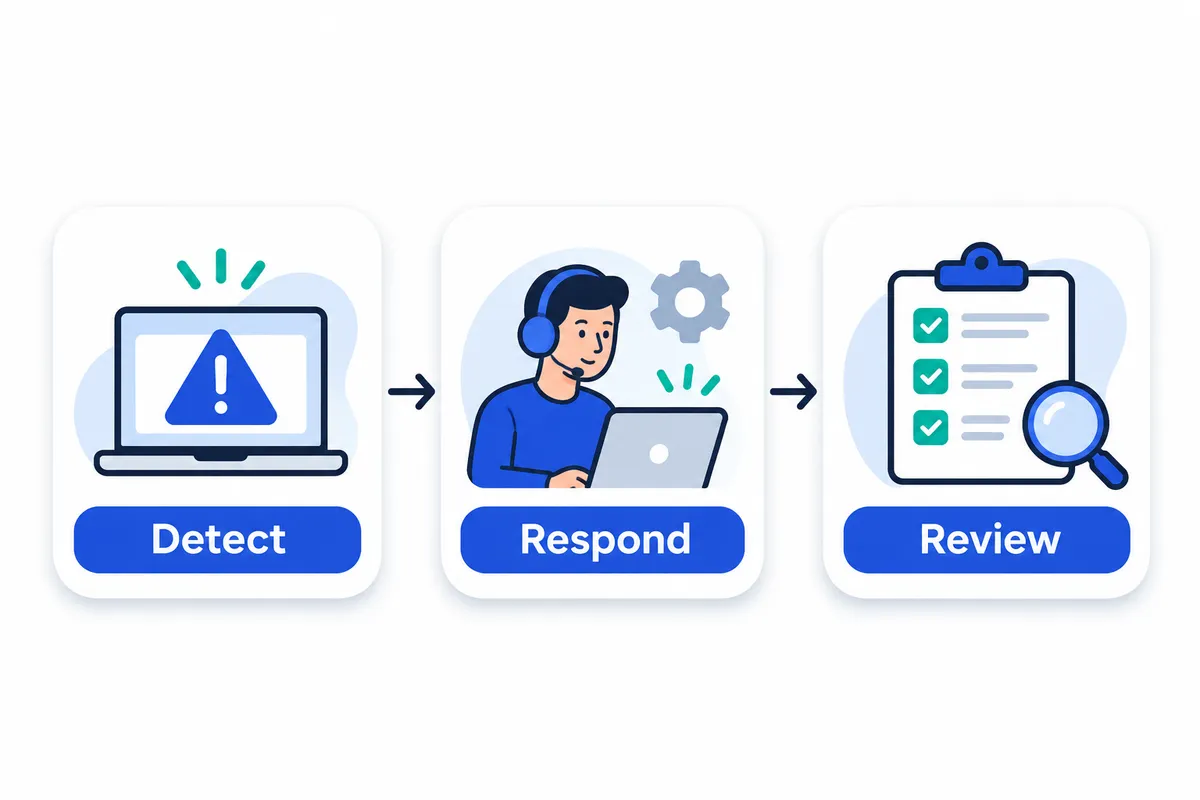
The incident management process moves through detect, triage, acknowledge, investigate, mitigate, resolve and review. Each stage needs evidence and an exit condition. A status change alone is insufficient.
Consider a hypothetical API incident: customers cannot complete checkout after a deployment. The table follows the response from the first failure signal through service verification and follow-up.
The incident lifecycle, with entry and exit criteria
| Stage | Entry signal | Responsible role | Required action | Recorded evidence | Exit condition |
|---|---|---|---|---|---|
| Detect | Checkout failures trigger an alert or customer report. | Monitoring responder | Confirm the signal and open an incident record. | Detection timestamp, failed requests, alert or report reference. | A credible failure is recorded and routed. |
| Triage | A credible checkout failure is recorded. | On-call engineer | Assess affected customers, services and dependencies; assign provisional severity. | Impact statement, affected endpoints, scope and severity rationale. | Impact is bounded sufficiently to prioritize response. |
| Acknowledge | The incident reaches the assigned responder. | On-call engineer | Explicitly accept ownership and announce the next update. | Acknowledgment timestamp, named owner, update deadline. | A responder has accepted responsibility. |
| Investigate | An owned incident needs explanation. | API subject expert | Compare deployment changes with log evidence and request failures; test hypotheses. | Deployment reference, relevant queries, observations and rejected hypotheses. | Evidence supports a safe response option; investigation can continue. |
| Mitigate | The deployment is a plausible contributor. | Operations lead | Roll back to the previous version using a reversible change; watch customer impact. | Approval, rollback details, execution time and observed effect. | Checkout failures measurably decrease, or responders reassess the approach. |
| Resolve | Checkout appears recovered. | Incident commander, supported by API owner | Run recovery checks across affected paths; verify errors, latency and pending transactions. | Test results, recovery timestamp, observation window and residual risks. | Agreed service criteria remain satisfied and resolution is recorded. |
| Review | Response is complete and evidence preserved. | Review facilitator and service owner | Reconstruct decisions, examine contributing factors and assign improvements. | Timeline, findings, action owners and due dates. | Findings and accountable follow-up are documented. |
Acknowledgment confirms that a responder has accepted ownership. Recovery means the customer-facing service is functioning again. Verified resolution requires evidence that agreed checks passed and the improvement held through an appropriate observation window.
Investigation and mitigation often overlap. Responders can reverse a suspect deployment while another engineer examines why it failed. Reassess the approach if impact persists or changes introduce new risks. Root-cause analysis can continue after resolution: restore service, preserve evidence and assign the deeper investigation separately.
A reusable incident-record checklist
Keep one living record, with current impact, owner and next update at the top. Preserve that record for review.
- Timestamps: suspected impact start, detection, acknowledgment, mitigation, restoration, verified resolution and handoffs; include the timezone.
- Affected services: endpoints, regions, components and relevant service dependencies.
- Customer impact: who is affected, which actions fail and how scope is changing.
- Owner and severity: accountable responder, supporting roles, current classification and rationale.
- Working hypotheses: supporting evidence, confidence, tests and rejected explanations.
- Changes and actions: approvals, execution times, results and reversal instructions.
- Next update: deadline, audience, responsible communicator and outstanding decisions.
Define the clocks before comparing response times
Define the start and end timestamps explicitly. Under a detection-based convention:
| Measure | Start | End |
|---|---|---|
| Acknowledgment time | First credible detection | A responder explicitly accepts ownership |
| Mitigation time | First credible detection | An intervention first demonstrably reduces customer impact |
| Restoration time | First credible detection | Full agreed service criteria first return, subsequently confirmed by verification |
Restoration can precede the recorded resolution decision. If you measure from customer-impact onset instead, label that boundary and retain both timestamps.
Agree on what MTTR means before using it: teams may mean restoration, repair or resolution. Specify the clock, qualifying incidents and treatment of missing timestamps before calculating a mean. Averages alone miss impact, recurrence, unsafe changes and communication quality. Record the definition alongside the figures so reviewers can interpret comparisons consistently.
For implementation-specific questions about 24Observe, built by our group at Networkers Home, consult its incident documentation and runbook. We disclose that connection so you can weigh our view accordingly. Check how ownership, investigation updates and closure decisions are recorded. Keep the implementation’s closure behavior separate from these operational acceptance criteria.
How should you define incident severity levels?
Define severity by customer impact, affected scope, workaround availability, security exposure and required coordination. A technical threshold provides evidence; it does not determine severity on its own.
PagerDuty’s published response guidance covers severity classifications and corresponding responses. Its examples provide organizational guidance and do not establish industry-wide rules.
An illustrative SEV-1 to SEV-4 matrix
This matrix illustrates a policy; it is not a universal standard or product default. Apply the highest justified impact or exposure criterion. An incident need not meet every condition in its row.
| Level | Impact, scope, workaround and exposure | Declaration authority | Response and coordination | Communication owner |
|---|---|---|---|---|
| SEV-1: Critical | Essential customer journeys unavailable broadly, without a viable workaround; or credible widespread compromise involving sensitive access. | Any responder may declare provisionally; commander confirms. | Page immediately; coordinate service owners and security specialists as applicable. | Dedicated communications lead, with security review for sensitive disclosures. |
| SEV-2: Major | Significant customer impact within a service or customer segment; workaround incomplete; or suspected privileged misuse with scope unresolved. | On-call responder or security lead. | Begin urgent response; appoint a commander when multiple teams must coordinate. | Named communications owner agreed by the response lead. |
| SEV-3: Limited | Localized degradation, usable workaround and no evidence of broad exposure; bounded security concerns still require assessment. | Service owner or security triage lead. | Assign an investigator; coordinate affected specialists without automatically mobilizing every team. | Service owner or security lead. |
| SEV-4: Minor | Negligible customer impact, narrow scope, workaround available and no security exposure indicated. | Responsible team’s triage owner. | Handle through scheduled work unless new evidence warrants escalation. | Ticket owner updates affected stakeholders. |
Set acknowledgment targets, mobilization deadlines and update intervals locally. Document those expectations in your on-call policy rather than adopting arbitrary time limits.
Separate impact from work priority
Severity describes the incident’s impact or credible exposure. Priority determines what gets worked next, taking urgency, dependencies and competing work into account. A minor defect’s permanent fix may deserve high priority before a critical business event without changing the original incident severity.
The same symptom can justify different levels. HTTP errors blocking checkout with no workaround could warrant SEV-1; identical errors on an unused reporting endpoint could warrant SEV-4.
Declare a provisional level when evidence is incomplete. Record the known impact and what remains unknown, including affected dependencies. Google’s SRE guidance favors early declaration. Escalate when impact or exposure expands. After mitigation, reassess residual risk before downgrading.
An outage may call for rollback or failover. Suspected credential misuse may require restricting access and revoking sessions while preserving evidence, even if the service remains available. PagerDuty explicitly distinguishes security response from ordinary operational response.
Use severity to guide notification routing, with escalation decisions governed by your incident policy. Translate that policy into notification routes and run delivery tests for each level.
Who owns an incident: commander, communications lead or subject expert?
The incident commander coordinates the response and sets priorities, delegating technical repairs to responders. Google SRE guidance separates command from technical execution and leaves undelegated duties with the commander. The allocation below combines that model with the responsibilities for commanders, experts, scribes and liaisons described in PagerDuty’s response guide.
| Role | Responsibility and decision authority |
|---|---|
| Incident commander | Sets response priorities, assigns role owners and resolves competing demands. Maintains the overall incident picture while delegating technical fixes. |
| Operations lead | Directs technical work, assigns components and tasks, coordinates production modifications and reports progress to the commander. |
| Subject experts | Investigate assigned systems, recommend mitigations and report findings to operations. Expertise does not grant authority to make uncoordinated changes. |
| Communications lead | Owns stakeholder updates, separating confirmed impact from uncertainty. Handles internal communication and customer-facing messages, or explicitly delegates those audiences. |
| Scribe | Maintains the timestamped timeline: observations, decisions, assignments, changes and results. Keeps the live incident record usable for responders. |
Combining roles without losing responsibilities
For a small team, assign one person to serve as commander, communications lead and scribe, with another handling operations and subject expertise. Record those assignments where responders can see them. Update deadlines and timeline maintenance still apply when roles are combined, as does technical coordination. Any responsibility that has not been explicitly delegated stays with the commander.
Following Google’s model, request additional responders through the planning lead. If nobody holds that role, staffing remains the commander’s responsibility. Specify the expertise needed and the affected component, along with the task that needs an owner. Give anyone assigned component work a clear reporting path back to operations.
Production changes belong within the operations team. An arriving expert should receive an assignment before modifying anything. Before making a change, announce what is proposed and who will execute it. Record the result so parallel responders do not unknowingly work against each other.
24Observe is built by our group, so weigh our view accordingly. Its incident records, case ownership, responder updates, action records, alert routing, on-call guidance, status pages and entity context support the workflow without replacing the need for an explicitly named commander.
Command-transfer checklist
Google requires an explicit handoff and acknowledgment, followed by notice to responders. Before the outgoing commander leaves:
- Name the incoming commander. Review the current impact and response priorities, including unresolved risks.
- Walk through active tasks and their owners, then review production changes and rollback options.
- Identify combined roles and staffing gaps. Confirm the next stakeholder update.
- Require the incoming commander to explicitly accept: “I accept command.”
- Record the transfer and tell everyone responding who now holds command.
- Leave only after acceptance and notification are complete.
How do you design an on call rotation and a reliable handoff?
Start with service ownership and coverage needs, then assign people. Check responder readiness separately from the calendar. Our practical on-call rotation guide is published by 24Observe, built by our group, so weigh our view accordingly.
Define coverage before filling the schedule
Give every service an owning team responsible for its runbook, responder preparation and unresolved operational risks. The primary handles initial assessment; the backup takes over when the primary is unavailable or needs help. Name an escalation owner who can arrange additional expertise.
Use this coverage worksheet, repeating rows when coverage windows differ:
| Service | Coverage window | Primary responder | Backup | Escalation owner | Runbook |
|---|---|---|---|---|---|
| [Service and owning team] | [Days, hours, time zone] | [Name/contact] | [Name/contact] | [Name/contact] | [Link, owner, last tested] |
Choose rotation length based on incident load, service complexity and available expertise. There is no universal rule. For cross-region coverage, record UTC boundaries alongside local hours. Check daylight-saving changes and allow overlap so responders can ask questions.
Record leave overrides in the actual paging schedule. Confirm that the replacement has accepted and the backup is available, then check who will receive the page. After disrupted sleep, protect recovery time by reassigning duty and adjusting daytime commitments, including meetings.
When evaluating 24Observe for on-call management, check your requirements for rotations and overrides. Include schedule resolution in that review: verify who should receive each page and whether that responder is available and able to respond.
Require readiness before independent duty
Before taking duty independently, responders should demonstrate that they can receive a page and authenticate. They should also be able to find service health and relevant logs, follow safe diagnostic steps and contact the backup. State which actions require approval and which problems can wait until working hours.
Start with shadowing, then move to reverse-shadowing: the learner leads while an experienced responder remains available. Run drills using previously resolved incidents, including an unavailable primary and a failed dependency. Rotate practice roles to expose knowledge gaps, and include incident coordination in disaster-recovery exercises.
Test notification delivery alongside access. For 24Observe, consult the notification documentation when planning that check, and verify delivery to the intended responder rather than assuming configuration alone proves readiness.
Make scheduled-duty acceptance explicit
Before the duty window changes, the outgoing responder updates the handoff and briefs the incoming responder on material risks. Copy this template into your shared duty record:
Duty window: [Start/end, time zone]
Outgoing / incoming / backup: [Names and contacts]
Unresolved incidents: [Links, impact, current owner, next action]
Temporary mitigations: [What changed, limitations, rollback trigger and owner]
Recent changes: [Deployments, configuration changes, relevant results]
Scheduled work: [Window, change owner, expected alerts, abort conditions]
Risky dependencies: [Affected services/vendors, symptoms, contact path]
Overrides: [Replacement responder, start/end, backup confirmation]
Acceptance: [Incoming responder explicitly accepts scope at timestamp; questions resolved or assigned]
A scheduled-duty handoff transfers coverage responsibility. Incident command requires a separate, explicit transfer. During an active incident, brief the incoming commander and obtain acknowledgment before the outgoing commander leaves. Announce the change to everyone responding, and use a live call when written context leaves ambiguity.
For a 24Observe evaluation, review the on-call documentation and incident guidance against your handoff requirements. Check how teammates will record acknowledgment, investigation updates, triggering details, evidence and action history. Whatever record you use, explicit human acceptance is still required.
Review the burden, not merely the calendar
Review after-hours interruptions and time spent responding, including repeated wake-ups. Check how that work falls across people and time zones. Include backup involvement and follow-up work, since scheduled hours alone miss that burden.
Investigate recurring knowledge gaps without blaming responders. Assign named owners to runbook fixes, pairing or drills. Use alert-fatigue analysis to examine repeated interruptions, and adjust coverage or recovery arrangements when actual workload makes the current rotation unsustainable.
What should an escalation policy do when nobody acknowledges?
An escalation policy must find an accountable responder when a page goes unanswered. It should distinguish three triggers:
- Time-based escalation: move to the next responder after the acknowledgment deadline expires.
- Expertise-based escalation: involve the database, network or security specialist when diagnosis requires their skills, even after someone acknowledges.
- Leadership escalation: involve decision-makers when impact requires authority over shutdowns, emergency changes or business priorities. Escalate urgent decisions immediately, without waiting for paging deadlines.
Define the policy before configuring it
Use this template for each service. The deadlines below are illustrative local policy choices. They do not describe vendor defaults.
| Policy field | Example |
|---|---|
| Service scope | Production customer API |
| Severity match | SEV-1: customer requests failing |
| Current responder | Scheduled API primary |
| Acknowledgment deadline | Primary: five minutes; backup: five additional minutes |
| Next responder | Primary → backup → incident commander |
| Fallback contact | Duty manager through an independently reachable channel |
| Stopping condition | Explicit acknowledgment stops unanswered paging; verified recovery permits resolution |
Before activating the policy, check on-call coverage. Confirm that the schedule has a reachable person who can take ownership.
Walk the API failure through the chain
At minute zero, page the API primary. With no acknowledgment after five minutes, contact the backup. If another five minutes pass unanswered, contact the commander. If the commander is unreachable, use the duty-manager fallback so the chain does not end silently.
A notification delivery failure should trigger an immediate alternate-channel attempt or fallback contact. Distinguish rejected webhooks and undelivered messages from pages a responder received but left unanswered. Document whether the alternate-contact step is automated or requires an operator.
Acknowledgment means someone has accepted responsibility while the API may still be unhealthy. It should stop the unacknowledged paging chain, leaving investigation, specialist requests and leadership escalation available.
Validate routing and delivery separately
24Observe is built by the Networkers Home group, so weigh our view accordingly. Its escalation policies advance between responders until acknowledgment; acknowledgment leaves the incident unresolved.
For configuration, consult the alert-routing information. A channel needs a route matching the incident severity, as the routing setup guide explains. An incident can exist even when notification delivery fails. Inspect delivery status through the incident-deliveries API, correct the channel configuration and retrigger the alert.
Use monitor test alerts to exercise configured channels. The delivery-event documentation explains subscription events. For test notifications, including signed webhook samples, consult the monitor test-alert documentation.
Run acceptance tests
Record expected and observed results for each drill:
| Test | Required result |
|---|---|
| Missing coverage | An empty schedule reaches the documented fallback instead of dropping the page. |
| Absent responder | Withhold primary acknowledgment; verify backup, then commander contact at the chosen deadlines. |
| Incorrect severity route | Identify the mismatch, correct it and repeat the test successfully. |
| Unavailable contact channels | Disable the preferred path; verify delivery-failure visibility and the alternate-contact procedure. |
| Successful recovery | Acknowledge while the API remains broken: paging stops, but the incident stays open. Restore service, verify health and confirm resolution without further unanswered pages. |
How do you reduce alert fatigue without hiding real incidents?
| Cause | Fix | Guardrail |
|---|---|---|
| Repeated events | Deduplicate using a stable event identifier. | Retain genuinely different events. |
| Flapping conditions | Require a sustained breach and define stable recovery. | Keep urgent failure paths sensitive. |
| Poor thresholds | Tune against service impact and expected behaviour. | Test against known incidents. |
| Missing ownership | Assign a service owner and fallback route. | Verify somebody receives the page. |
| Non-actionable pages | Move informational signals to a review queue. | Give that queue an owner and review deadline. |
| Maintenance noise | Scope notification suppression to the planned change. | Set an expiry and preserve visibility elsewhere. |
| Cascading dependency failures | Correlate symptoms into a coordinated investigation. | Keep each incident and its evidence accessible. |
Page when someone needs to act immediately. Capacity trends, low-confidence findings and routine warnings usually belong in ticket queues, scheduled reviews or security triage, depending on urgency. Moving a signal out of paging must preserve accountability. Our alert-fatigue guide discusses how severity informs on-call escalation.
Use different controls for different problems
Event deduplication removes repeated copies of an event. A delivery retry should not count as new evidence of another failure. 24Observe, built by our Networkers Home group, deduplicates ingested logs with matching event_id values within 60 seconds. We disclose our connection so readers can weigh our view accordingly. This ingestion behaviour is separate from incident correlation.
Sustained-condition thresholds require a breach to persist before a page goes out. They help reject short spikes, but the waiting period needs to reflect the risk. A brief resource spike needs different treatment from evidence of active compromise. Avoid applying the same delay everywhere.
Recovery criteria establish when a condition is healthy again. Consider using a recovery boundary that differs from the firing boundary, or requiring stable health before closure. These controls prevent incidents from repeatedly opening and closing around a threshold. They are general design recommendations, not descriptions of any particular product’s settings.
Routing sends an actionable incident to someone able to respond. Even well-tuned thresholds create fatigue if pages reach the wrong team. For example, 24Observe routes metric-alert incidents through the configured escalation policies and on-call schedules.
Correlation connects distinct incidents through shared entities, dependencies or supporting evidence. Deduplication handles repeated events; correlation brings separate failures into one investigation.
Investigate dependency failures together
Suppose an aggregation switch fails. Hosts become unreachable, application checks fail and upstream services report timeouts. Each observation may have a different owner. Together, they may justify a coordinated investigation into the switch rather than separate troubleshooting efforts for every application.
24Observe’s context graph explanation describes grouping cases according to connected entities. Its context engine constructs the graph on a schedule, drawing on signals that include logs, traces, monitors and incidents. Traces serve as a context signal here.
When cascading incidents share a failed network device as their root cause, 24Observe can collect them into a case. Related metric incidents that share a cause can also produce one case with a single notification. Grouping must leave the evidence accessible. During case review, check that responders can inspect each failure and the evidence supporting it.
Validate the proposed common cause before accepting it. Symptoms that appear together can still come from unrelated failures.
Suppress narrowly, close carefully, measure what escapes
Broad suppression can conceal another incident during maintenance or hide a security finding behind an operational outage. Restrict suppression to the affected scope and expected condition, with an expiry. Leave unmatched signals visible, then review what the suppression caught.
Automatic closure can create a blind spot when it happens too early. Silence does not always establish recovery: a log stream that stops may indicate lost telemetry. 24Observe resolves incidents automatically once the triggering condition clears, but log-alert incidents require manual closure. Operators need to review those incidents rather than assume silence means resolution.
Track how many pages require action, repeat pages for an unresolved condition, incidents that reopen and missed detections found through other channels. Review these measures together after changing rules. A lower page count alone does not demonstrate better detection; check whether the signals needing action reached responders.
What should incident communication and status-page updates include?
Name a communications owner who checks impact with responders and resolves conflicting reports. That person also keeps updates on schedule, protecting engineers’ investigation time and keeping untested hypotheses from becoming promises to customers. Commit to the next communication time rather than guessing when service will recover. Publish at that time even if the investigation has produced no material change.
Separate coordination from publication
| Audience | What the message should contain |
|---|---|
| Responders | Evidence, working hypotheses clearly labelled, action owners, changes attempted and results. |
| Internal stakeholders | Confirmed business impact, affected services, response priorities and decisions requiring approval. |
| Customers | Observable disruption, affected services, safe workarounds if verified, current action and the next update time. |
Exclude credentials, personal data, exploit instructions and sensitive investigation details from public updates. If you suspect a security incident, ask the security lead to check the wording. A lack of confirmed evidence is no basis for saying customer data is unaffected.
Reusable incident-update templates
Include explicit timestamps and time zones. The templates distinguish what responders have established from what remains uncertain.
| Stage | Template |
|---|---|
| Opening | “Since [time], [service] has experienced [confirmed impact]. We are [current action]. [Scope/cause] remains unconfirmed. Next update: [time, zone].” |
| Progress | “[Service] continues to experience [confirmed impact]. We have [verified change] and are [current action]. We have not yet established [uncertainty]. Next update: [time, zone].” |
| Resolution | “[Service] recovered at [time], verified by [checks]. Confirmed impact was [scope and duration]. We are [follow-up action]; [remaining uncertainty] is still being investigated. Next follow-up: [time, zone].” |
The following API incident examples are hypothetical, not reported events:
- Opening, 10:05 IST: “Some API requests are failing. We are investigating. The affected customer scope is unconfirmed. Next update: 10:20 IST.”
- Progress, 10:20 IST: “API failures continue. We are rolling back a recent deployment; its role remains unconfirmed. Next update: 10:35 IST.”
- Resolution, 10:35 IST: “API requests recovered at 10:30 IST, verified through request checks. Intermittent failures affected API users from 10:00 IST. We are reviewing the cause, which remains unconfirmed. Follow-up: tomorrow at 12:00 IST.”
Match the communication tool to its purpose
24Observe is built by our group, so weigh our view accordingly. We cover it first because it connects status communication with incident records. Its status-page capabilities include public or private pages, component grouping, incident-fed state changes and subscriber emails when an incident opens, progresses or is resolved. One update can reach the incident record, the public page and subscribers. Keep internal evidence, such as logs, topology and analyst findings, separate from the text selected for publication. Review communications even when publication is automated: updates written for investigators may be unsuitable for customers.
Slack and Microsoft Teams suit responders collaborating in real time. For teams keeping incident records and writing subsequent reviews, Confluence fits that role. Statuspage supports service-status communication for internal stakeholders and customers. Use these tools for their respective purposes, keeping the busy responder channel separate from the customer update feed.
How do you run a blameless post-incident review?
A blameless review examines decisions, available information and system conditions without turning hindsight into accusations. Ask, “What made this action reasonable at the time?” Every corrective action still needs an owner accountable for delivery and verification.
Use PagerDuty’s published guidance for postmortem preparation and facilitation. Google’s incident documentation guidance supports retaining response records for individual reviews and analysis across incidents. Use the structure below to organise evidence, examine decisions and contributing conditions, and assign follow-up actions that reviewers can verify.
24Observe is built by our group at Networkers Home, so weigh our view accordingly. Its incident records capture what happened and what responders did, providing evidence that reviewers still need to assess.
A practical post-incident review template
Assign a facilitator and circulate the evidence before the discussion.
| Review area | What to record |
|---|---|
| Impact | Affected services, users and business operations; impact window; and evidence supporting the scope. Separate service restoration from other recovery measurements. |
| Evidence-based timeline | Timestamped symptoms, alerts, acknowledgments, changes, mitigations and recovery checks. Link original logs and communications; mark missing timestamps. |
| Detection gaps | What first revealed the incident? Identify absent coverage, misleading signals and alert fatigue that affected recognition. |
| Response decisions | Record available information, options considered and reasons for choosing an action. Examine on-call handoffs without judging decisions using later discoveries. |
| Contributing conditions | Examine configuration, capacity, access, change controls and dependency context. Avoid reducing a multi-condition failure to one person’s action. |
| Effective mitigations | Identify what reduced impact, supporting evidence and temporary risks. Preserve the response record so others can repeat useful steps. |
| Follow-up actions | Specify the change, accountable owner, verification method and review date. Link the implementation ticket and revised runbook. |
Label explanations confirmed only when supporting evidence establishes the mechanism. Keep unresolved hypotheses separate and record the evidence needed to test them. A deployment preceding an outage establishes sequence; that alone does not establish causation.
Convert findings into verifiable changes
Replace vague actions such as “Improve monitoring” with a change that can be verified. For example:
Add a checkout dependency-failure alert. Owner: Priya, platform lead. Verify through a controlled staging dependency failure, confirming both detection and responder notification. Review date: 15 September 2026.
If recovery came from rollback, restart or failover while the underlying mechanism remains uncertain, close the operational response only after recovery checks pass. Keep a linked problem investigation open, with its own owner, hypotheses and next review date.
Across reviews, look for recurring dependencies and weak runbooks. Check whether on-call work is concentrated on particular engineers. incident.io’s guide supports collective analysis of incidents and operational load beyond MTTR.
Practise commander, communications and technical-response roles through replay exercises and disaster-recovery tests, consistent with Google’s guidance. Revisit completed actions and check whether testing or subsequent incidents demonstrated a change in the failure mode. A closed ticket alone does not establish that the change worked.
Can NOC and SOC incidents use the same response process?
Yes, teams can share incident coordination while keeping separate technical response procedures. Both need declaration criteria, an accountable owner, severity, acknowledgment and escalation rules, a timestamped timeline, and stakeholder updates. Severity should reflect service impact and potential security harm: a functioning application can still have a serious account compromise. Our guide to SIEM and observability differences explains the overlap.
The PagerDuty Incident Response Guide explicitly distinguishes security response from routine operational response. Use a common coordination framework and define separate requirements for approvals, investigation and closure:
| Decision | Operational response | Security response |
|---|---|---|
| Containment approval | Authorize rollback, failover or traffic changes through the designated operational lead. | Define who may isolate systems, disable identities or revoke credentials, considering business impact and investigative needs. |
| Evidence preservation | Capture configuration, logs and relevant system state before changes where practical. | Protect original evidence, document collection and handling, and avoid destructive cleanup before review. |
| Investigative access | Give responders the access needed to diagnose and restore service. | Restrict sensitive evidence and investigative privileges to authorized personnel. |
| Public disclosure | Communicate confirmed service impact, workarounds and restoration progress. | Coordinate wording with security, legal and communications owners; avoid exposing investigative details. |
| Closure checks | Validate recovery, stability and outstanding corrective actions. | Validate containment, scope, persistence removal and credential remediation as applicable. |
Share the queue, separate the playbooks
Consider a hypothetical routing-adjacency failure alongside suspicious administrator-account activity. Declare and assign both incidents, record decisions, and escalate unanswered pages. The NOC might validate a configuration rollback; the SOC might investigate login history and seek approval to revoke sessions. Restoring the route does not establish that the account is safe. Link the investigations only when evidence supports a relationship.
The queue gives both teams visibility into ownership and handoffs. Keep the technical playbooks separate because these incidents require different investigation and remediation steps.
24Observe is built by our group, so weigh our view accordingly. Its incident model puts monitoring and security work in a common queue with a shared lifecycle:
- NOC event handling covers adjacency losses, interface congestion and link failures. Network notifications use the same schedules and channels as application incidents.
- Detection routing directs security incidents to on-call responders and notification channels according to severity.
- Network case grouping can consolidate cascading failures attributed to a single failed device. Each case can have an owner, investigation notes and its own status.
- The AI Analyst distinguishes operational faults from suspected threats. For operational investigations, it examines possible causes such as recent changes. Security investigations corroborate independent indicators, including suspicious addresses, login sequences and privilege changes.
Review the SOC workflow against your investigation requirements. For optional practice, our Cybersecurity course includes 49 lab scenarios using 24Observe. These cover device-log preparation and normalization, detections, AI-assisted triage and submission of an incident disposition.
How does 24Observe handle incident management and on-call escalation?
Our group built 24Observe, so weigh our view accordingly. We cover it here because its monitoring and security signals feed the same incident workflow, from detection through investigation to response. This walkthrough covers available functionality and excludes planned features.
1. A failed check, threshold breach or detection opens an incident
An uptime check failure, a metric exceeding its configured threshold or a security detection firing creates an incident through the shared incident pipeline. Monitoring, observability and SIEM share a data store and incident set.
Responders get a consistent starting point for service availability problems, resource pressure and suspicious activity. Each incident keeps the signal that triggered it, so the evidence remains attached when someone begins investigating.
2. The analyst gathers evidence and proposes an explanation
The AI analyst uses read-only tools to investigate operational failures and security threats. When a monitor fails, it can correlate that failure with logs, metrics and recent changes. For security investigations, it looks for corroborating indicators; an isolated signal is insufficient proof.
Findings contain a verdict with supporting citations, the analyst’s reasoning and a recommended action. Treat that verdict as a provisional finding. Responders need to inspect the cited evidence and check whether the explanation fits the affected service or security event.
Organizations must opt in to LLM use and may provide their own LLM key. Any response action proposed by the analyst needs human review and approval. The analyst cannot execute those proposals automatically.
The context graph links evidence across operational entities. Ingested traces feed that graph as signals, together with logs and other inputs. Responders should weigh this context against the other evidence available during the investigation.
3. Related incidents can become one case
When several symptoms belong to the same investigation, operators can use the case-management workflow to gather the related incidents into a case. Each case has an assigned owner, investigation notes and its own status.
Automatic correlation can group incidents around a common cause and send one notification. Check that the grouping makes operational sense before accepting that it explains every symptom.
4. Severity determines routing and escalation
After investigation, incidents follow routes based on severity. Creating an alert channel alone is insufficient: its route must cover the incident’s severity. The setup guidance explains this configuration requirement.
Built-in scheduling supports recurring on-call rotations and temporary overrides. If an incident goes unacknowledged, escalation chains pass it between responders until someone acknowledges it. The schedule identifies the primary responder; the escalation chain defines the fallback when that person cannot respond.
Paging through PagerDuty or Opsgenie is also supported by the alerting layer. Decide which response path each severity needs instead of sending every incident to every configured destination.
5. The responder takes the incident through resolution
Incident emails include actions for acknowledgment and resolution that are accessible with a tap. Acknowledging an incident stops paging while leaving the investigation open. Responders can review the evidence and share findings with teammates, then approve an appropriate proposed action. Resolution follows verification.
Log-alert incidents require manual closure; recovery-based automatic resolution does not apply to them. The log-alert guidance documents this exception. Silence after a matching-event threshold does not establish that the underlying problem has been resolved.
For incidents driven by recovery, clearing the triggering condition can automatically close the incident. Monitor recovery also sends a corresponding resolve event through the supported PagerDuty Events API v2 integration.
Teams can keep PagerDuty as their response layer and pass investigated, grouped incidents from 24Observe without immediately migrating on-call operations. The PagerDuty integration discussion describes trying the built-in scheduling and escalation with one service or team before deciding whether to consolidate.
6. Status communication follows the configured workflow
Status pages support automatic incident updates and email notifications to subscribers when incidents open, change or resolve. Components can represent individual services.
Define what each audience can see. Internal responders can inspect logs, topology and analyst findings; the public page carries selected information in a readable form. Set up that communication workflow before depending on automatic publication during an incident.
Account for the Opsgenie transition
Teams using Opsgenie also need to plan for Atlassian’s transition. Its alerting and on-call capabilities now sit within Jira Service Management and Compass. Atlassian directs existing users to move their data and configuration before April 5, 2027, using its automated migration tooling.
If you page through Opsgenie, account for that move in your response-system plan. Check the destination configuration against Atlassian’s migration guidance, even while the existing integration remains supported.
How do you choose an incident management tool?
Evaluate tools against your response process, using realistic failures rather than a dashboard tour. 24Observe is built by our group, so weigh our view accordingly. We list it first because its combined operational and security workflow matches this guide’s scope; that order makes no claim to an independent ranking. Monitoring and security incidents share a queue, lifecycle and routing model.
Compare supported strengths and validate the gaps
“Suitable team” below is our assessment of fit. The questions set evaluation requirements; the capabilities they ask about still need verification.
| Tool | Supported strengths | Suitable team | Deployment model | Questions to validate |
|---|---|---|---|---|
| 24Observe | Shared operational/security incident handling; rotations, overrides and escalation chains. | NOC, SOC and SRE teams seeking shared response ownership. | Deployment model not established in supplied evidence; verify with vendor | Can its escalation logic handle your exceptions and handoffs? |
| Jira Service Management | Monitoring-connected alerting, rotations and escalation; centralizes and filters alerts from monitoring, logging and CI/CD systems. | Teams connecting monitoring alerts to service management. | Deployment model not established in supplied evidence; verify with vendor | How do filtering and escalation behave with duplicate alerts? |
| PagerDuty | Deeper response orchestration than 24Observe. Its published response guide covers response practices and discusses its own product use; verify required product capabilities separately. | Teams requiring more elaborate response coordination. | Deployment model not established in supplied evidence; verify with vendor | Which required orchestration steps are demonstrated product capabilities? |
| OTRS | Connected incident, problem and change management; configurable response/resolution targets, automation and reusable knowledge. | Service desks coordinating restoration with subsequent corrective work. | Deployment model not established in supplied evidence; verify with vendor | Can incident evidence follow the problem and change records? |
| Zendesk | Ticket-centered workflows, reporting and analytics; AI examines tickets and interactions for emerging issues. | Teams whose response starts with support tickets. | Deployment model not established in supplied evidence; verify with vendor | How does ticket ownership connect to urgent responder escalation? |
| incident.io | Described as all-in-one incident management; demos available. | Teams evaluating that scope. | Deployment model not established in supplied evidence; verify with vendor | Which required workflows can the demo prove? |
24Observe acknowledges that it does not match PagerDuty’s orchestration depth or integration breadth. Highly customized enterprise escalation remains a strength of specialist response platforms. Test one team or service before consolidating on-call. Keeping PagerDuty as the response layer while 24Observe supplies investigated, grouped incidents is also a supported approach.
Run an acceptance drill before committing
Use these checks as procurement requirements. Verify them for each tool above, record pass/fail evidence and assign someone to resolve each gap.
- Test handoffs by transferring an active incident across a shift boundary. Require explicit acceptance, retained context and visible ownership.
- Break a notification destination to test failed delivery. Check failure visibility, retry behavior and fallback routing. For 24Observe, the testing documentation distinguishes incident creation from successful delivery.
- Confirm who acknowledged the incident, when paging stops and whether acknowledgment leaves the investigation open.
- Restore the monitored service to test recovery closure. Verify incident closure and downstream page closure separately.
- For security-specific closure, require documented containment checks, evidence review and an authorized disposition. In 24Observe, log-alert incidents require manual closure.
- Check permissions by testing responder, commander, administrator and automation identities against permitted actions.
- Request an exported timeline containing decisions, timestamps and supporting evidence. Check that it is usable and compare it with the recorded investigation and actions.
- Demonstrate internal updates and customer messaging without exposing restricted investigation details. Review status-page behavior separately.
- Name who maintains schedules, escalation rules, integrations and delivery tests, and include that administration effort in the decision.
Incident management FAQ: process, paging and resolution
What are the stages of the incident management process?
The process moves through detection, recording, classification and prioritization, investigation, mitigation, recovery, resolution, closure and review. Activities can overlap, with communication continuing while responders investigate and restore service. Resolution confirms that recovery criteria have been met; closure completes the record. Root-cause work can continue through problem management without keeping the incident open indefinitely after service has recovered.
What is the difference between acknowledgment and resolution?
Acknowledgment confirms that a responder has accepted responsibility. It does not establish recovery. Resolution records that the incident’s recovery criteria have been satisfied.
24Observe is built by our group at Networkers Home, so weigh our view accordingly. Its acknowledgment action stops paging without resolving the incident. Continue posting investigation updates after acknowledgment so teammates know what remains unresolved.
What should happen when nobody acknowledges an incident?
The escalation policy should pass responsibility to the next configured responder so the incident does not remain unattended. Define that path before an emergency and test it during on-call preparation.
24Observe’s escalation policies advance between responders until acknowledgment. Check severity-based notification routing as well: a configured channel needs a route that covers the incident’s severity. An incident can be open without anyone having received its page.
Can incidents resolve automatically when a monitor recovers?
Yes. In 24Observe, incidents generally resolve after the condition that triggered them clears. The exception is log-alert incidents, which require manual closure, because a quiet log stream does not establish that the underlying issue is resolved.
Through its PagerDuty Events API v2 integration, 24Observe sends a resolve event following monitor recovery. This recovery event is separate from a responder’s acknowledgment.
Who owns an incident: the commander or the engineer fixing it?
The commander coordinates the response and maintains the overall incident picture. Technical responders investigate and implement changes, while the communications lead handles stakeholder updates. Make these responsibilities explicit, even when a small team combines roles.
Google SRE guidance supports clear role boundaries. A handoff requires an identified incoming owner and their explicit acceptance, followed by notification to everyone involved. Sending notes alone does not complete the transfer of command.
Can NOC and SOC incidents follow the same process?
They can share intake, severity assessment, ownership, escalation and a timeline. Security investigations also need their own decisions about containment, evidence handling and disclosure. Restoring availability must not destroy evidence needed to understand a compromise.
Account for these differences when designing a shared monitoring and security response process. PagerDuty’s response guidance also distinguishes security handling from ordinary operational response.
When must Opsgenie users migrate?
Atlassian directs existing users to transfer their data and configuration before April 5, 2027, using its automated migration tool. Opsgenie’s alerting and on-call capabilities are now included in Jira Service Management and Compass.
24Observe lists Opsgenie among its alert integrations. Atlassian’s migration requirement still applies. Inventory schedules, overrides, escalation rules and notification paths, then validate the replacement routing before retiring the existing configuration.
Frequently asked questions
What is incident management in IT?
Incident management is the coordinated process for identifying a service disruption, assessing its impact, assigning responders and restoring acceptable operation. An ITIL-oriented approach emphasizes service restoration. SRE practice adds explicit command, technical coordination and a documented response. Both benefit from clear ownership, timely communication and review. Restoring service can close the immediate incident even when investigation into the underlying problem continues as separately tracked work.
How is incident management different from problem management?
Incident management addresses the disruption happening now: establish impact, coordinate responders and restore service. Problem management examines underlying causes and conditions that could produce further incidents. A workaround may resolve an incident without eliminating its cause. Keep the records connected, but give preventive investigation its own owner and completion criteria. Otherwise, teams either delay restoration while seeking certainty or lose the follow-up work after recovery.
What is the difference between incident management and incident response?
The terms overlap, and organizations use them differently. Incident management commonly describes the full coordination process, including preparation, declaration, roles, communication and review. Incident response often refers to the actions taken to investigate, contain or mitigate a specific event. In security work, response also requires security-specific handling of evidence and containment. Define the terms locally so responders understand which process applies and who has decision authority.
What should an on-call escalation policy contain?
An escalation policy should identify the affected service, applicable severity, responsible responder, acknowledgment deadline, backup contacts and fallback ownership. It should also explain when to involve specialists or leadership. Test what happens when coverage is missing or notification delivery fails. Acknowledgment normally ends the unacknowledged paging chain, but it does not establish recovery. The incident still needs an owner, investigation updates and explicit resolution criteria.
How can teams reduce alert fatigue without missing important incidents?
Start by checking whether each page requires immediate action and reaches the correct owner. Remove repeated notifications, tune thresholds around meaningful impact and define recovery behavior. Correlate related symptoms when evidence supports a common cause, while preserving the underlying records. Review suppressed signals and missed detections as well as page volume. Fewer notifications are useful only when responders can still identify and act on consequential incidents.
Does acknowledging a 24Observe incident resolve it automatically?
No. Acknowledgment accepts responsibility and stops paging without marking the incident resolved. For supported recovery-driven incidents, resolution can occur when the triggering condition clears. Log-alert incidents are an important exception: operators must close them manually. Through its PagerDuty integration, monitor recovery also sends a resolve event. Keep these behaviors separate in runbooks so responders do not mistake an acknowledged page for verified service recovery or a completed security investigation.
What should Opsgenie users consider when planning on-call workflows?
Atlassian now includes Opsgenie's alerting and on-call functions within Jira Service Management and Compass. Its guidance tells existing Opsgenie users to transfer their data and configuration before April 5, 2027, using the automated migration tool. Treat that deadline as a workflow dependency: review schedules, overrides, notification settings and escalation ownership, then verify the intended behavior after migration. Do not assume that an existing paging integration removes the need for transition planning.