Building Your Ultimate CCNA/CCNP Home Lab: A Practical Guide
Embarking on your journey to CCNA or CCNP certification is an exciting step towards a rewarding career in networking. While theoretical knowledge is crucial, hands-on experience is what truly solidifies your understanding and prepares you for real-world scenarios. This is where a well-designed home lab becomes indispensable. At Networkers Home, India's premier networking training institute, we emphasize practical application, and building your own lab is a cornerstone of that philosophy.
Why a Home Lab is Essential for CCNA/CCNP
Reading about networking concepts is one thing; configuring them on actual or simulated devices is another. A home lab provides a safe, sandboxed environment where you can:
- Experiment Freely: Test configurations, break things, and fix them without fear of impacting a production network.
- Reinforce Learning: Apply theoretical knowledge to practical scenarios, making concepts stick better.
- Develop Troubleshooting Skills: Diagnose and resolve common network issues, a critical skill for any network engineer.
- Gain Confidence: Become comfortable with Cisco IOS CLI and various networking protocols.
- Prepare for Exams: Many certification exams include practical simulations, and lab experience is invaluable.
Hardware vs. Software: Your Home Lab Options
When it comes to building a home lab, you generally have two main approaches: physical hardware or virtualized software. Often, a hybrid approach offers the best balance.
1. Physical Hardware Lab
A physical lab involves acquiring actual Cisco routers, switches, and other devices. While it offers the most authentic experience, it comes with considerations:
- Pros:
- True-to-life experience with physical cabling, port states, and LED indicators.
- No resource overhead from virtualization software.
- Cons:
- Cost: Can be expensive, especially for newer models.
- Space & Noise: Devices can be bulky, noisy, and generate heat.
- Power Consumption: Higher electricity bills.
- Limited Scalability: Difficult to add more devices quickly or change topologies.
Recommended Devices (Budget-Friendly for CCNA/CCNP):
- Routers: Cisco 2901, 2911, 1841, 2811 series (look for ISR G1/G2). Get at least 2-3.
- Switches: Cisco Catalyst 2960, 3560, 3750 series. Aim for 2-3 Layer 2 switches and at least one Layer 3 switch (e.g., 3560/3750 for CCNP).
- Cables: Ethernet (straight-through and crossover), Console cable (USB to RJ45).
- Optional: Wireless Access Point (Cisco Aironet), IP Phones (for Voice concepts).
2. Virtualized Software Lab (Emulators/Simulators)
This approach uses software to emulate or simulate Cisco devices on your computer. It's often the preferred method for its flexibility and cost-effectiveness.
- Pros:
- Cost-Effective: Many tools are free or have affordable licenses.
- Scalability: Easily add or remove devices, change topologies on the fly.
- Portability: Run your lab on a laptop anywhere.
- Resource Efficiency: No extra power, heat, or noise.
- Feature-Rich: Modern emulators support most CCNA/CCNP features.
- Cons:
- Requires a reasonably powerful host machine (CPU, RAM, Storage).
- Some very specific hardware-dependent features might not be perfectly emulated.
Popular Tools for Virtual Labs:
- Cisco Packet Tracer: Free, easy to use, excellent for CCNA. It's a simulator, meaning it models device behavior rather than running actual IOS.
- GNS3 (Graphical Network Simulator-3): Free, powerful emulator. Runs actual Cisco IOS images (IOSv, IOL, ASAv, etc.), allowing for advanced CCNP-level labs. Requires you to source your own IOS images.
- EVE-NG (Emulated Virtual Environment - Next Generation): Similar to GNS3 but browser-based and very robust. Also requires IOS images.
- Cisco Modeling Labs (CML): Cisco's official powerful network emulator, subscription-based.
For most CCNA and even CCNP students, a combination of Packet Tracer (for foundational CCNA) and GNS3/EVE-NG (for advanced CCNA and CCNP) is highly effective and budget-friendly.
Building Your Virtual Lab: Key Components
If you opt for a virtual lab, here's what you'll need:
- Host Machine: A PC or laptop with:
- CPU: Intel i5/i7 (or AMD equivalent) with virtualization extensions enabled (VT-x/AMD-V).
- RAM: 16GB+ recommended for CCNP labs.
- Storage: SSD highly recommended for better performance, 200GB+ free space.
- Virtualization Software: VMware Workstation/Fusion, VirtualBox (for running GNS3/EVE-NG VMs).
- Emulator/Simulator: GNS3 or EVE-NG are excellent choices.
- Cisco IOS Images: These are crucial for GNS3/EVE-NG. You typically need to acquire these through legitimate means (e.g., a Cisco service contract or CML subscription).
Getting Started with Your Lab
- Plan Your Topology: Start with simple topologies for CCNA (e.g., two routers connected, a router connected to a switch with PCs). Gradually increase complexity.
- Master the CLI: Spend time getting comfortable with basic commands (
show ip interface brief,configure terminal,interface GigabitEthernet0/0,ip address,no shutdown,router ospf 1, etc.). - Follow Along with Courses: As you learn concepts in your CCNA training or CCNP Enterprise training at Networkers Home, replicate the labs yourself.
- Troubleshoot: Intentionally break configurations and then fix them. This builds invaluable troubleshooting skills.
- Document Your Work: Keep notes of configurations and commands that work.
At Networkers Home, we don't just teach theory; we provide extensive hands-on lab experience using industry-standard equipment and advanced simulation tools. Our expert instructors guide you through complex scenarios, ensuring you're not just certified, but truly competent.
Success Stories from Networkers Home
Don't just take our word for it. Hear from our successful students who leveraged our training and practical approach to land their dream jobs:
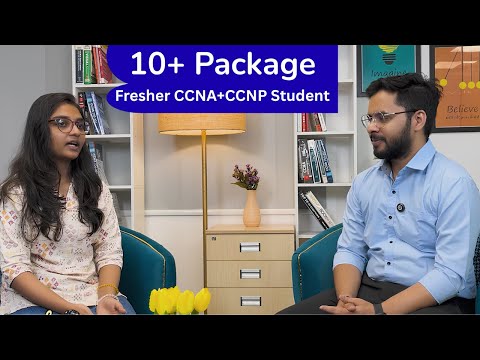
Check out this testimonial to see how our training helps students achieve their career goals.
Another inspiring story can be found here, showcasing our placement success.
Witness the journey of our placed students here.
And yet another success story from a Networkers Home graduate here.
Conclusion
Building a home lab, whether physical or virtual, is a critical investment in your networking career. It transforms abstract concepts into tangible skills, preparing you for the challenges of real-world networks and the rigor of certification exams. Combine your dedicated lab practice with the unparalleled training and expert guidance from Networkers Home, and you'll be well on your way to becoming a highly sought-after networking professional.
Ready to elevate your networking expertise and secure a top-tier job? Join the ranks of successful Networkers Home alumni. Explore our comprehensive CCNA, CCNP, and other advanced networking courses today and take the first step towards a brilliant future! Visit www.networkershome.com or call us to speak with a career advisor. Your networking journey starts here!